Welcome to your weekly roundup of FG Funnels updates through the week of March 11th, 2026.
This week’s release focuses on smoother collaboration, better reporting visibility, stronger automation tools, and expanded AI capabilities across the platform. You’ll also see improvements to Calendars, Conversations, Voice AI, Agent Studio, and more.
If you have any questions about these updates, reach out through live chat inside the app or email [email protected] — we’re always happy to help.
We’ve resolved an issue in the New Conversations UI where call recordings were sometimes unplayable and missing timestamps.
What’s fixed:
This ensures call records are easier to review and reference when working with customer conversations.
Review requests now automatically stop duplicate reminders across Email, SMS, and WhatsApp once a contact engages through any one channel.
Previously:
Now:
Why this matters:
Example:
If a contact receives 2 Email requests, 1 WhatsApp request, and 3 SMS requests — and they engage via SMS — the remaining 5 requests are automatically closed.
Marking appointments as Showed or No Show will no longer trigger update emails in external calendars like Google, Outlook, or iCloud.
Internal tracking remains fully functional, but external attendees will no longer receive confusing “Appointment Updated” notifications.
Bulk editing availability for multi‑user calendars now provides clearer visibility and safer update behavior.
Enhancements include:

You can now create rental bookings directly from the calendar view by clicking and dragging across time slots or date ranges.
How to use it
Navigate to Rentals → Calendar View
Click and drag across future dates or time slots in a listing row
Complete the booking details in the panel that opens
This creates a faster and more intuitive booking workflow for rental teams.

Followers can now view appointments for contacts they follow (with proper permissions).
Key behavior:
This improves collaboration between team members working on the same contacts.
AI Builder now provides a checklist showing which actions still require manual input after generating a workflow.
What’s new:

Sticky Notes now support:
Sticky notes help teams document automation logic directly on the canvas.


Two new goal triggers are available in workflows:
These goals allow contacts to automatically move forward in a workflow based on real outcomes.


Workflow fields now include smarter tooltips with an Explain Field option.
Clicking it opens the AI assistant with a detailed explanation and allows follow‑up questions without leaving the builder.

Listings (Yext & Uberall) is now available in 27 additional countries including markets across Europe, Asia, the Middle East, South America, and Africa.
Newly supported countries include:
Netherlands, Poland, Portugal, Argentina, Czech Republic, Chile, Finland, Singapore, Hungary, Romania, United Arab Emirates, Israel, Cyprus, Colombia, Peru, Malaysia, Indonesia, India, Philippines, Nigeria, Saudi Arabia, Pakistan, Ecuador, Vietnam, Costa Rica, Algeria, and Afghanistan.
The purchasing flow remains unchanged — the new countries simply appear in the dropdown during listing setup.
You can now refine Voice AI prompts using AI assistance directly inside the editor.
Features include:
This significantly speeds up prompt optimization for voice agents.
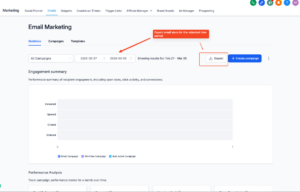
You can now export detailed email performance data.
Exports support:
Export files include metrics such as deliveries, opens, and clicks.
Files are delivered via secure download links valid for 30 days.
Enable under Labs > Export Email Marketing Statistics
Custom Objects now support Notes — giving teams the same contextual record‑keeping used for Contacts and Opportunities.
Features include:
This keeps context centralized and reduces duplicate note entries.


FGF Notifications