

Welcome to your weekly round up of FG Funnels updates through the week of January 2nd, 2025. This release brings reliability improvements, smarter AI-assisted building, and powerful new tools for messaging, prospecting, and Agent Studio. If you have any questions about these updates, email us at [email protected] or reach out through live chat inside the app.
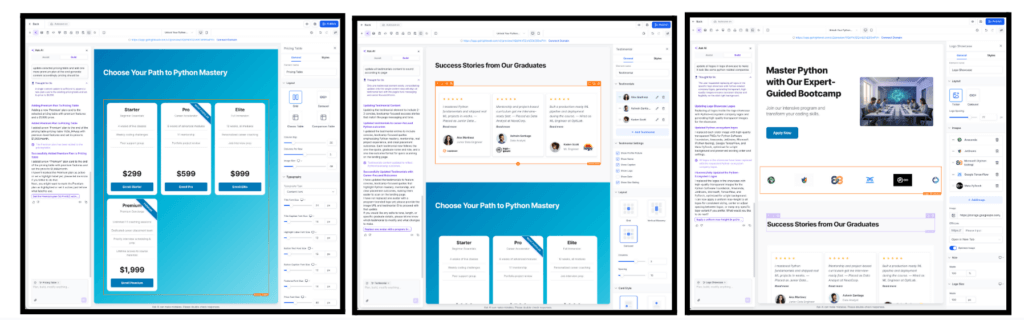
Ask AI is now significantly more precise when updating list-based elements inside Funnels and Websites. Previously, even small AI-driven changes could overwrite entire lists. With this improvement, updates now happen at the individual item level.
This enhanced behavior applies to Testimonials, Pricing Tables, Logo Showcases, and Number Counters, along with refinements to existing components like FAQs, Image Sliders, Photo & Video Galleries, and Navigation Menus. The result is faster updates, fewer unintended changes, and a smoother, more reliable AI editing experience.
Inline editing is now smoother and less disruptive across Forms, Surveys, and Quizzes. Element settings have been moved to a dedicated settings icon, allowing you to open and close the side tray without losing your current selection.
This improvement is especially helpful on smaller screens, where preserving workspace and editing context makes a noticeable difference in usability.

The WhatsApp template builder now integrates directly with Media Storage for header uploads. When adding images, videos, or documents to a template, you can upload from your computer or reuse existing assets from your Media Library.
Media is filtered dynamically by file type, the upload experience matches the rest of the builder, and assets can be reused across templates without redundant downloads or re-uploads.

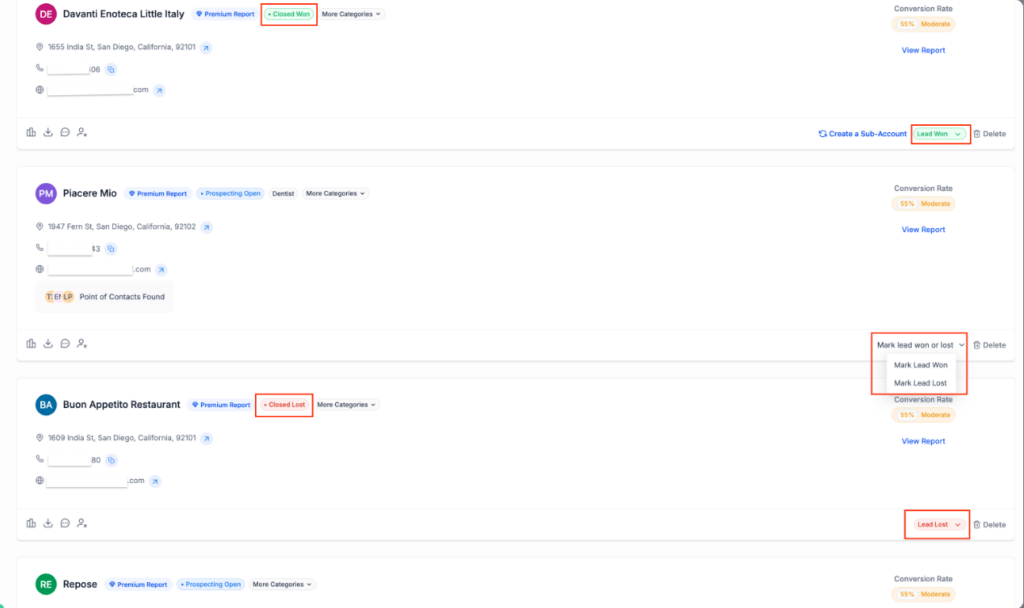
The Prospecting Tool now supports clearer outcome tracking and faster activation for new users. Prospects can be marked as Open, Closed Won, or Closed Lost, with Closed Won acting as the trigger point for sub-account creation.
New status-based filters make it easier to see which leads need follow-up, which wins still require onboarding, and which prospects are fully closed. A guided onboarding card also helps first-time users get started quickly, improving time-to-value and adoption.
External Tracking now supports capturing and mapping custom fields from both FG Funnels forms and standard HTML forms. A wide range of field types is supported, including text, dropdowns, checkboxes, ratings, monetary values, dates, and metadata from file uploads.
Fields are mapped using a predictable priority order, making it easier to identify unmapped data and standardize field behavior across internal and external forms.
Important Notes
Sound notifications in the Live Chat Widget now cover more system and lifecycle messages, including chat initiation, acknowledgements, welcome messages, and form-related prompts.
All sounds are controlled by the existing Notification Sound toggle, allowing businesses to maintain a consistent and predictable chat experience while ensuring visitors don’t miss important moments during a session.

Outbound calling on mobile is now faster and more reliable with Sticky Phone Number support. When you explicitly choose an outbound number in the mobile app, that selection is now remembered for subsequent calls.
Previously, the app would reset your outbound number after every call, which created friction—especially for teams making back-to-back calls or using Local Presence Dialing. With this improvement, your selected number persists until you log out or reinstall the app, reducing mistakes and unnecessary re-selection.
This works with both User Assigned Numbers and the Default Sub-account Outbound Number. Local Presence Dialing behavior remains unchanged and will continue to dynamically select the best local number when enabled.
How to Use
Available on LeadConnector Mobile App 4.5.0 and above.
Custom Dispositions are now fully supported on mobile, bringing call outcome tracking and automation parity between web and mobile. Reps can select a single, definitive outcome immediately after a call ends—directly from the mobile app.
Dispositions selected on mobile can trigger workflows, power reporting, and drive follow-ups just like they do on web. This makes it easier for teams in the field to log outcomes in real time and keep automation moving without switching devices.
How to Use
Available on LeadConnector Mobile App 4.5.0 and above.

Agent Studio now includes a Message Execution Timeline that provides full visibility into how agents process and respond to messages. You can view event sequencing, tool calls, latency per step, and execution metrics to better understand and optimize agent behavior.
The Chat Emulator has also been redesigned with a cleaner interface and improved testing experience. New node navigation makes it easy to jump directly from execution logs to the exact node in your workflow, enabling faster iteration and debugging.
That’s it for this week’s FG Funnels updates. We’re closing out 2025 with improvements focused on clarity, reliability, and scale — and we’re excited to build even more alongside you in the new year.
FGF Notifications








