Welcome to your weekly roundup of FG Funnels updates through the week of January 27th, 2026. This week is packed with smart automation upgrades, better version control in Agent Studio, enhanced WhatsApp configuration, native Google Forms support in Workflows, and new tools for blog authors and growing teams. As always, if you have any questions about these updates, reach out to us at [email protected] or start a chat inside the app.
Conversations
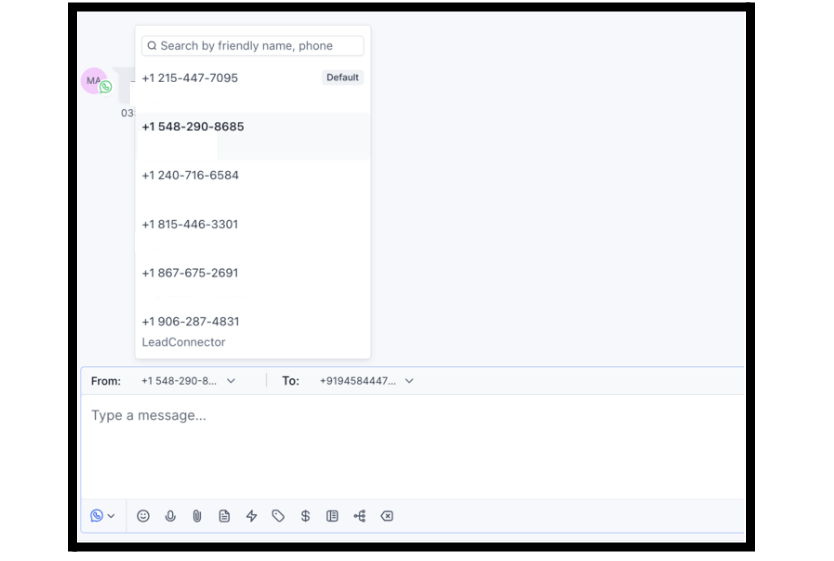
WhatsApp From & To Number Configuration
New logic in the Conversations module now makes it easier and safer to manage WhatsApp numbers across multiple threads and users.
Key improvements:
- Default WhatsApp number is clearly displayed and auto-selected
- Conversations now auto-lock to the correct number within the 24-hour session window
- Number switching triggers compliant template messages
- Multiple contact numbers now maintain separate threads
This reduces confusion, improves accuracy, and ensures compliance when messaging across teams or regions.
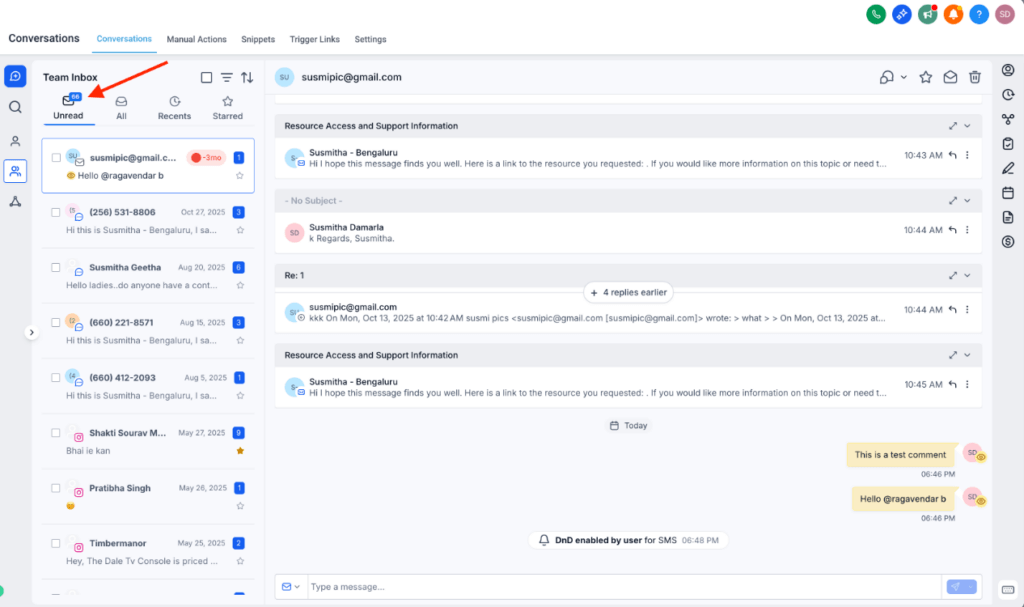
Real-Time Unread Conversation Counter
The New Conversations UI now includes a live unread message counter that updates instantly as new messages arrive—no more tab switching or manual refresh needed.
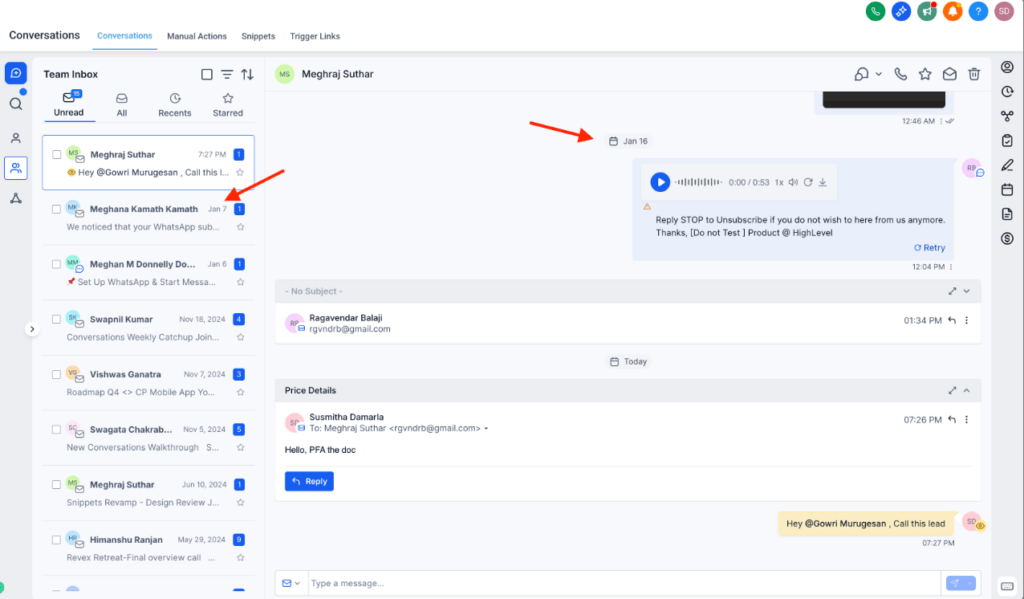
Standardized Date Formats
All dates in the New Conversations UI now follow a consistent format (e.g., Jan 5) to reduce ambiguity and improve readability for global teams.
Saved Views for Conversations
You can now save filtered views of your inbox to focus faster:
- Create views for unassigned chats, tags, or channels
- Switch between views without reapplying filters
- Share views with your team (admins only)
Available in Labs under “Conversation Views: Save Filters, Work Faster” (New UI only).
Workflows
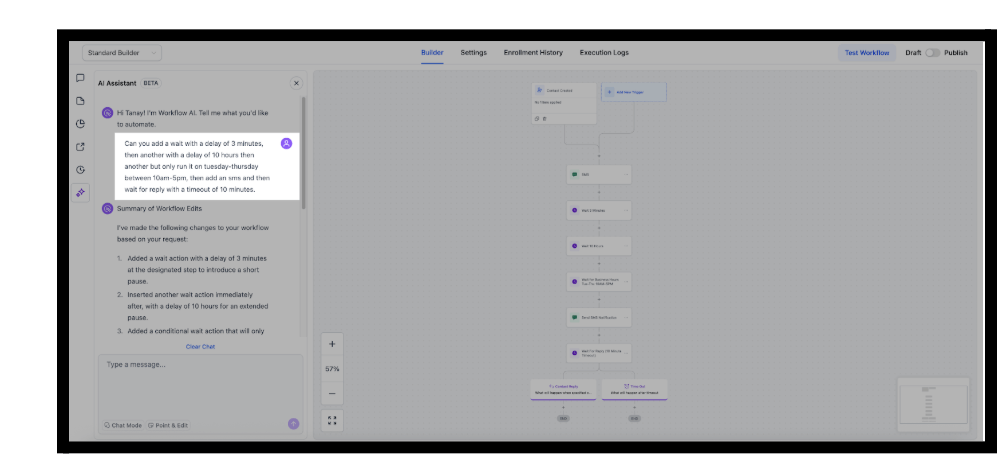
AI Builder: Smarter Wait Step Generation
AI Builder now supports complex wait logic in a single prompt. You can describe multiple waits, time conditions, reply timeouts, and message steps—and the builder will generate everything cleanly.
Other improvements:
- Timezones populate correctly
- Invalid/negative values are blocked
- Timeout branches appear only when requested
- Waits are enforced as single-path logic to prevent structural errors
This means faster workflow builds with fewer mistakes and less back-and-forth editing.
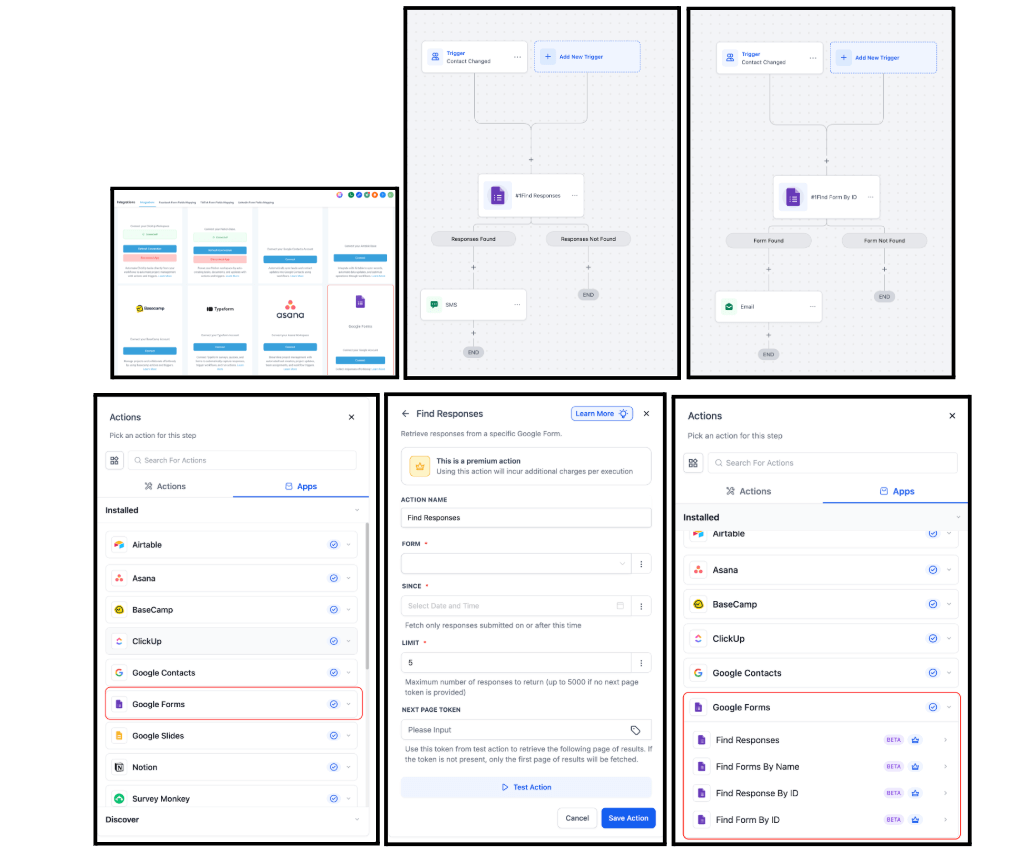
Google Forms: Native Triggers & Actions
New native Google Forms integration now lets you:
- Trigger workflows on new Google Form submissions (polling every 5 minutes)
- Find forms or responses by ID or name
- Run logic based on form responses
Use cases include:
- Lead capture → CRM sync
- Conditional follow-ups based on satisfaction scores
- Preventing duplicate outreach
Connect from Workflows or under Settings → Integrations → Google Forms.
Agent Studio
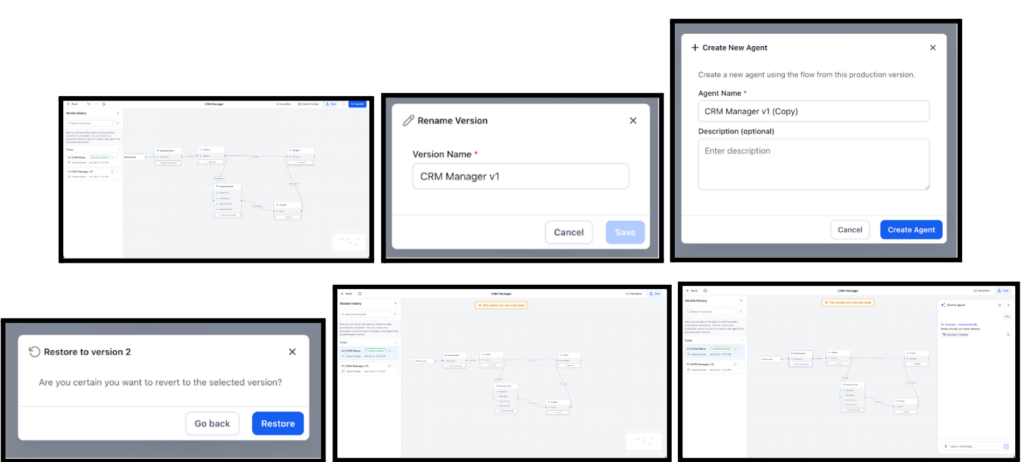
Version Management Enhancements
A big step forward for safe AI agent deployment:
- Only a staging version is created by default
- Users must explicitly promote versions to production
- Multiple production versions can be saved
- Restore or clone from any version
- View full version history in a new sidebar
This makes it easier to test, iterate, and roll back without risking live functionality.
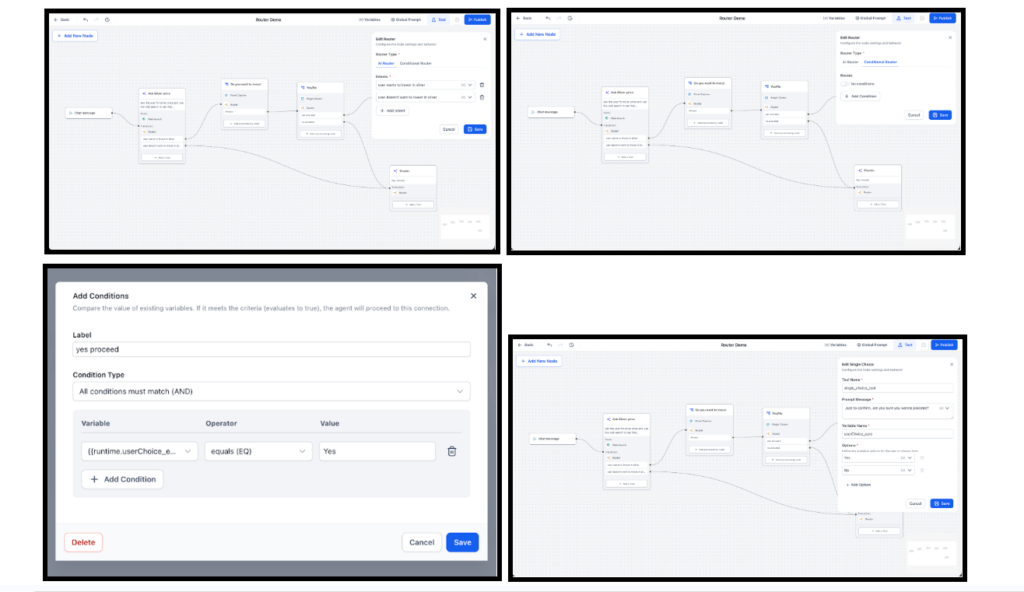
Agent Studio Router Tool (AI Router & Conditional Router)
A new Router node is now available in Agent Studio to help you route conversation logic:
- Use intent-based routing with AI
- Use static conditional logic (e.g., feedback == “positive”)
- Combine with Sequential Nodes for dynamic branching
This is paired with a sleek new node configuration UI that keeps your graph in view as you build.
Blogs
Smarter Read Time Calculation & Preview Display
Blog previews are now cleaner and more accurate:
- Posts with less than 1 min of read time show nothing (instead of 0 min)
- Improved calculation during CSV uploads and scraping
- Matches the Blog Post Editor for consistency across all entry points
How to Use
- Create or edit a blog post as usual
- Preview the post in the Builder to see the updated read time behavior
- Upload blogs via CSV or scraping and notice improved accuracy automatically
Users
Language Selection on Login Pages
Users can now choose their preferred language on the login page—and that selection will persist across sessions.
This improves global accessibility and ensures language consistency for teams across regions.
2FA for Phone Number Updates + Secure OTP Flow
To better protect user accounts:
- Changing your phone number now requires 2FA (email, SMS, or TOTP)
- OTPs can only be sent to previously verified channels
- Users are rate-limited to 5 phone/email updates per day
This brings phone number updates up to the same security standards as email updates.
Workflows / Automation
Google Forms: Native Triggers & Actions
New native Google Forms integration now lets you:
- Trigger workflows on new Google Form submissions (polling every 5 minutes)
- Find forms or responses by ID or name
- Run logic based on form responses
Use cases include:
- Lead capture → CRM sync
- Conditional follow-ups based on satisfaction scores
- Preventing duplicate outreach
Connect from Workflows or under Settings → Integrations → Google Forms.