Welcome to your weekly round up of FG Funnels updates throught the week of December 11th, 2025.
This week’s updates focus on smoother building, smarter automation, and better channel coverage. From quality-of-life improvements in Forms and Blogs to smarter Voice AI booking, and a new AI send-time feature for email, there’s a lot here to help you and your clients move faster.
If you have any questions regarding these updates, email us at [email protected] or through live chat inside of the app.
Forms, Surveys, and Quizzes
Fixes and Improvements
We’ve cleaned up a handful of pain points in the builders so editing and publishing forms, surveys, and quizzes feels more predictable and less fragile.
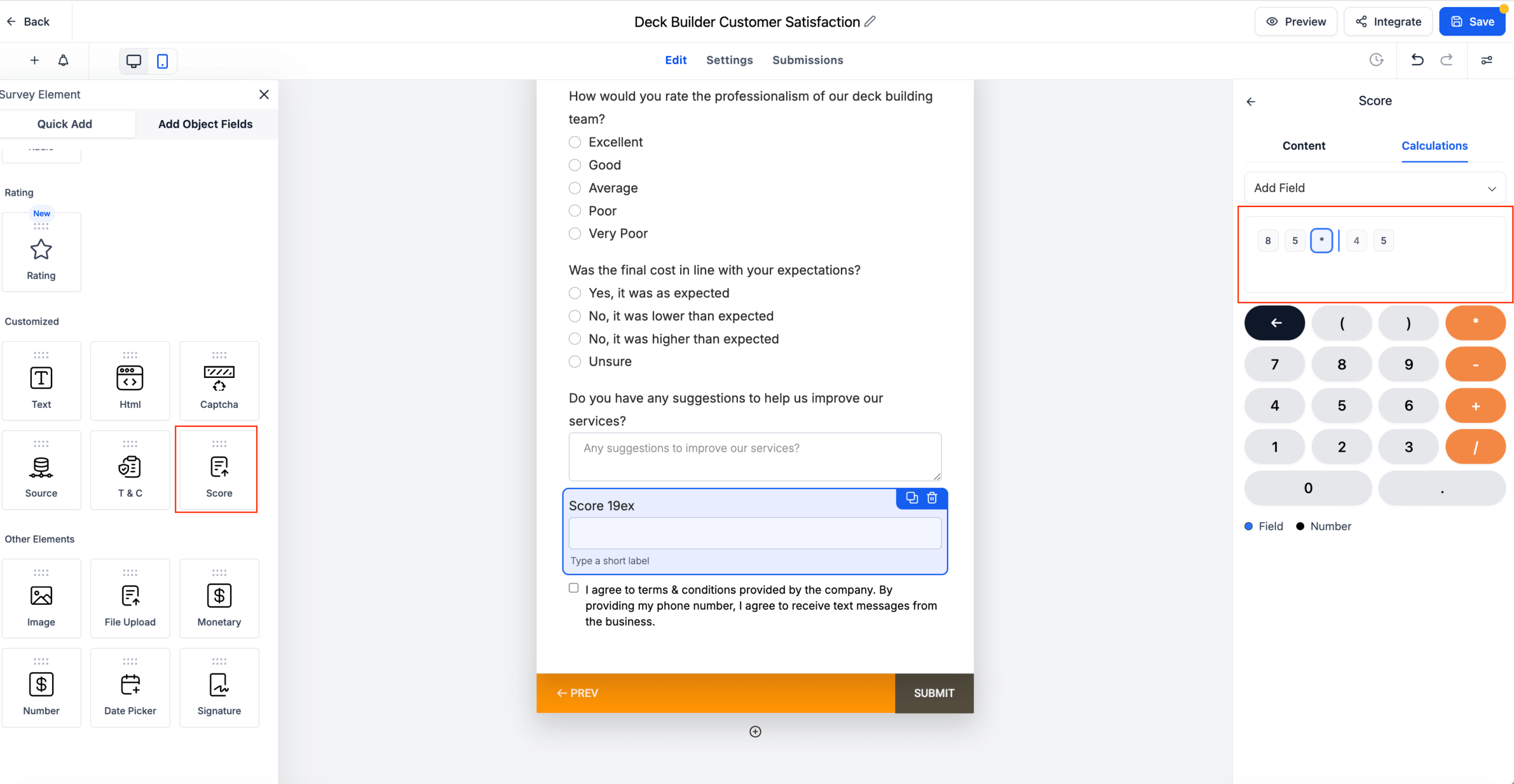
Score Editor Cursor Support
You can now click anywhere inside a formula and edit inline. The cursor, arrow keys, Home/End all behave as expected, so you don’t have to delete from the end just to change something in the middle.
Drag-and-Drop Placement Fixes
Dragging fields no longer replaces existing elements unexpectedly. Fields drop exactly where you place them, in both Form and Quiz builders.
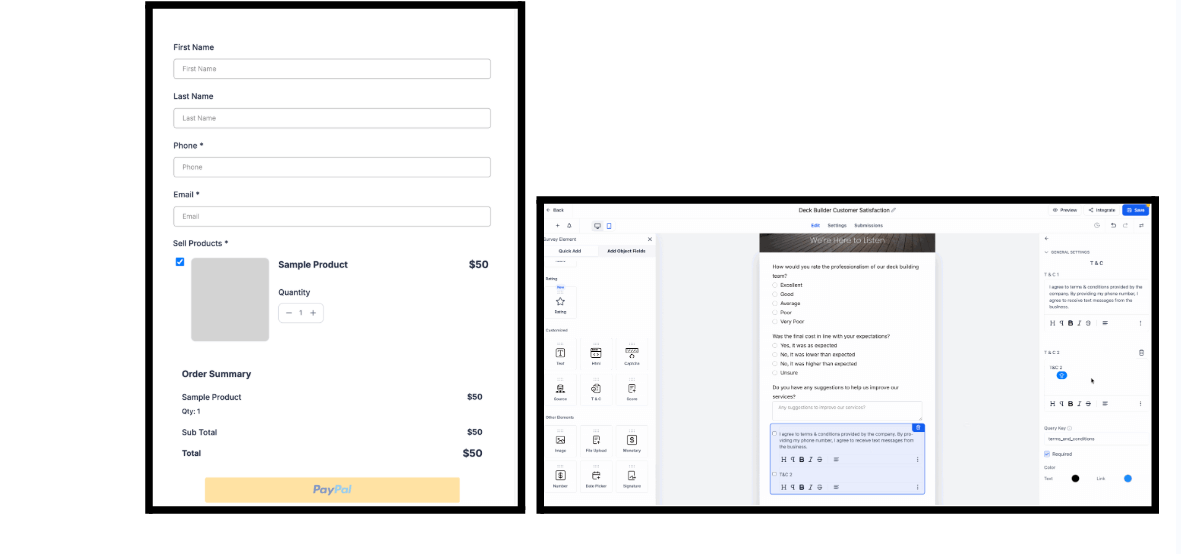
Single Product Auto-Select in Preview
If a form has only one product, it’s now auto-selected in preview so checkout flows make sense without extra clicks.
Multiple Terms & Conditions in Surveys and Quizzes
Surveys and quizzes now support multiple T&C fields (not just forms). This is especially helpful when you need separate consent for privacy, marketing, and data use.
Top Margin Controls in the Builder
You can now adjust top spacing directly in the builder with no need for custom CSS.
How It Works
- Open your form, survey, or quiz in the builder.
- Navigate to Styles → Layout.
- Set your top margin values.
- Watch updates appear live in the preview.
- This gives non-technical users more layout control and speeds up publishing.

Calendars
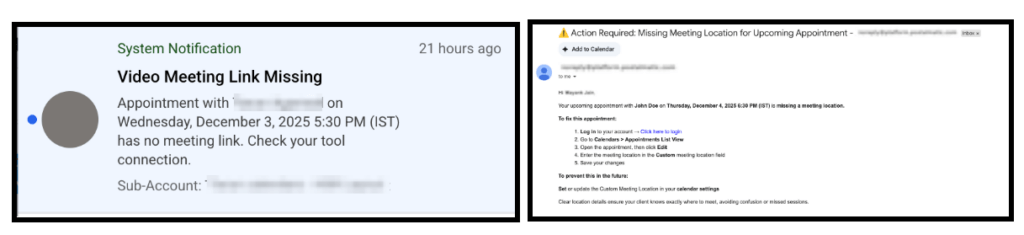
Stay Informed When a Meeting Is Missing a Location
Assigned users will now be notified when an appointment is booked without a meeting link or location, so they can fix it before it causes confusion.
What’s New
- Smart notifications go out when a meeting is missing a location or link.
- Notifications respect per-user preferences and only go to users who have them enabled.
Where to Configure
Settings → My Staff → Select Staff → Notification Settings → Calendar Notifications → “Notify when meeting link/location is missing”
Supported channels: Email and In-App.
Blogs
Enhanced Blog Post Preview
Blog preview now renders exactly like the live page, including custom code, embeds, and styling. You also get a shareable preview URL for quick approvals.
What’s New
- Public, shareable preview links (no login required).
- Full HTML/CSS rendering in preview, including inline styles and custom formatting.
- JS embed support for interactive widgets, forms, calculators, and scripts.
- Preview opens in a new tab so it doesn’t conflict with the editor.
How to Use
- Open any blog post in the Blogs editor.
- Click Preview.
- The post opens in a new browser tab.
- Review the layout with all custom HTML, CSS, and JS fully rendered.
- Copy the Preview URL and share it with reviewers.
UI Fixes, Editor Improvements & Import Enhancements
We’ve also tightened up the overall Blogs experience.
Highlights
- Author/Category modals now show Cancel/Create buttons reliably (no more double scrollbars hiding actions).
- CSV Importer shows a clear error list for failed rows so you can fix and retry.
- Line spacing can be adjusted even after saving/publishing a post.
- Slugs auto-generate from the title (lowercase, hyphen-separated, truncated), but remain editable.
These changes make blog production smoother, especially when you’re importing content or revising older posts.
Conversations
TikTok Enhancements
We’ve expanded TikTok support to make it behave more like other supported channels.
What’s New
- Real-time notifications for TikTok DMs and comments.
- Extended contact merging logic so duplicate TikTok contacts are de-duplicated alongside other channels.
- Workflow trigger dropdowns now show TikTok posts without captions by Post ID and Posting Date.
- Better error handling and visibility when message delivery fails.
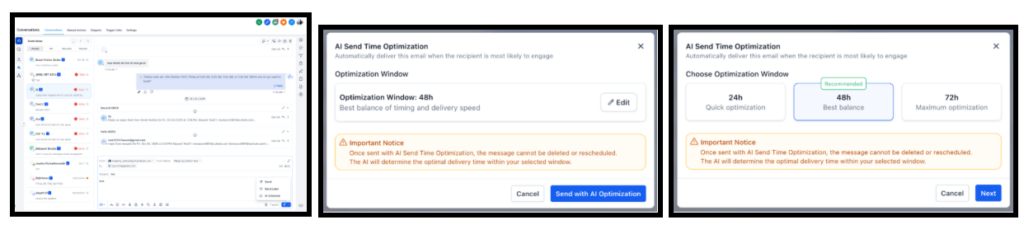
AI Schedule for Smarter Email Timing
AI can now pick the best send time within a window you choose, based on past engagement for that recipient.
How It Works
- You choose a time window (for example, the next 48 hours).
- AI reviews the recipient’s historical engagement patterns.
- AI chooses the highest-potential send time inside that window.
- If there isn’t enough historical data, the email sends immediately.
This helps your emails land when recipients are most likely to open and respond.
Voice AI
Voice AI: Trial and Web Outbound Call
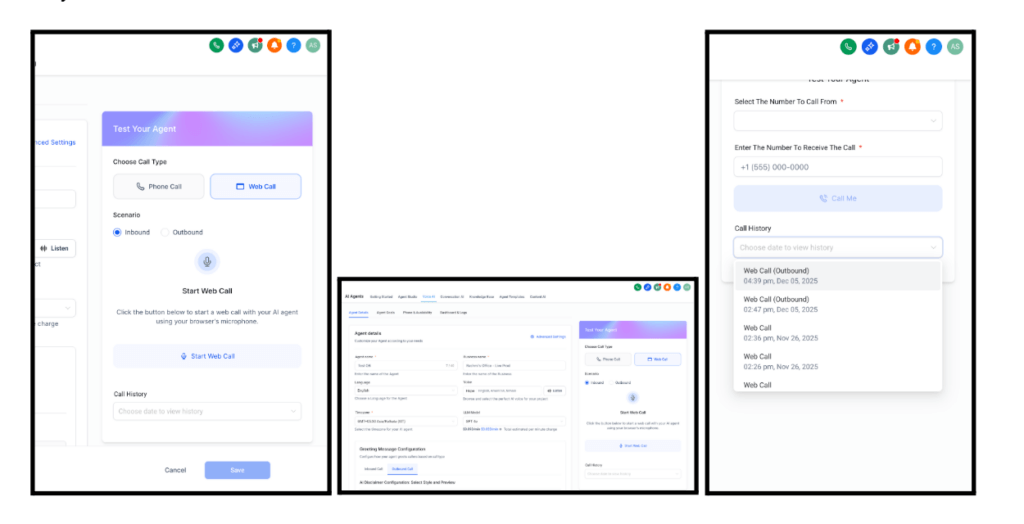
The Voice AI Agent Trial now supports outbound testing as well as inbound, with both phone and browser-based calls.
Key Features
- Choose between Inbound or Outbound testing scenarios.
- Test via phone call or directly in the browser.
- Review all tests in a unified call history view.
How to Use
- Navigate to the Voice AI Agent Trial component.
- Select your desired Scenario (Inbound or Outbound).
- Choose your testing method (Phone Call or Web Call).
- Follow the prompts to initiate your test call.
- Review results in the Call History section.
- Outbound testing options appear only when outbound permissions are configured for the sub-account.
Smart Multi/Group Calendar Appointment Booking
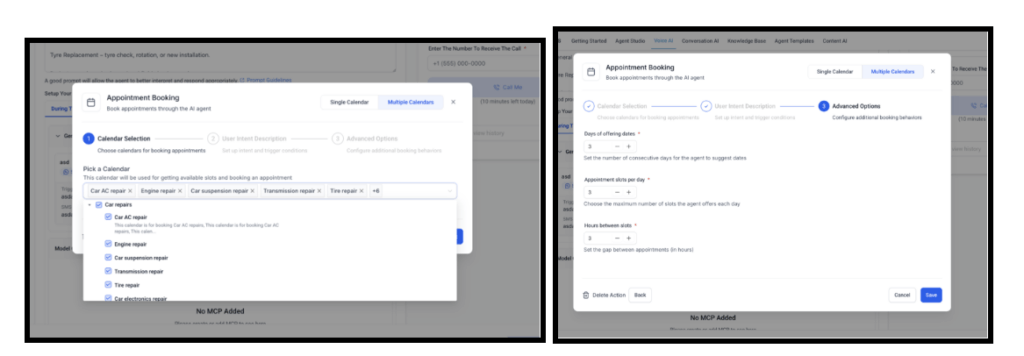
Voice AI can now intelligently route callers into the right appointment type across multiple calendars.
Highlights
- Multiple calendar support for different services, teams, or appointment categories.
- AI-driven calendar selection based on conversation context.
- AI-generated descriptions and trigger keywords to simplify setup.
- Intelligent fallback handling when a caller asks for an unsupported service.
QR Codes
Enhancements
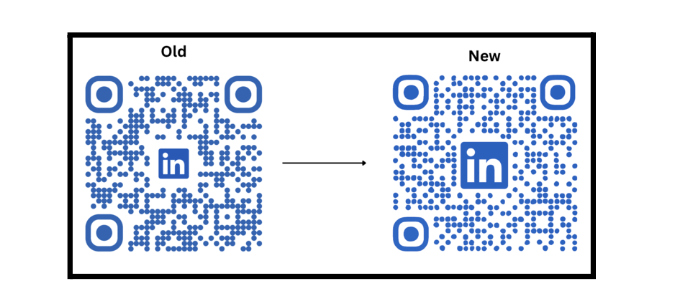
QR codes now use reduced logo padding so they look cleaner and more balanced, without affecting scan reliability. No action required — the updated styling applies to all existing and future codes automatically.
Social Planner
Analytics for Threads & Bluesky
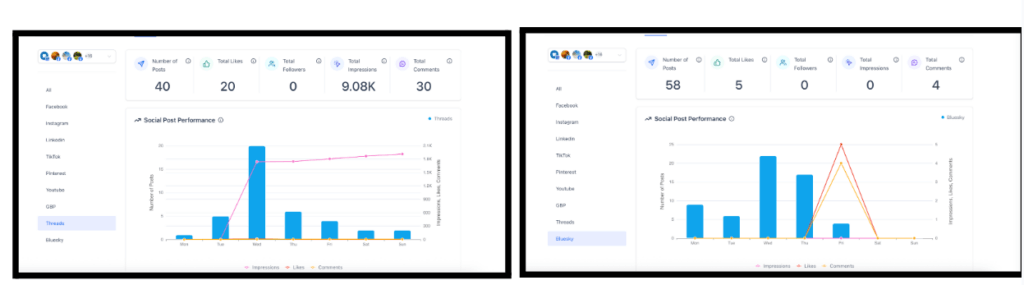
Threads and Bluesky analytics are now live inside Social Planner, giving you visibility into how content performs on these emerging platforms.
What’s New
- KPIs for number of posts, likes, comments, and engagement rate.
- Social post performance graph for posts, impressions, and engagement.
- Engagement summary panel that includes Threads and Bluesky.
- Impressions tracking for Bluesky (Threads does not support impressions yet).
How to Use
- Go to Marketing → Social Planner → Statistics.
- Select Threads or Bluesky in the sidebar.
- View KPIs, graphs, and tables.
- Use the All tab to compare performance across platforms.
Multiple Watermarks for Social Planner
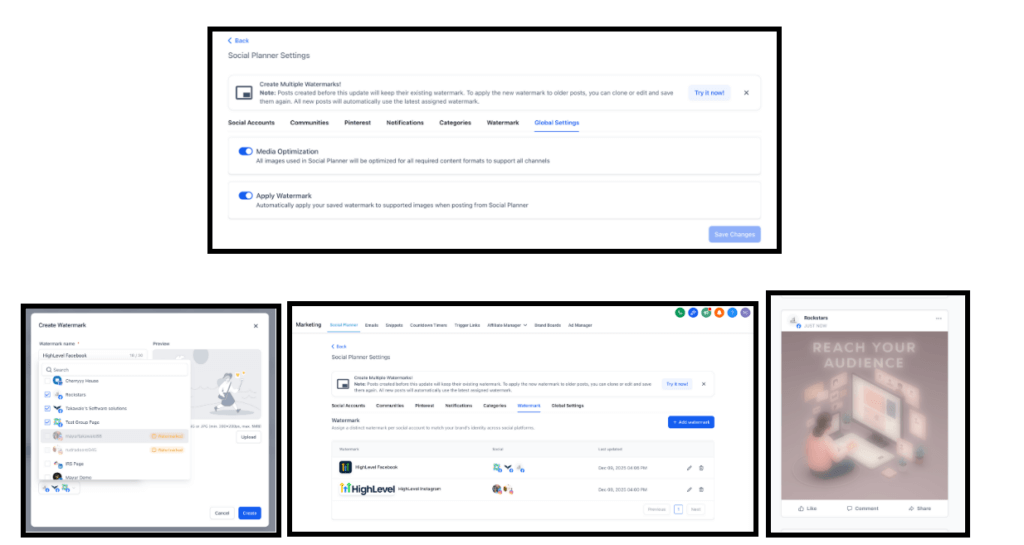
You can now maintain separate watermarks per social profile, rather than one global watermark.
Key Capabilities
- Upload one PNG watermark per social account (max 5MB).
- Assign watermarks with “Select All” or per account.
- Automated posts (Category Queues, Recurring) respect the new assignments.
How to Get Started
- Marketing → Social Planner → Settings → Watermark.
- Add and name your watermark.
- Assign across accounts or individually.
- Save and review the preview.
Workflows
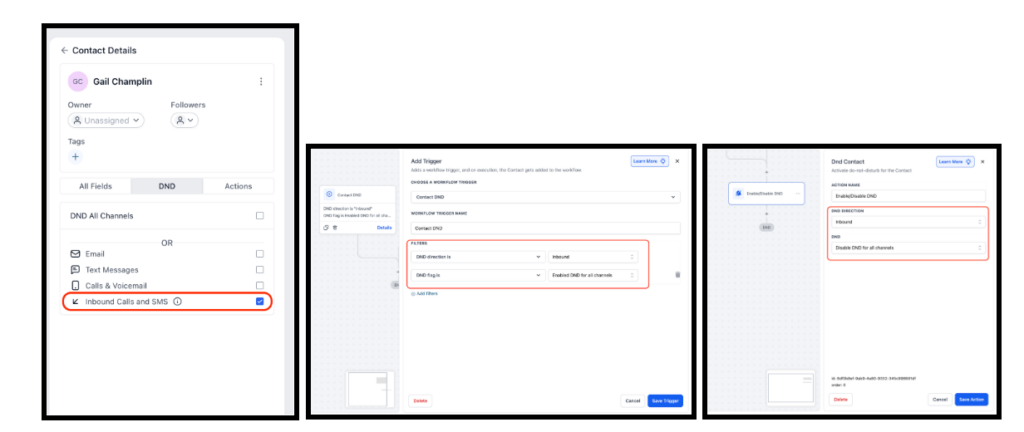
Inbound DND Support
DND can now be automated on inbound traffic, not just outbound, via workflows.
What’s New
- Direction setting added to the Contact DND trigger and Enable/Disable DND action.
- Inbound DND applies to calls and SMS.
- Results appear on the contact’s DND tab.
How to Use It
- Trigger: Add Contact DND trigger → set DND direction = Inbound → choose DND flag (Enabled/Disabled).
- Action: Add Enable/Disable DND action → set DND direction = Inbound → choose Enable or Disable.
- Existing configs default to Outbound and continue to work as-is.