Welcome to your weekly roundup of updates for the week of August 28th, 2025. We’ve packed in powerful new features, polished up old favorites, and made things smoother and faster across the board. If you have any questions, feel free to reach out to us via live chat inside the app or at [email protected].
Media Library
Media Storage Accessibility Update
The Media Library now includes enhanced accessibility features, making it easier for everyone to navigate and manage media assets.
What’s New
- Enhanced accessibility standards aligned with industry guidelines
- Improved screen reader compatibility with clear instructions and feedback
- Full keyboard navigation support for seamless access
Ecommerce
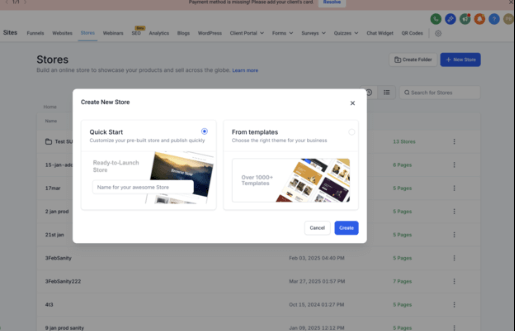
Start Store Creation with a Pre-Built Store
Starting an online store just got easier. Instead of beginning from scratch, you can now launch with a pre-built store, complete with essential features and the latest updates.
What’s New
- Quick Start option to launch a pre-built store
- Updated store includes all recent e-commerce features
- Blank and Template options still available
How to Use
- Go to Sites → Stores
- Click Create New Store
- Select Quick Start
- Add your store name and click Create
- Begin customizing
QR Codes
Real-Time Testing + Instant Shareable Links
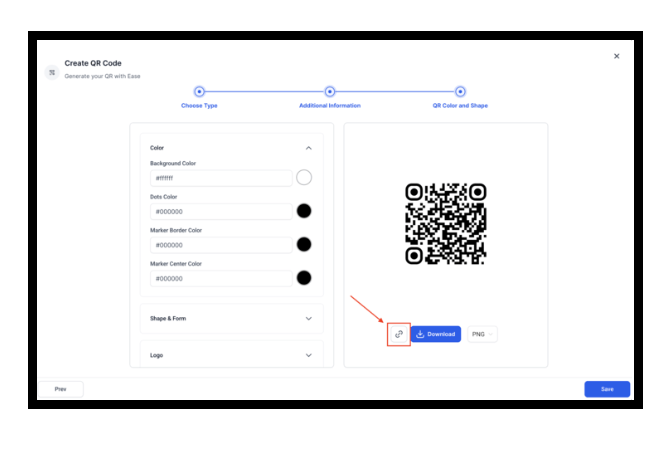
The QR Code Builder now supports live testing and instant sharing, reducing setup time and improving usability.
What’s New
- Direct shareable links for QR Codes (no download needed)
- Live testing during QR Code creation
- Real-time input validation for accuracy
How It Works
- Add the required data in the QR Builder
- Use the new Test button before finalizing
- After saving, access a downloadable image and copyable link
Custom Payment Providers
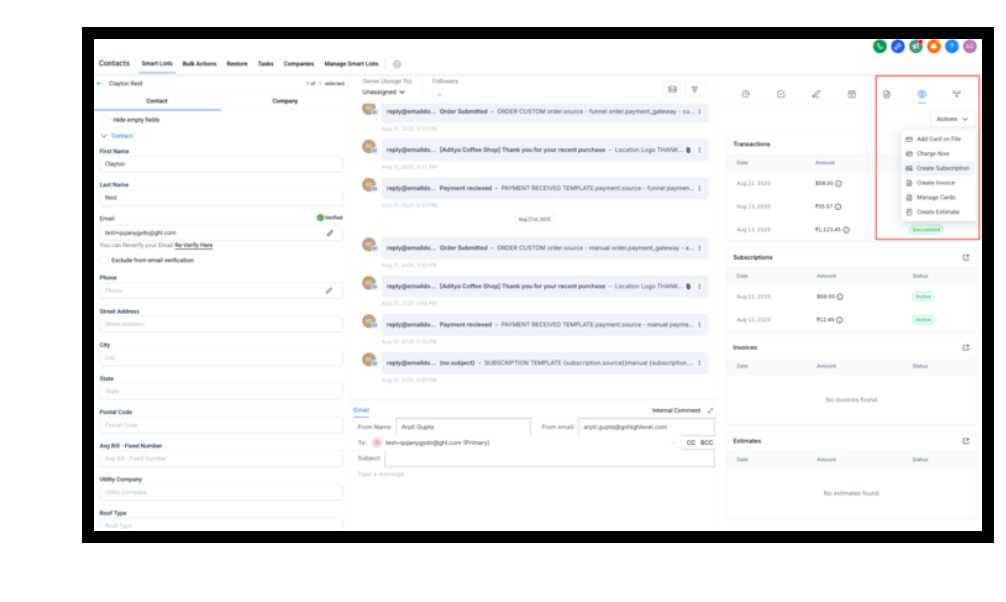
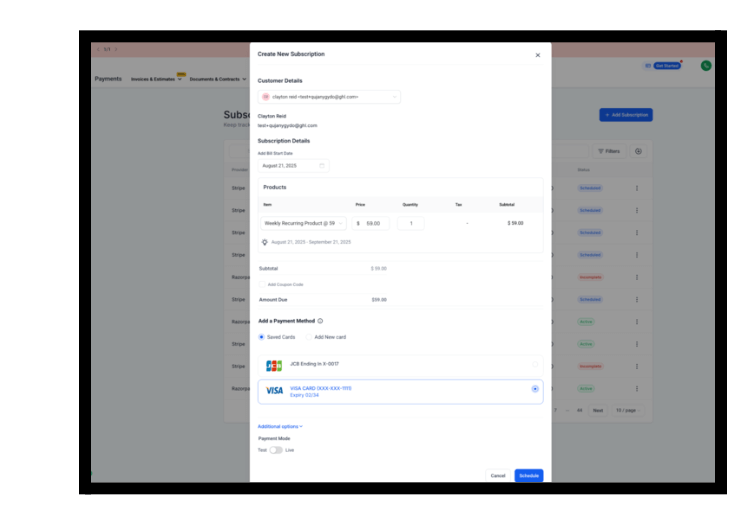
Subscriptions with Saved Payment Methods
Custom payment providers can now support subscriptions with saved cards, making recurring billing smoother.
What’s New
- Accounts can create subscriptions from Contact or Payments sections
- Works with custom providers that support subscription schedules
- Developers can enable this via updated integration configuration
How It Works
- Users add a card once
- Start subscriptions without re-entering payment details
- Manage subscriptions directly in FG Funnels
Payments
Update Existing Subscriptions – Products, Quantities, Start & End Dates
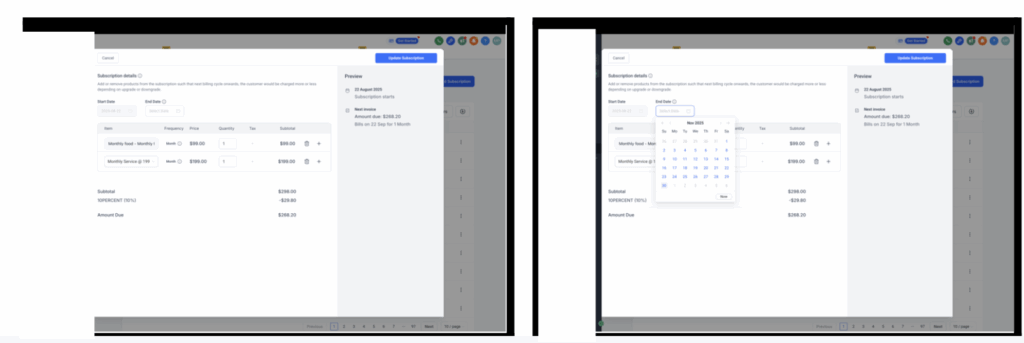
Businesses can now adjust active subscriptions without canceling and recreating them.
What’s New
- Add/remove products (same billing frequency/currency required)
- Adjust product quantities (1–1000)
- Edit start and end dates
- Keep billing dates consistent
- Preview and confirm before saving
Where to Find It
- Payments → Subscriptions → Update Subscription
- Payments → Subscriptions → Subscription Details → Update Subscription
App Marketplace
Secure Integrations with OAuth 2.0 + PKCE
The Marketplace now supports OAuth 2.0 with PKCE for stronger integration security.
What’s New
- Stronger token protection against interception
- Aligned with modern OAuth 2.0 standards
Forms, Surveys & Quizzes
True Zero Padding Support
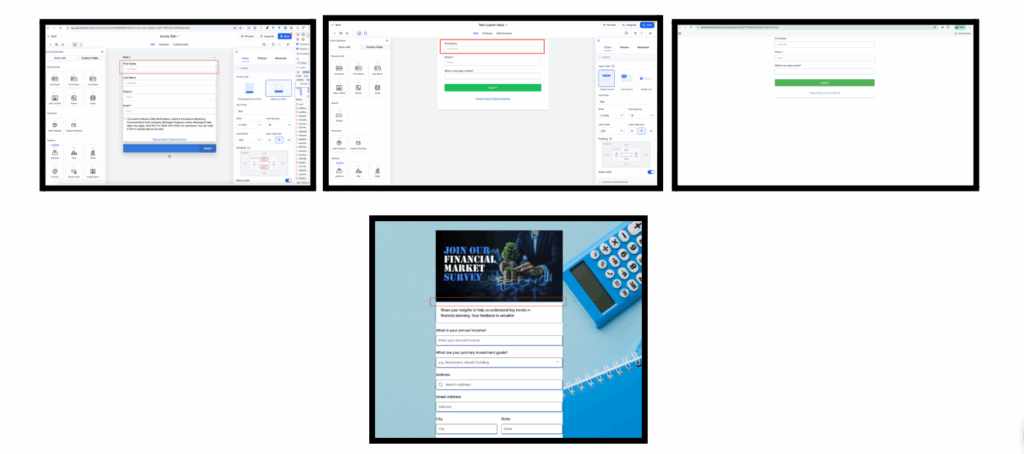
Designs now support true zero padding, giving you pixel-perfect layouts.
What’s New
- No forced top/bottom spacing
- Full control over vertical padding
How to Use
- Open your form/survey/quiz builder
- Go to Styles → Layout → Padding
- Set padding to 0px
Calendars
ICS Files with Appointment Notifications
ICS calendar files are now automatically attached to appointment emails for easy calendar syncing.
What’s New
- ICS files included in confirmation/reschedule emails
- Works across Google, Outlook, Apple Calendar, and more
Payments Tab in Appointment Modal
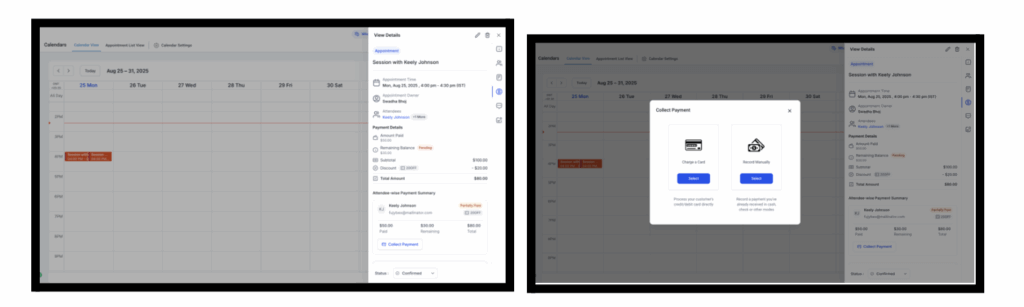
A new Payments Tab centralizes all appointment-related payments.
What’s New
- See amounts paid, balances, and totals
- Review attendee-level payments
- Collect outstanding balances directly
How to Use
- Open appointment modal → Payments Tab
Email Builder
UI Enhancements
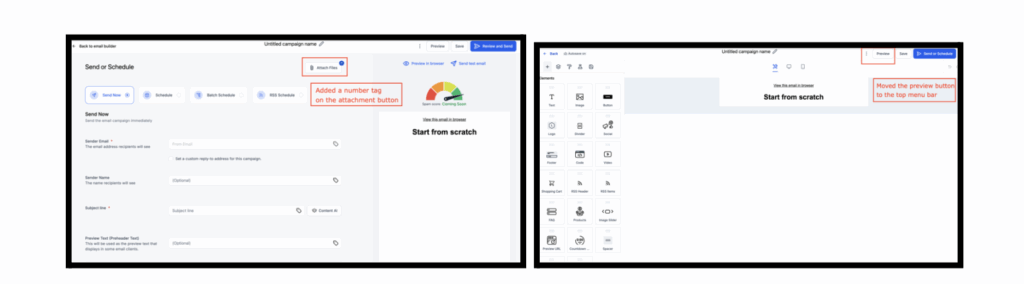
The Email Builder now has a cleaner, faster workflow.
What’s New
- Preview button moved to top bar for one-click access
- Attachment button now shows file count
Social Planner
Reschedule in Approval State
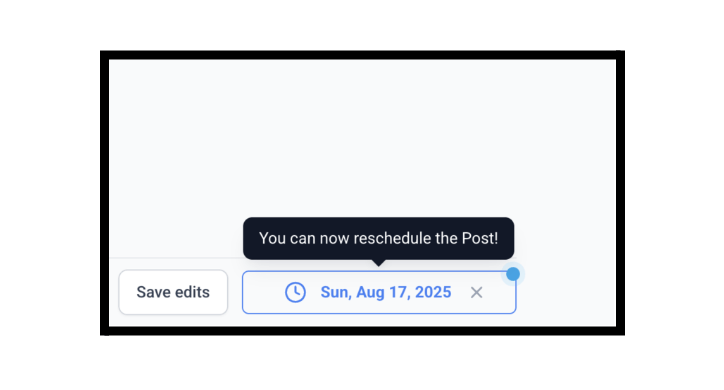
Approvers can now reschedule posts during the approval process.
What’s New
- Edit date/time before approving posts
- Changes instantly reflect in the calendar
App Marketplace
Fixes to Ratings & Reviews
Marketplace reviews are now more accessible and authentic.
What’s New
- No sub-account restriction for reviews
- Reviews optional (ratings only allowed)
- Blocked sandbox reviews
- One review per installation limit
Prospecting Tool
Audit Report Accuracy Updates
Marketing Audit Reports are now more accurate and reliable.
What’s Improved
- Better chat widget detection
- Stronger tech stack reporting
- Improved SEO heatmap alignment
- More accurate review credibility scoring
- Premium badge logic fixed
- Faster, more reliable PDF exports
Why It Matters
- Builds stronger trust with prospects
- Uncovers more upsell opportunities
Subscriptions
Enhanced Visibility on Subscription & Transaction Details
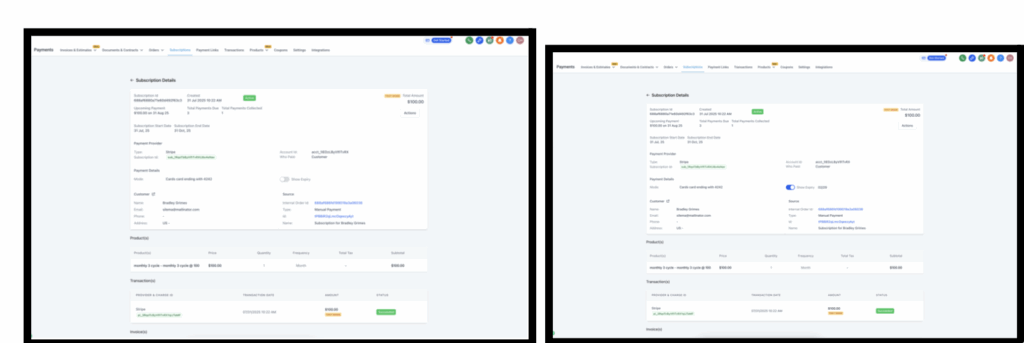
More details are now visible in subscription and transaction views.
What’s New
- Payment method details (card brand, expiry, etc.)
- Subscription lifecycle info (end date, cancellations, completed payments)
Domains
Unified Domains & URL Redirects
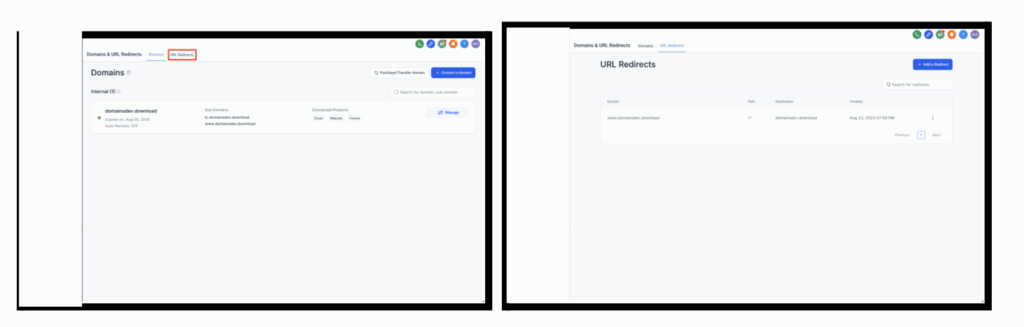
Domains and redirects are now managed in one streamlined tab.
What’s New
- New combined Domains & Redirects tab
- Toggle between views
- UI/UX fixes for smoother experience
GoKollab
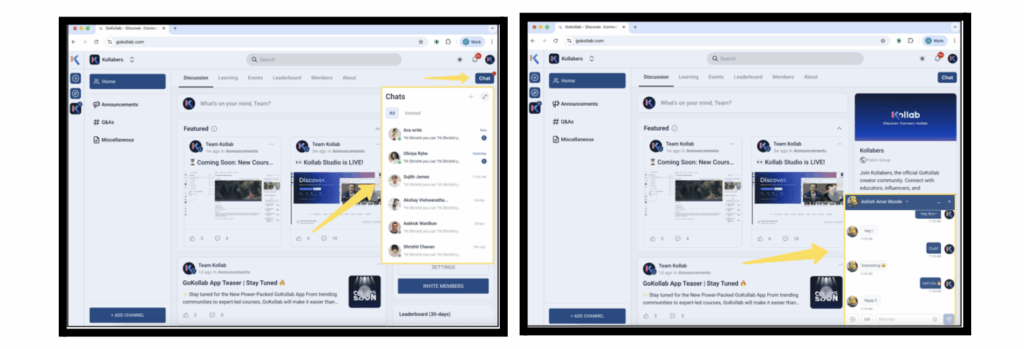
Chats Now Available
Community members can now chat directly inside GoKollab.
What’s New
- Direct messaging between community members
- Unified chat inbox
- Notifications for new messages
Funnels & Websites
New Pricing Table Element
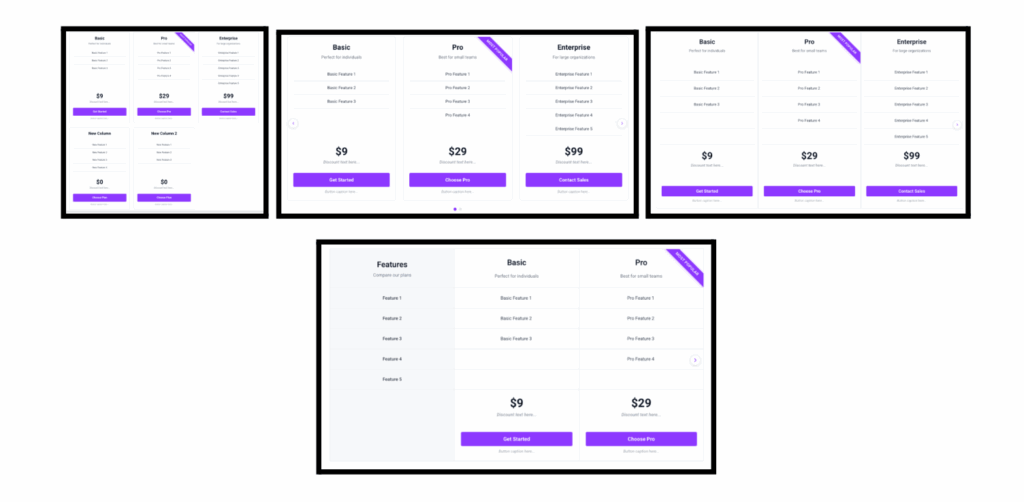
Easily showcase pricing plans with a flexible new element.
What’s New
- Four layout modes: Grid, Carousel, Classic Table, Comparison Table
- Multiple pricing models: fixed, subscription, range, per unit, custom
- Smart pricing features like discounts and captions
How to Use
- Drag the Pricing Table element into your page
- Configure layout, pricing, and buttons
- Publish and go live
Voice AI
Redesigned Voice Selection
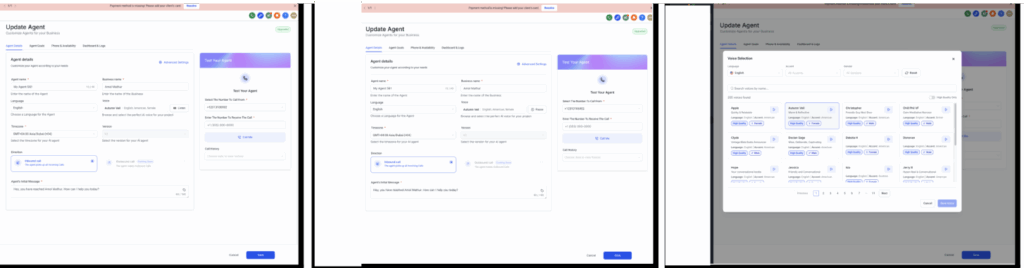
The voice selection UI has been fully redesigned.
What’s New
- Modern UI for browsing voices
- Filters by language, accent, gender
- Search by name or type
- Improved previews with play/pause
Trial Calls Without a Phone Number
Test Voice AI agents instantly through web calls.
What’s New
- Browser-based trial calls
- Full agent functionality (except transfers)
- Automatic caller identity
Blog
Blog Statistics Now Available
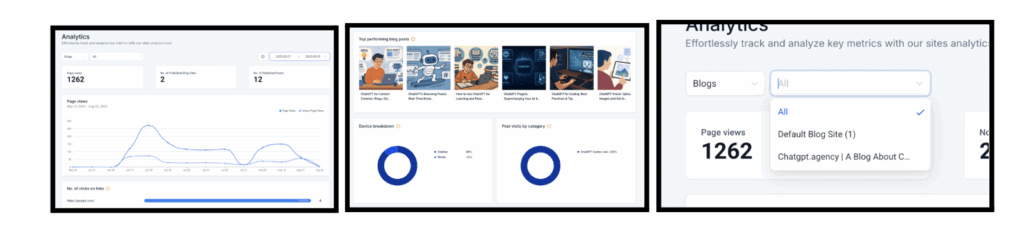
Analytics for blog performance are now live.
What’s New
- View total page views and trends
- See top performing posts
- Track clicks on links, devices, categories, and authors
WhatsApp
Interactive Message Types
WhatsApp now supports richer, structured message formats.
What’s New
- Lists, reply buttons, location sharing, contact sharing
- Branching support in workflows
- Template compatibility
- Updated pricing model for interactive messages
Calendars
Coupon Codes in Calendars
Coupons can now be applied during calendar bookings.
What’s New
- Percentage or fixed-amount coupons
- Limit usage per customer or globally
- Restrict coupons to certain calendars or products
How to Use
- Go to Calendar Settings → Forms & Payments and enable Accept Payment and Coupon Codes for each calendar
- Navigate to Payments Module → Coupons to create a new coupon
- Configure the coupon with code, discount type, validity period, and usage limits; optionally restrict to specific products or calendars
- During booking, customers will see a Coupon Code field:
- Valid codes automatically apply discounts
- Invalid codes trigger an error message
- Coupon usage details appear in the appointment’s Payments Tab
- Note: This feature is currently available via Labs. Go to Settings → Labs → Accounts and enable Payments Tab in Appointments + Coupon Codes

Communities & GoKollab
New Post View for Communities
Posts can now be viewed in modal or full-screen, with SEO improvements.
What’s New
- Modal or full-screen options
- Faster loading for shared links
- Better SEO indexing for posts
Documents & Contracts
Decline Documents Feature
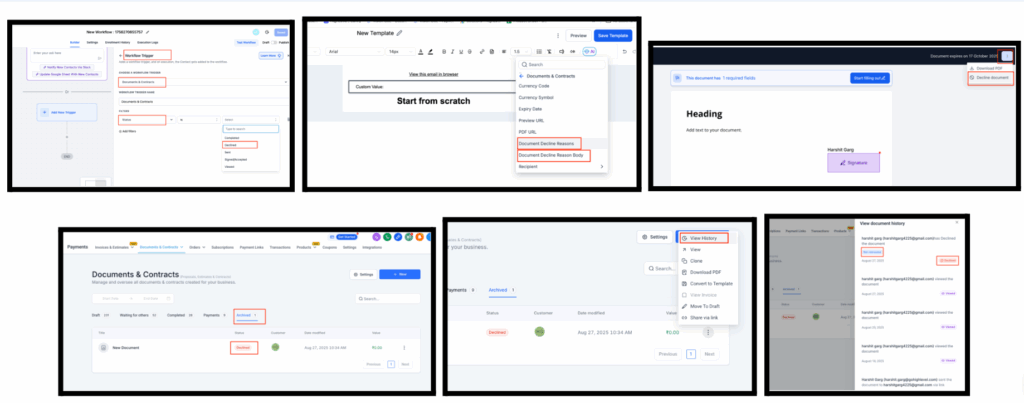
Recipients can now decline documents, with reasons and notes tracked.
What’s New
- Decline option with predefined or custom notes
- Decline status now available in workflows
- Full decline history stored
How It Works
- Automations
- In Workflows, add a trigger: Documents & Contracts → Status → Declined to automate follow-ups, notifications, or tasks
- Email Templates
- Use the new custom values to personalize communications with decline reasons and notes
- Recipient Flow
- Recipient clicks the top-right menu in the document → Decline Document → choose reasons or add notes → Submit
- Business User Flow
- Business users can decline a document after sending it
- Tracking
- Navigate to Documents & Contracts → Archived to view all declined documents
- Open View History for details, including reasons, timestamps, and recipient identity
Labs
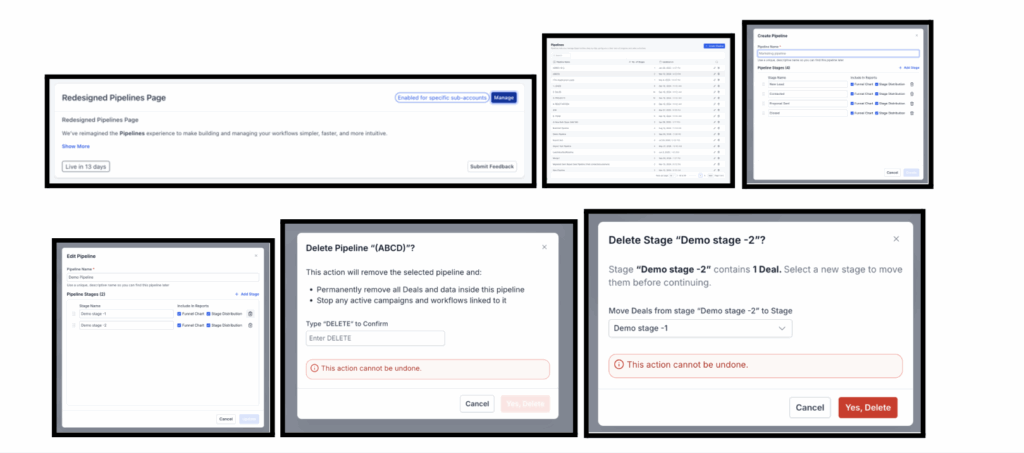
Redesigned Pipelines Page
The Pipelines page has been rebuilt with a modern design and smoother functionality.
What’s New
- Fresh UI in HighRise design system
- Redesigned navigation
- Option to move opportunities when deleting a stage
How to Use
- Enable the feature in ** Labs**
- Navigate to Pipelines under Opportunities
- Use the updated Create Pipeline or Edit Pipeline dialogs
- When deleting a stage, select a target stage to automatically transfer all existing opportunities