Welcome to your weekly roundup of updates for the week of August 21st, 2025. We’ve packed in powerful new features, polished up old favorites, and made things smoother and faster across the board. If you have any questions, feel free to reach out to us via live chat inside the app or at [email protected].
Email Services
Charges for Forwarded Emails
Forwarded emails will now incur charges at the account level when using LC Email or Mailgun. This aligns forwarding with standard email billing and ensures more transparent rebilling.
- Forwarded emails billed per email when rebilling is enabled in your account
- Applies to:
Email Builder
Smarter Campaign Scheduling
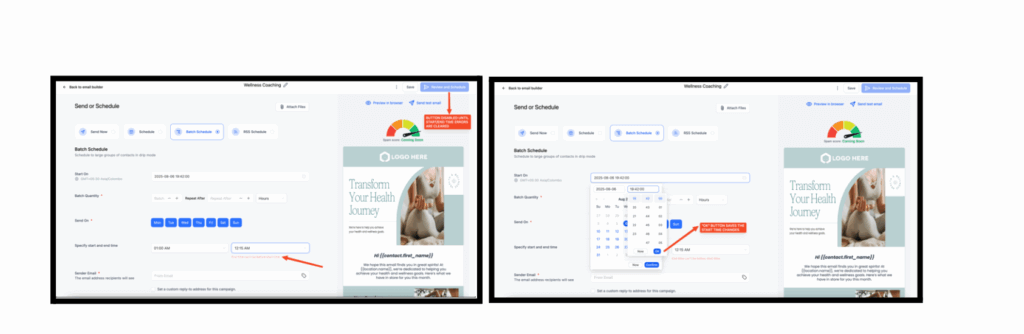
We’ve added real-time validation for start and end times when scheduling campaigns in the Email Builder. No more saving invalid ranges that cause errors later.
What’s New:
- Inline error messages when times are invalid
- Action buttons disabled until inputs are valid
- One-click confirmation for start times
How to Use:
Go to Marketing → Email Builder → Create/Edit Campaign → Scheduling. Enter your start and end times, and validation will guide you.
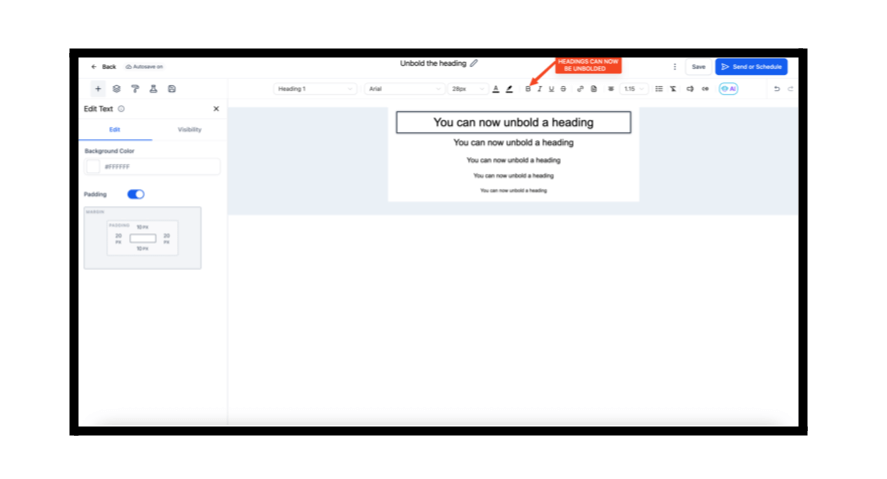
Headings Without Bold
You can now remove default bold styling from H1–H4 headings, giving you more design flexibility inside your emails.
What’s New:
- Bold styling toggle available in the inline text editor
- Applies universally to H1–H4 elements
Better Conditional Logic
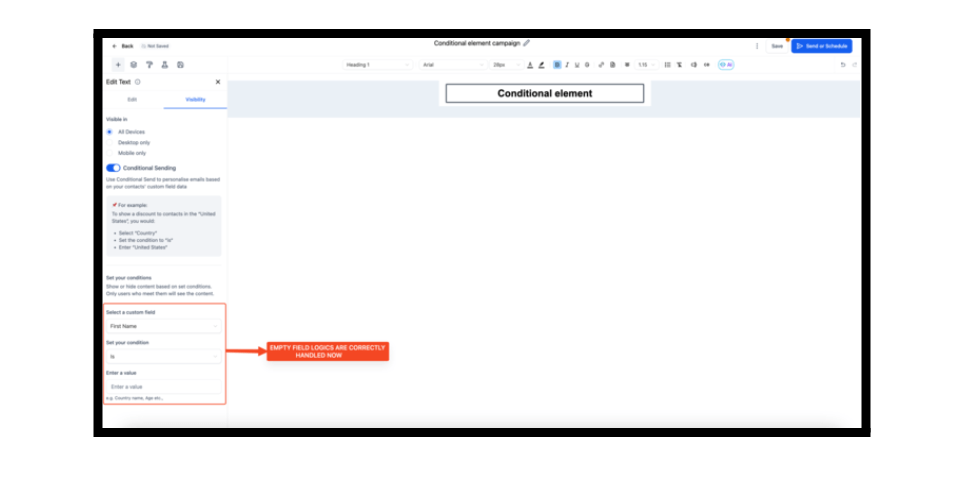
We’ve improved how the Email Builder handles empty or undefined custom fields in conditional logic.
Fixes:
- Comparator now properly evaluates undefined, null, and empty values
- No more skipped content blocks
- Conditional rendering now works consistently
GoKollab
A Faster Mobile Experience
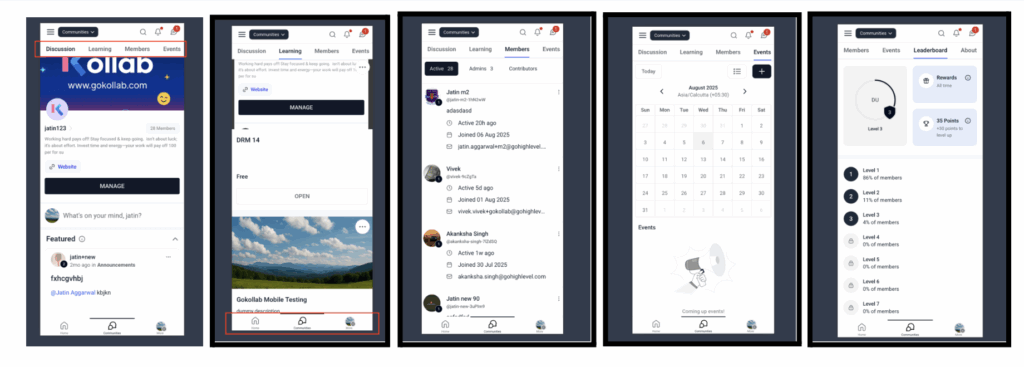
The GoKollab mobile app has received a big performance and UI boost.
What’s New:
- Faster load times (30% quicker on startup, 50–70% faster group switching)
- Seamless navigation between Courses and Communities
- Cleaner top and bottom navigation bars
- More stable and responsive cross-platform experience
Communities & GoKollab – Unread Counts + Optimizations
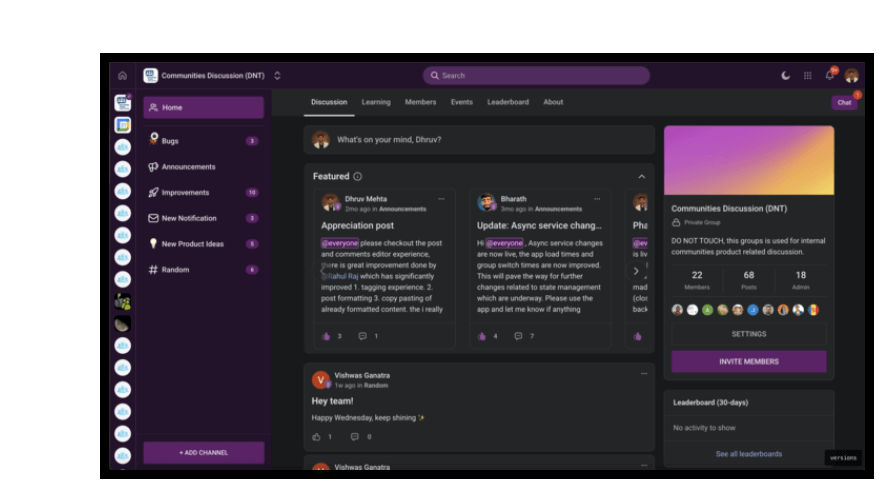
- Unread post counts per channel in the sidebar
- Chat search is now 90% faster
- Bug fixes for payments, events, and duplicate chat messages
Conversations
Smarter Contact Merging
Facebook and Instagram contacts now auto-merge with existing records when an email or phone number matches.
What’s New:
- Unified profiles across messaging channels
- Complete conversation history in one place
- Auto-merge skips if “Allow duplicate contacts” is enabled
Prospecting
Reputation Scoring Overhaul
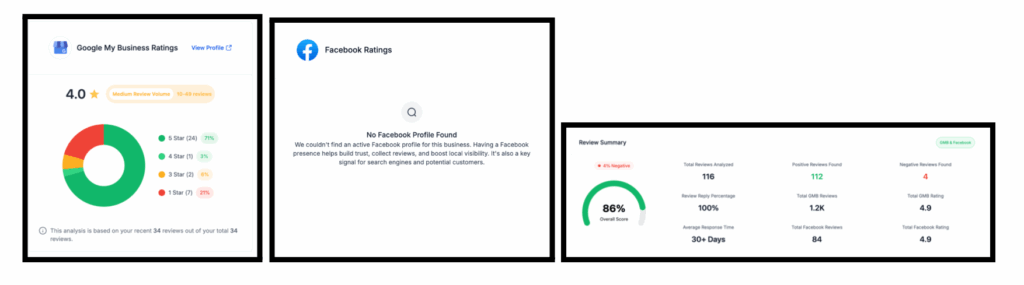
The Marketing Audit Report’s reputation section now uses smarter scoring with better UI.
What’s New:
- Smarter reputation scoring with review volume + star ratings
- Weighted platforms (Google 75%, Facebook 25%)
- Dynamic donut charts and redesigned data cards
- Inline explanations for transparency
LC Phone System
Address & Bundle Improvements
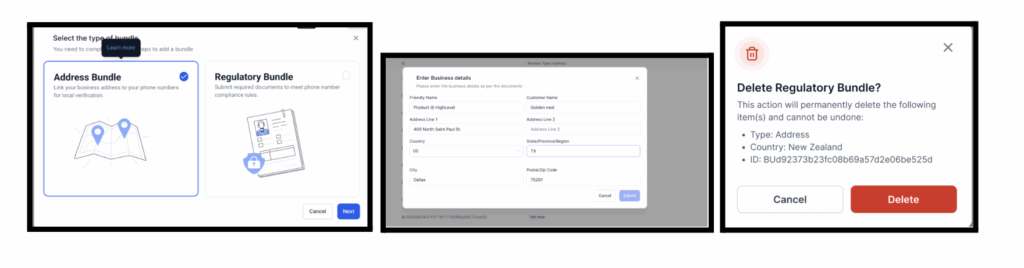
We’ve made Address and Regulatory Bundle management safer and faster.
Key Updates:
- Deletion confirmation modals with detailed info
- Prevent deletion of in-use bundles
- Auto-fill address bundles with business details
- Address bundle pre-selected by default with help links
Credentials
Cleaner Badge Builder
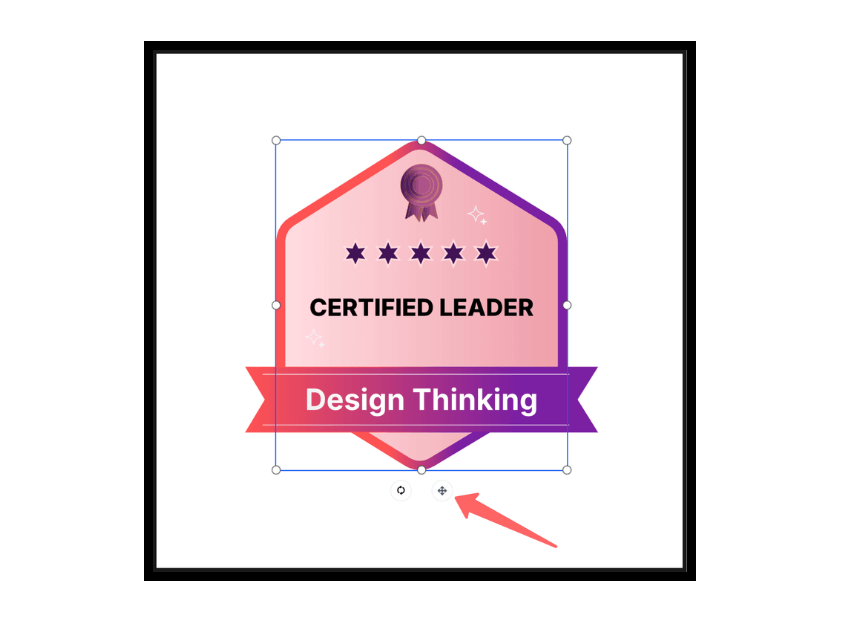
Badge creation just got easier and more precise.
What’s New:
- Cleaner editing toolbar
- Improved shape and line editing
- Better control for tiny elements
- Preview matches final output exactly
Social Planner
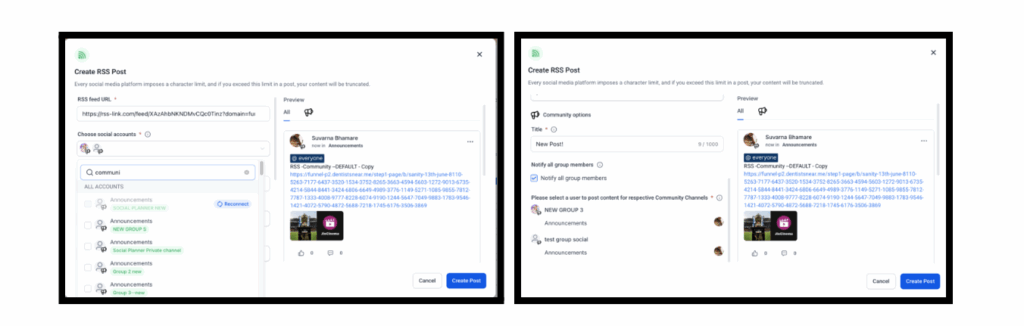
RSS Feed Automation for Groups
You can now push RSS content automatically into your own community groups.
Reputation Management
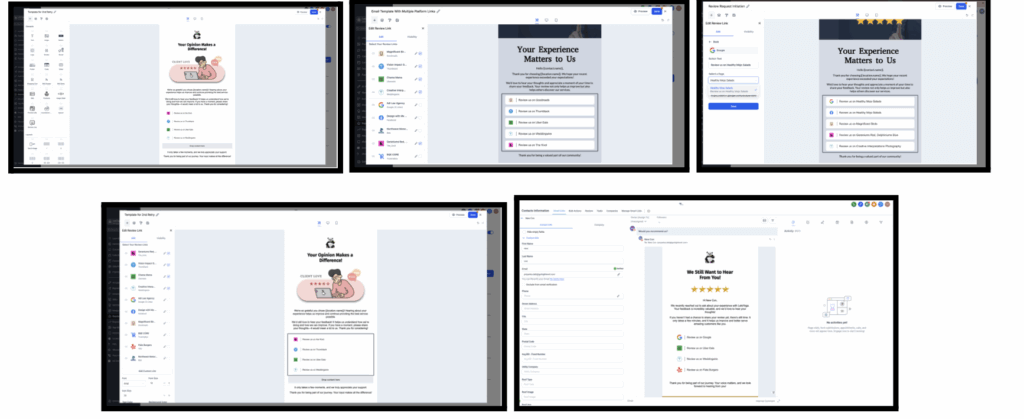
Multi-Link Reviews & Custom SMS
- Multiple Review Links in Emails: Add links to multiple platforms in one email.
- Custom SMS Templates: Create and assign personalized SMS templates for recurring review requests, with dynamic images supported.
Workflows
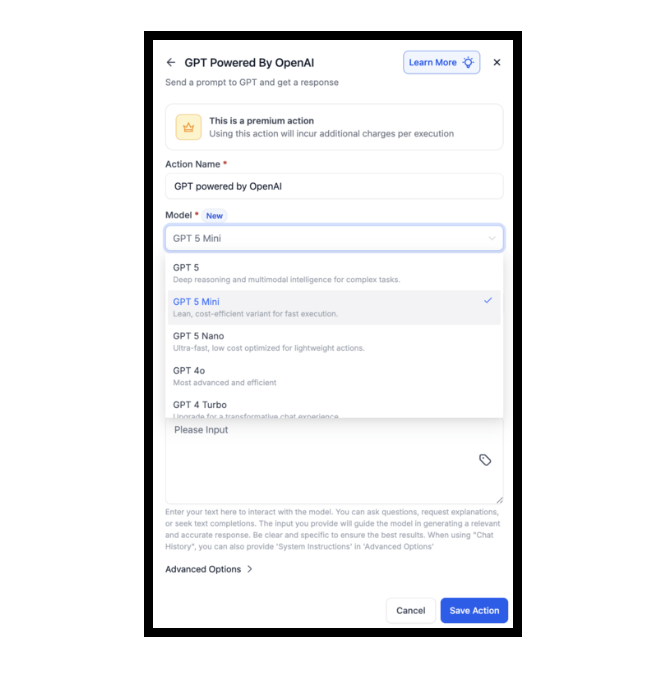
GPT-5 Models Now Available
You can now use GPT-5, GPT-5 Mini, and GPT-5 Nano in workflow actions with scalable token pricing.
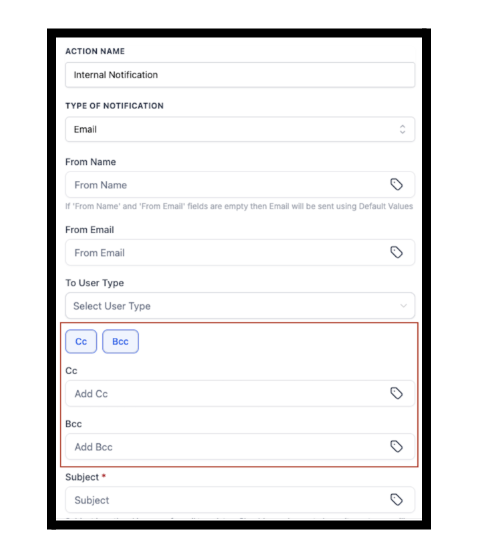
CC/BCC Support in Internal Email Notifications
Workflows now support CC and BCC fields in Internal Notification emails.
How to Use:
- Add an Internal Notification action in your workflow
- Select Email from the “Type of Notification” dropdown
- Choose your User Type (e.g., Assigned User, Specific User)
- Enter addresses in the CC and/or BCC fields
- Save and publish your workflow — done!
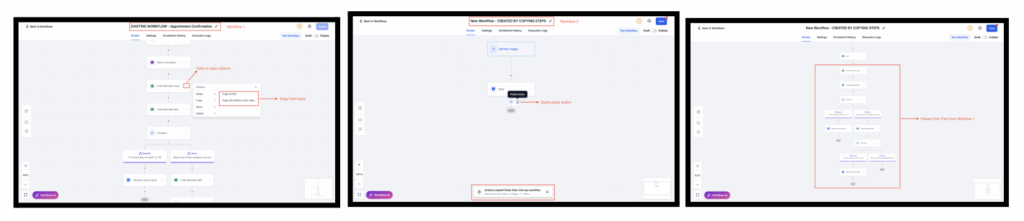
Copy Actions Between Workflows
You can now copy and paste workflow actions across workflows within the same account.
How to Use:
- Open a workflow and click the three-dot menu on any action
- Select Copy Action or Copy All Actions From Here
- Go to another workflow
- Click Quick Paste near the “+” icon or select Paste Below on an action
- Review your pasted actions, make edits if needed, and save
Dashboard
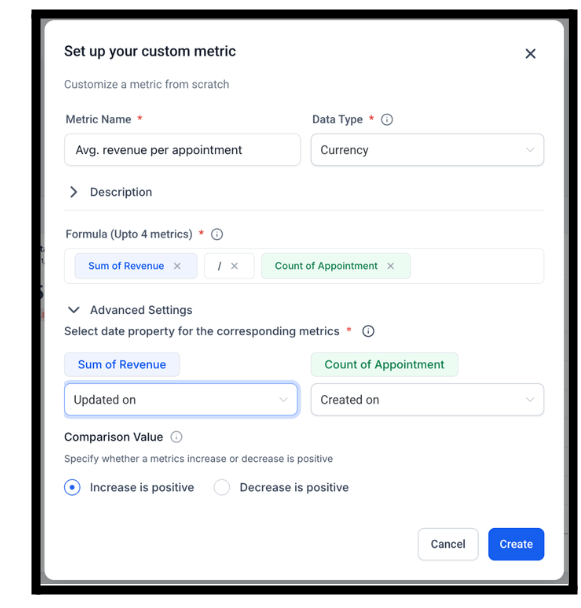
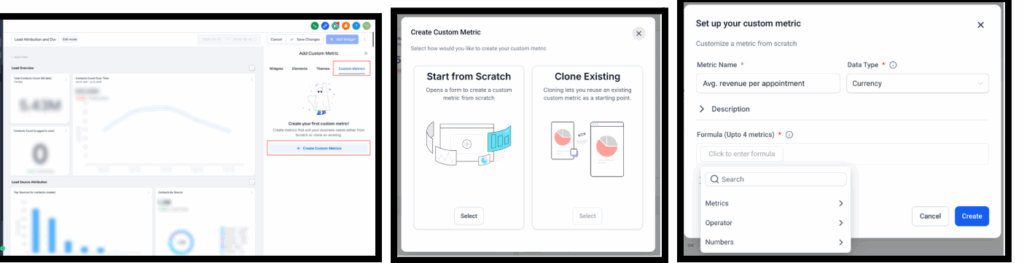
Custom Metrics
Build your own KPIs with formulas, custom displays, and comparisons, then drop them into dashboards or reports.
Media Library
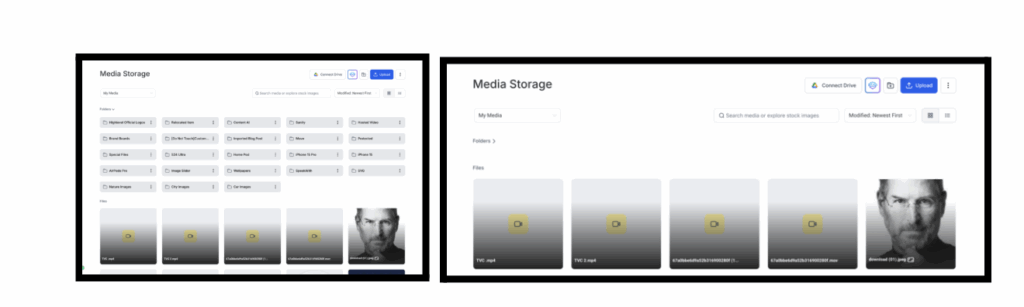
Collapsible Folders
You can now collapse and expand folders in the Media Library.
How to Use:
- Navigate to the Media Library
- Click the collapse icon in the folder sidebar to hide or expand the folder view
“Updated On” Column
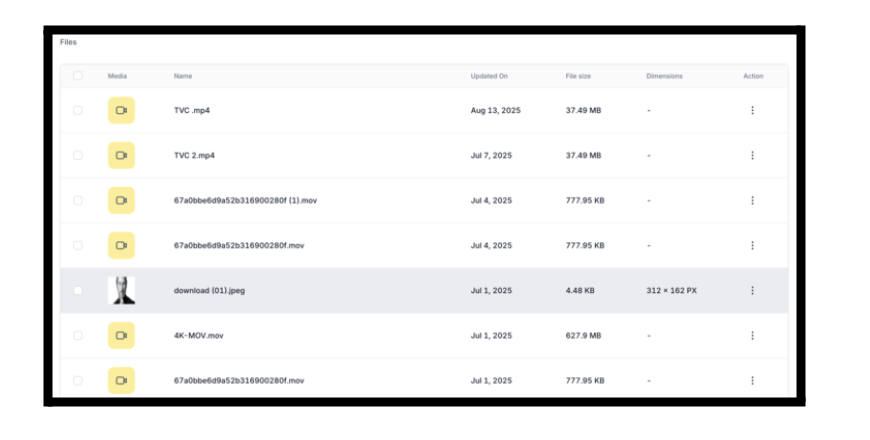
The Media Library list view now shows an “Updated On” column and sorts files by most recent changes.
Payments
Default Currency Setting
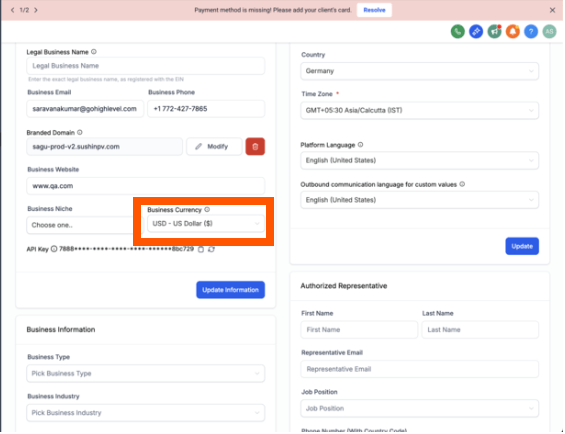
Businesses can now set a default currency in Profile Settings, applied across products, coupons, and checkout flows.
Where to Find It:
- Navigate to: Settings → Business Profile → Currency
- Once selected, this becomes the account’s default currency
Products
Safer Product Deletions
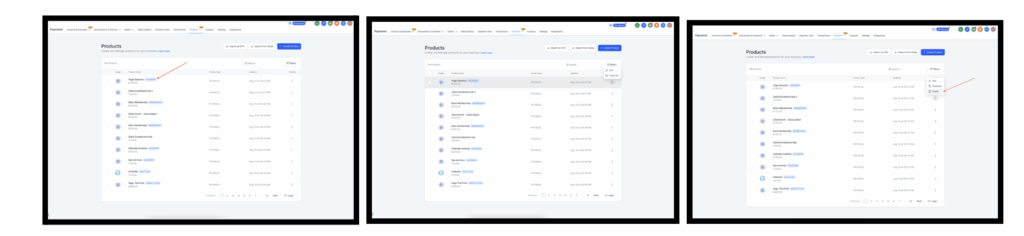
Protections are now in place to prevent deletion of products tied Calendars or Memberships.
Where to Find This:
- Product Deletion Rules:
Navigate to Payments → Products → Product List Page
- Price/Variant Protection:
Go to Payments → Products → Product Add/Edit Pages
Ecommerce
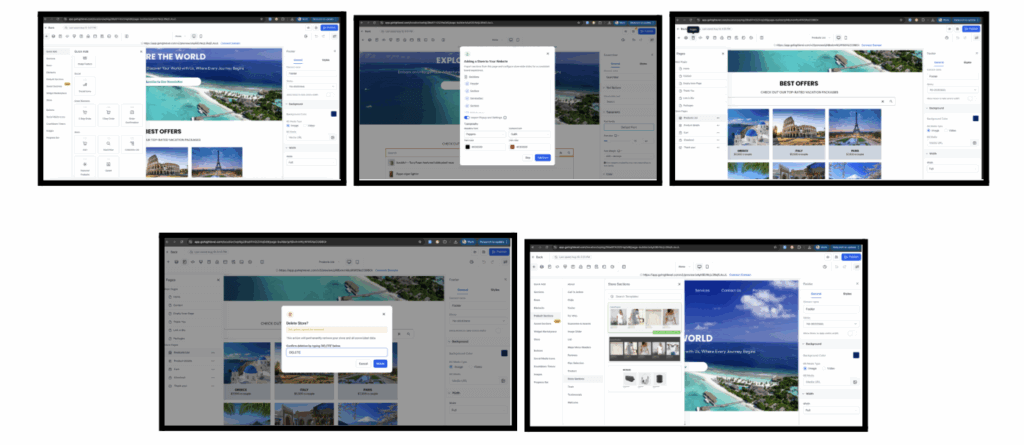
Store Creation from Builder
You can now create an ecommerce store directly by dragging in store elements from the Website Builder.
ShipStation Integration
Connect your store with ShipStation for real-time shipping rates, automated fulfillment, and centralized tracking.\
How to Set Up:
- Go to Sub-account → App Marketplace → Search “ShipStation Integration” by LeadConnector
- Click Install, then navigate to Settings
- Enter your Live API Key and Secret from ShipStation
- Click Connect to authenticate
- Configure shipping:
• Define Shipping Name (customer-facing)
• Select carrier(s) from ShipStation
• Set fallback pricing (optional if live rates fail)
- Save and Publish the integration.
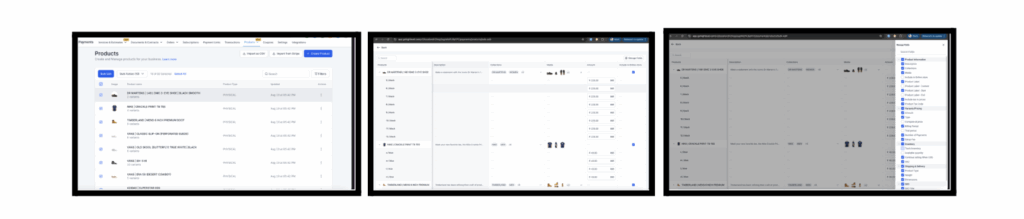
Bulk Edit in Spreadsheet View
Merchants can bulk edit products in a spreadsheet-style interface, speeding up catalog management.
How to Use It:
• Go to Products in your Ecommerce Store
• Select multiple products
• Click “Bulk Edit” in the top action bar
• Customize visible columns
• Edit directly in cells
• Click Save when done
Listings
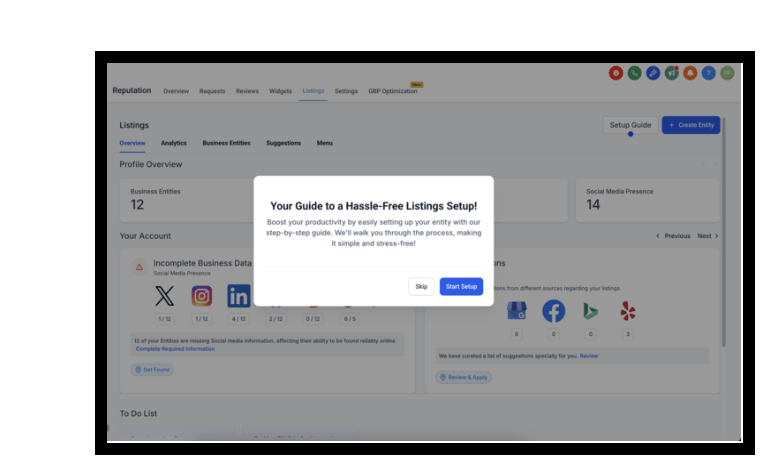
Self-Service Onboarding
A new in-app widget guides users through setup in Listings with 5 essential steps.
Communities
Tagging Channels and Events
Users can now tag channels or events with # in posts and comments for better navigation.
How to Use:
- Open the post or comment editor
- Type # to open a list of accessible channels and events
- Select using keyboard or mouse
- Save and publish the post
- Tagged channels/events are visible to all group members with access
- Clicking the tag navigates the user to the respective item

Voice AI
Prompt Evaluator
A new tool helps refine prompts for Voice AI agents with structured feedback and faster iterations.