Welcome to your weekly roundup of updates for the week of October 9th, 2025. This week’s update is a quick one — a few handy upgrades to Forms, Surveys, and Quizzes, plus smoother, more secure payments with 3DS support. If you have any questions, feel free to reach out to us via live chat inside the app or at [email protected].
Quizzes
Quizzes Section and Score Tier Control
The Quiz Results page just got a major upgrade. You now have full control over how sections are displayed, organized, and scored.
Key Updates
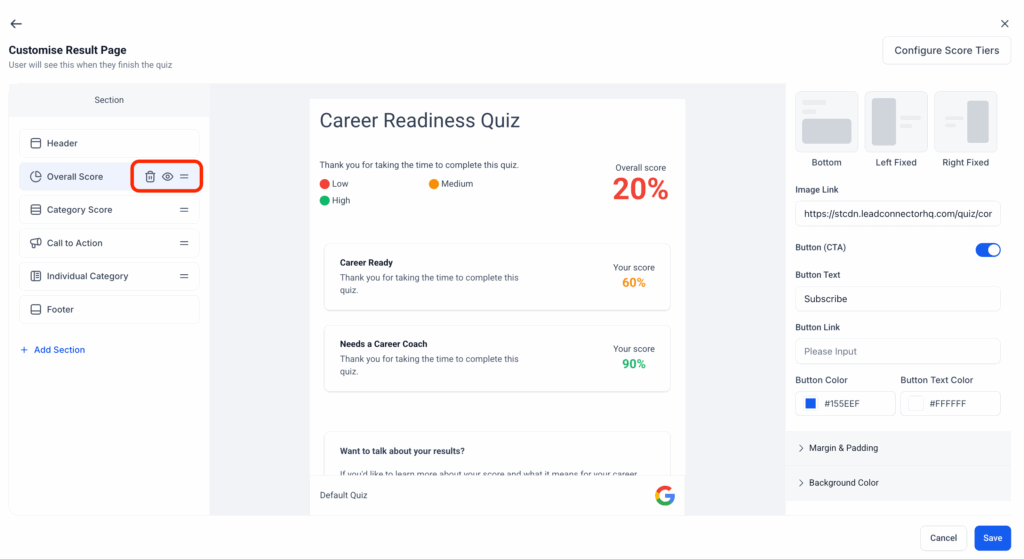
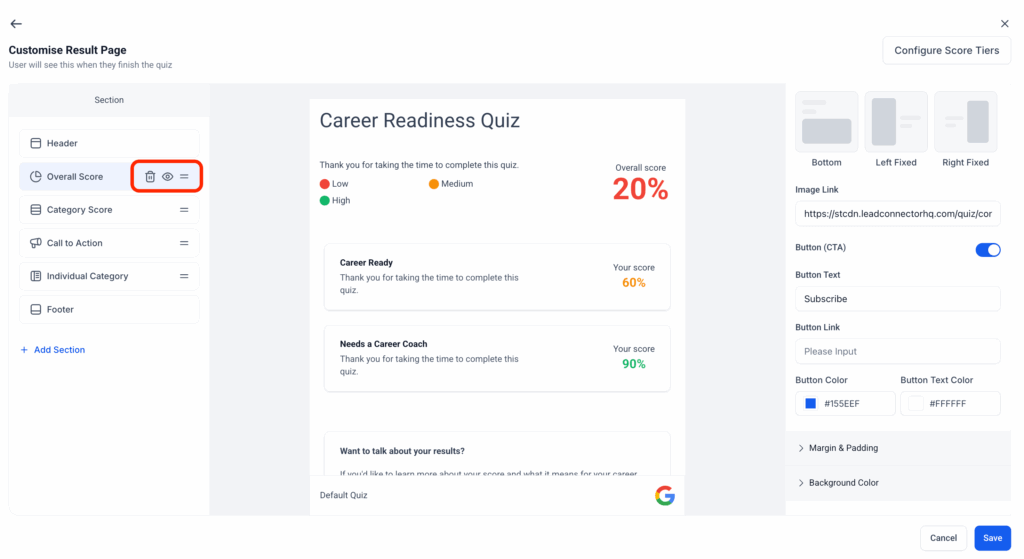
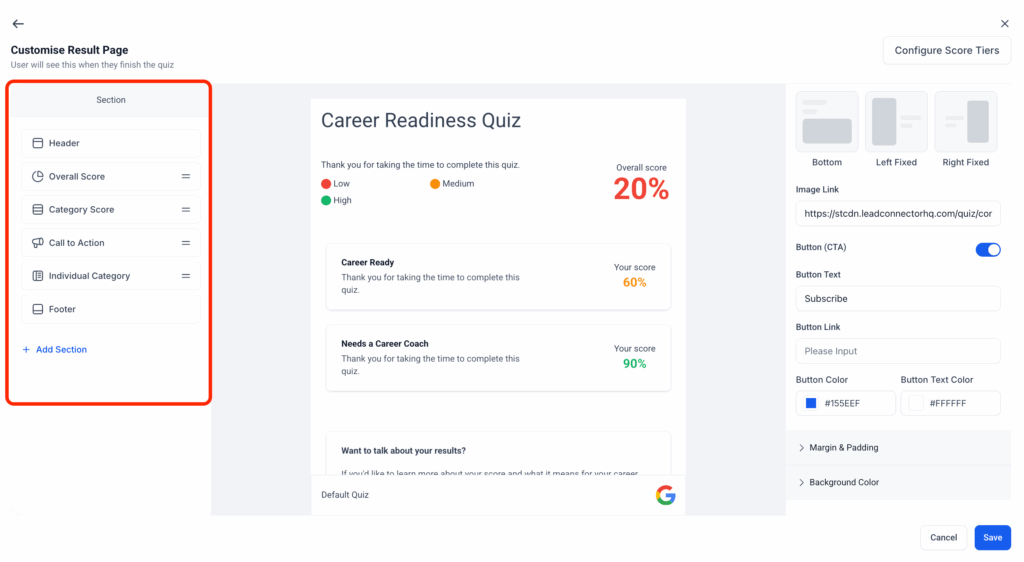
- Section Visibility Panel: Quickly view and navigate quiz sections from the left-side panel.
- Drag-and-Drop Ordering: Reorder sections on the fly.
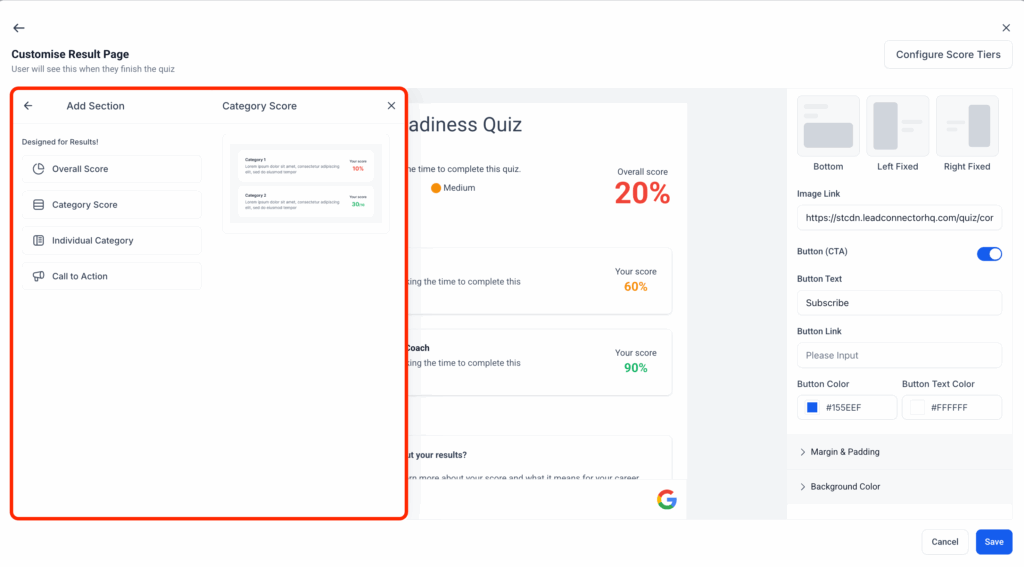
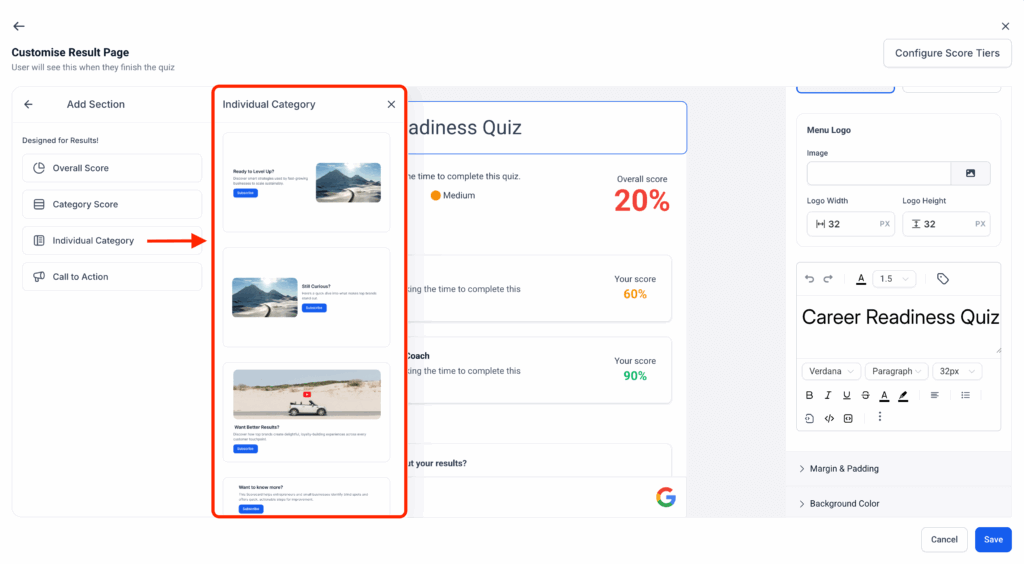
- Add Sections with Templates: Build faster with pre-made section templates.
- Hide or Delete Sections: Easily control what quiz takers see.
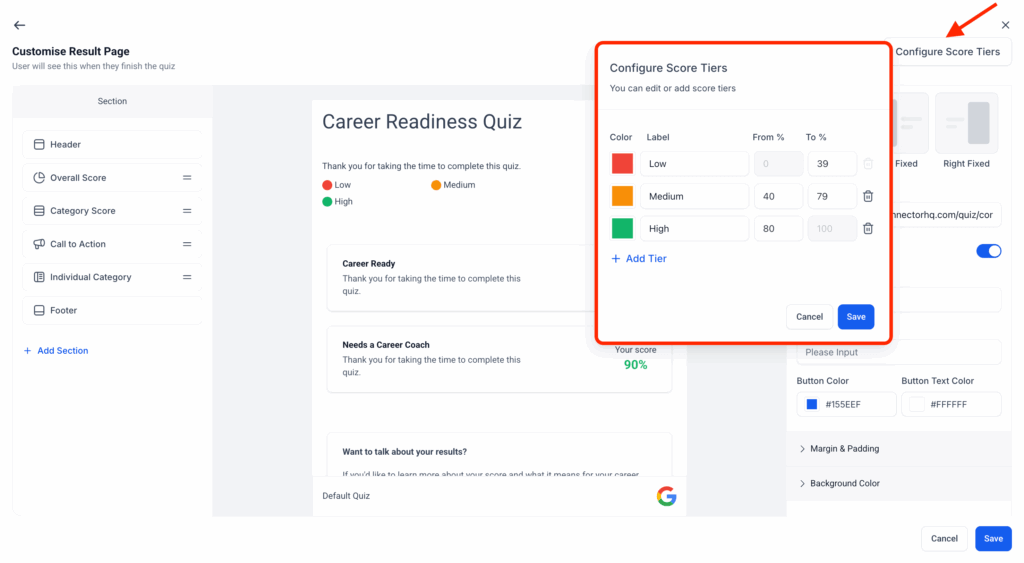
- Global Score Tiers: Scoring now follows a consistent 0–100 range across all quizzes.
How It Works
- Use the new Section Visibility panel to manage sections.
- Drag sections to reorder.
- Click Add Section to choose a pre-built template.
- Use the eye icon to hide or trash icon to delete sections.
- Configure score tiers globally for consistent scoring.
Personality Style Quizzes and Editor Upgrade
We’ve also expanded quiz capabilities to include full personality-style logic, richer formatting, and multimedia support.
What’s New
- Personality-Type Quizzes: Assign outcomes based on highest or lowest scoring categories.
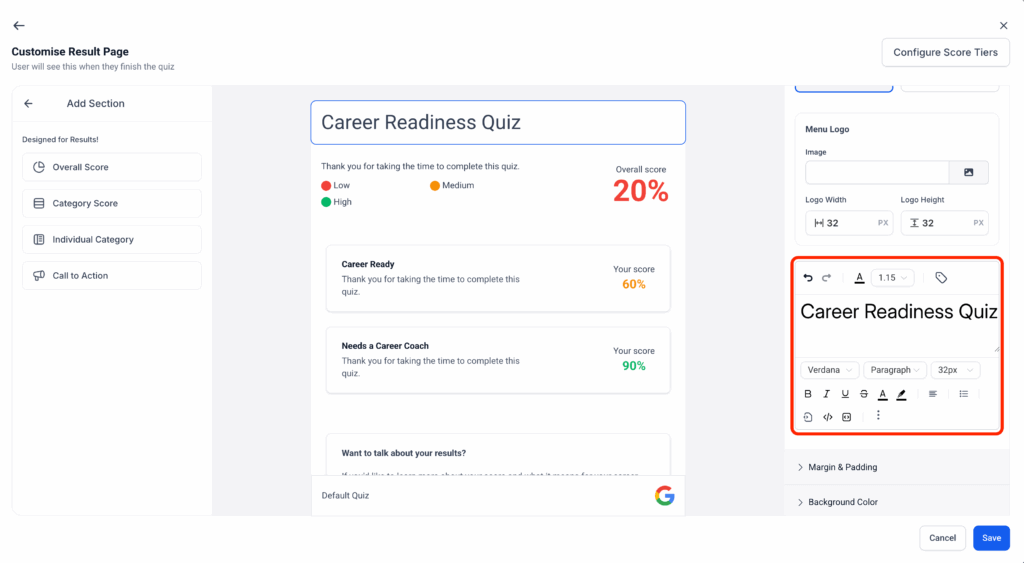
- Rich Text Editor: Add formatting, links, and media for better storytelling.
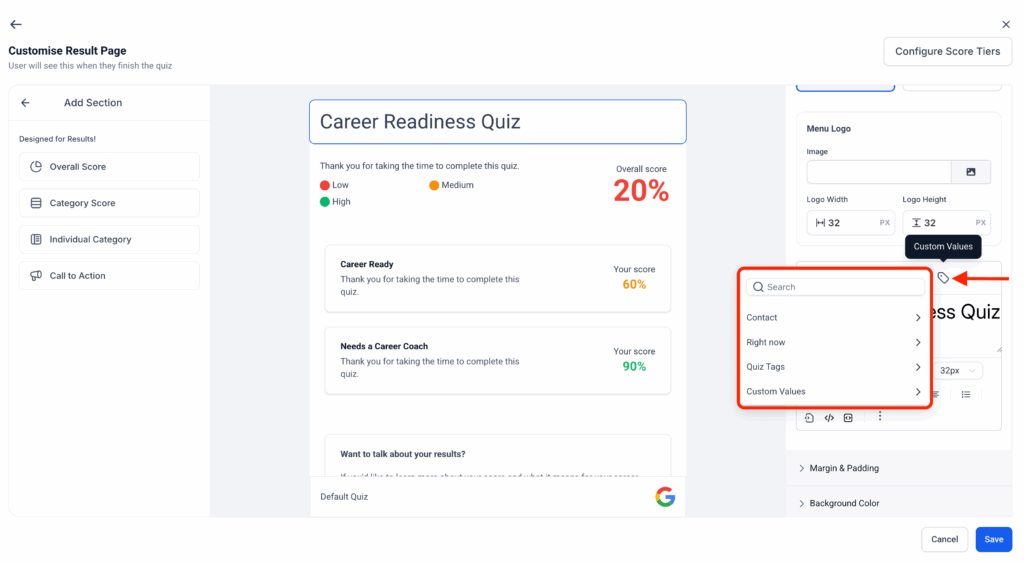
- Custom Fields & Tags: Add dynamic fields, timestamps, and quiz tags for deeper personalization.
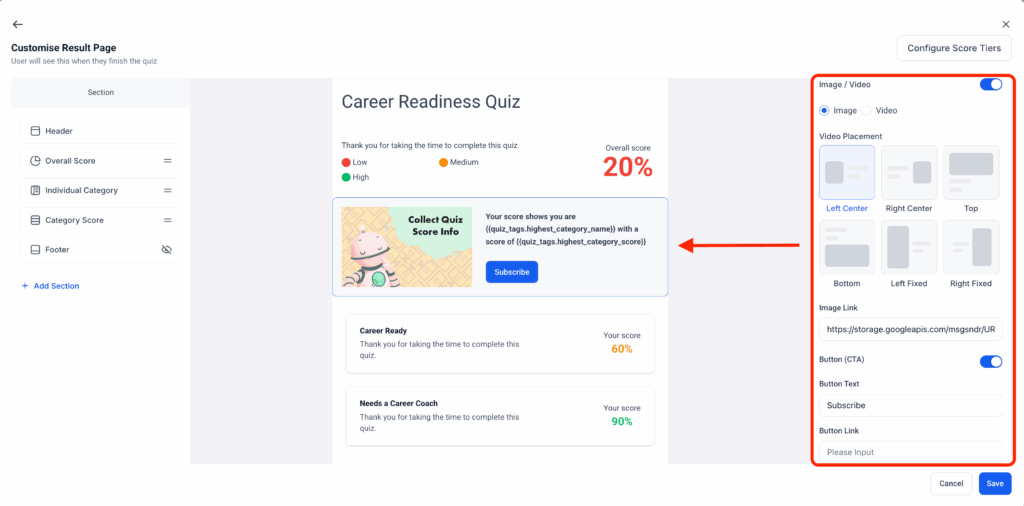
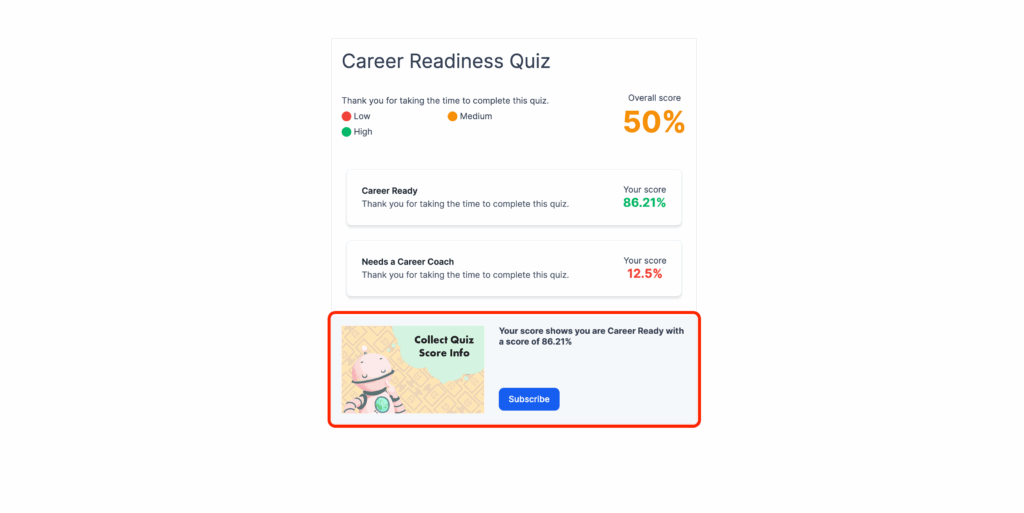
- Media & CTAs: Embed images, videos, and custom call-to-action buttons to make quizzes interactive and engaging.
How It Works
- Use the new Individual Category Section in the builder to define category outcomes.
- Apply formatting directly in question and result fields using the Rich Text Editor.
- Add custom values and dynamic tags from the Custom Values Panel.
- Upload media and add CTAs to questions and result pages.
Forms & Surveys
Element & Slide Cloning
You can now clone form elements and survey or quiz slides to save time and maintain consistency. This update makes building complex forms, surveys, or quizzes faster and easier.
What’s New
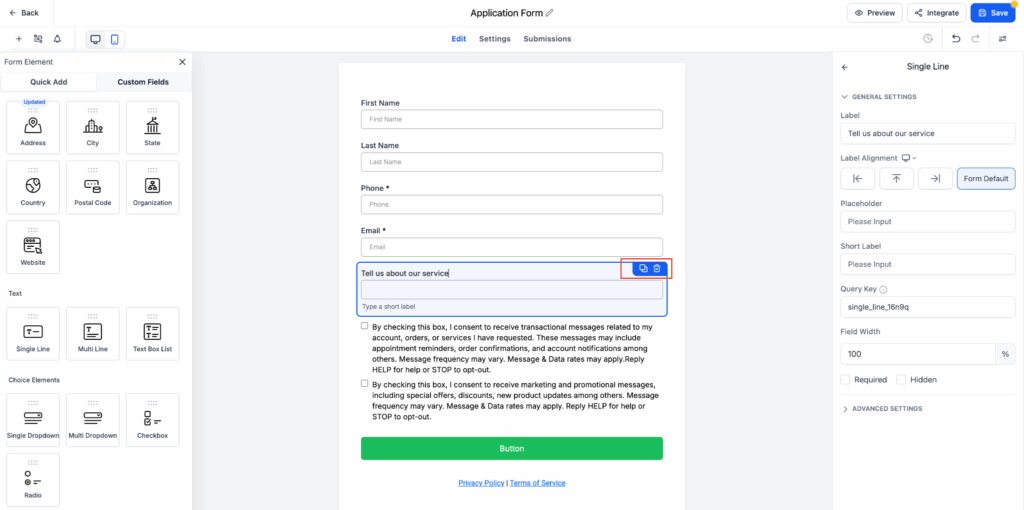
- Clone any form element, including custom fields, text, and image blocks.
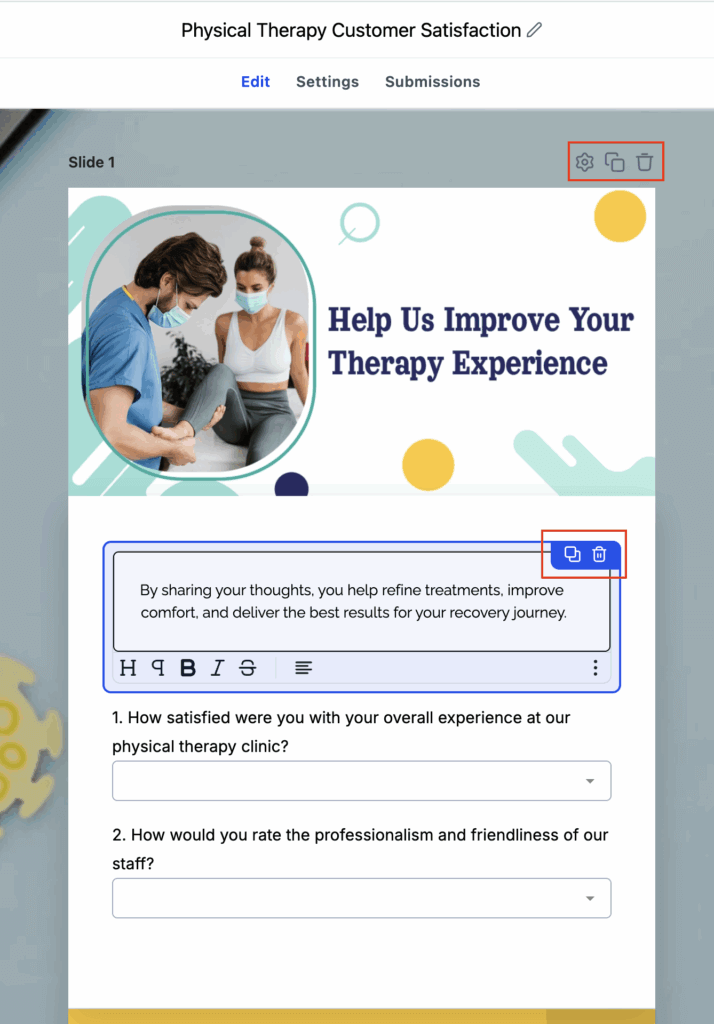
- Duplicate image elements without needing to re-upload.
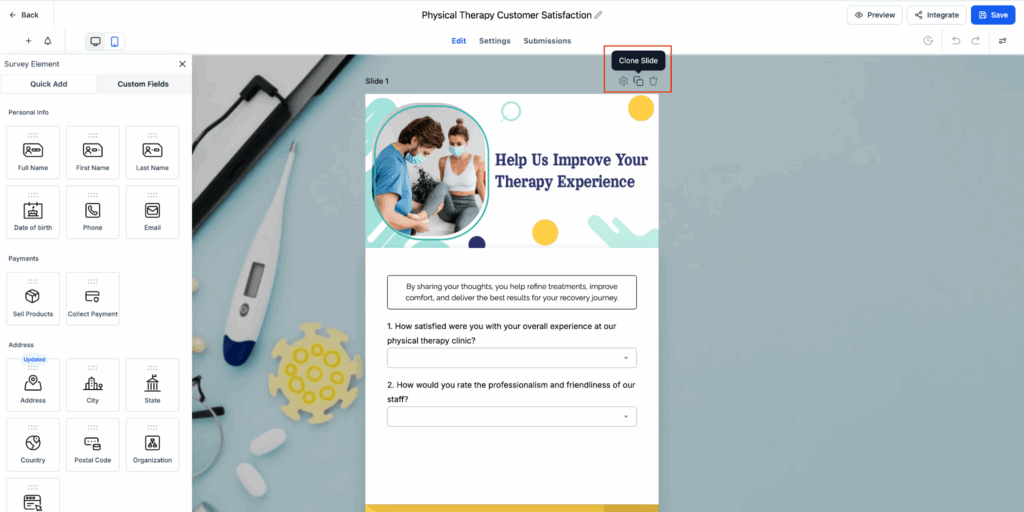
- Clone entire slides in survey mode for faster multi-step creation.
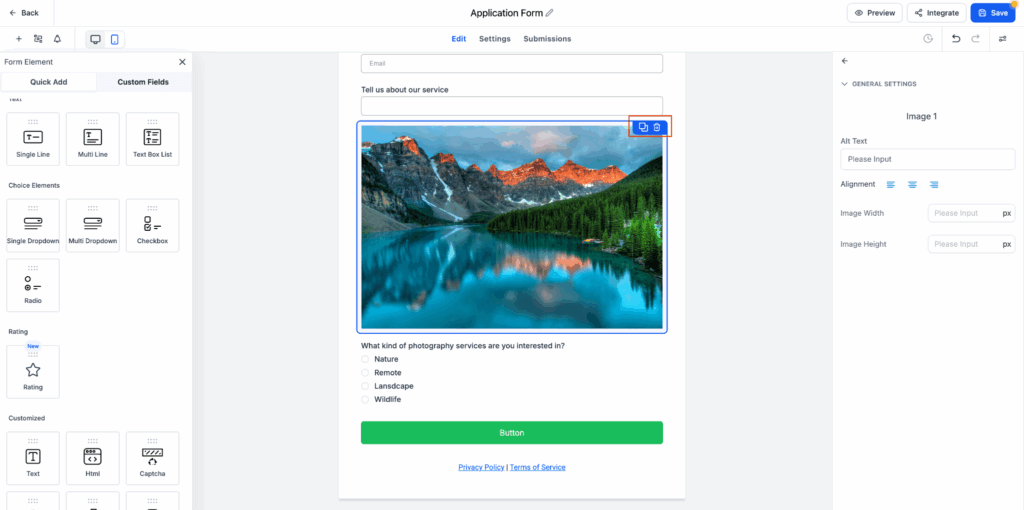
- One-click cloning via a new clone icon on each component or slide.
How It Works
- Hover over the element or slide you want to duplicate.
- Click the clone icon on the top-right corner.
- A duplicate appears immediately below the original, retaining all settings and styles.
- Edit the cloned element or slide as needed.
Notes
- Cloned elements keep all settings, styles, and validations.
- Slide cloning is available in Surveys and Quizzes only.
- Perfect for scaling complex forms or iterating faster on designs.
Payments
Smoother Payments with 3DS on NMI & Square
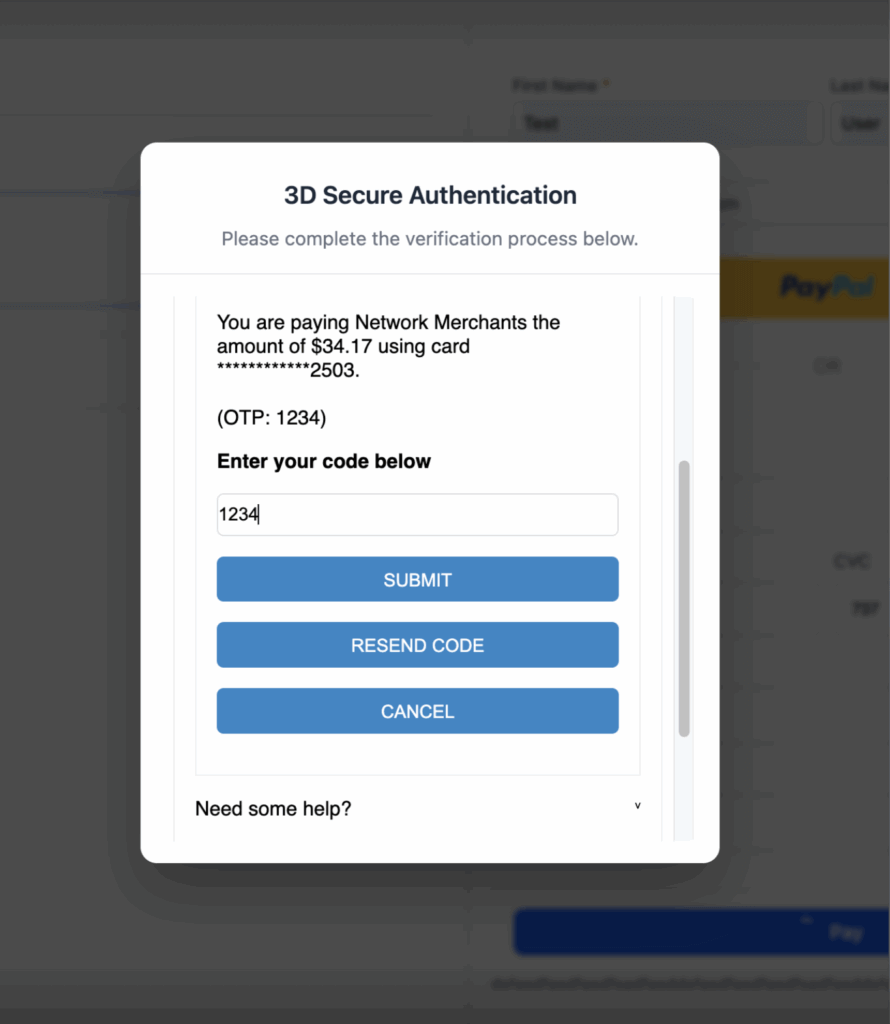
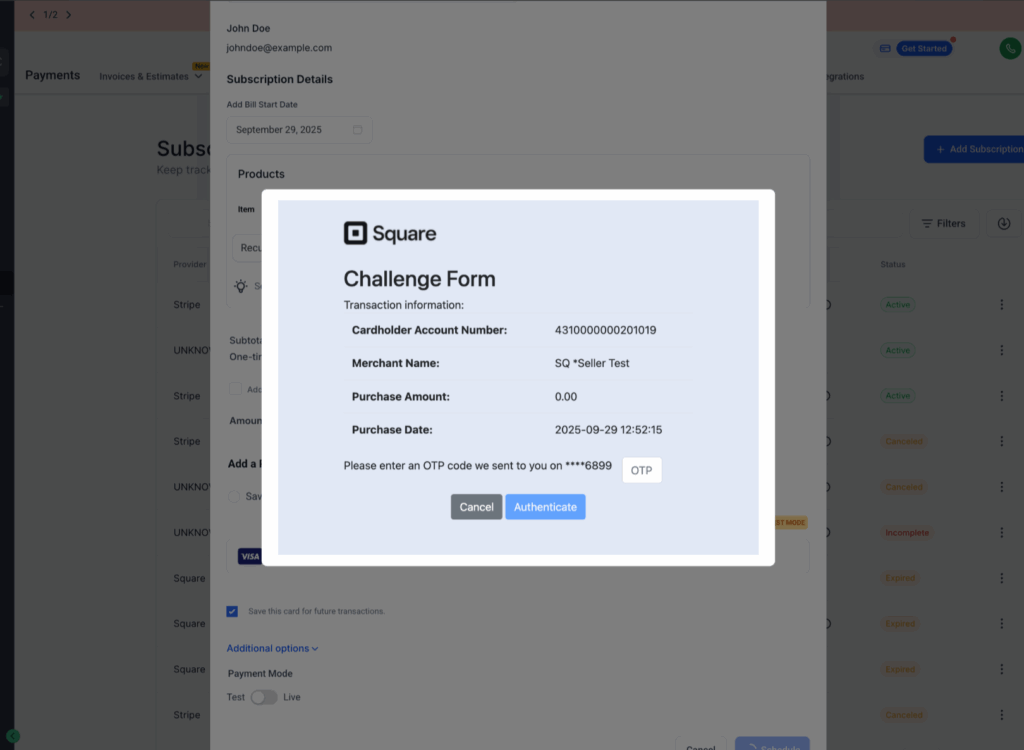
Cards that require extra security checks (3D Secure) now work seamlessly with NMI and Square. This enhancement ensures secure payments and fewer failed transactions.
What’s New
- 3DS is now supported on NMI and Square in addition to Stripe and Custom Providers.
- Square: Works automatically when address and contact fields are included during checkout.
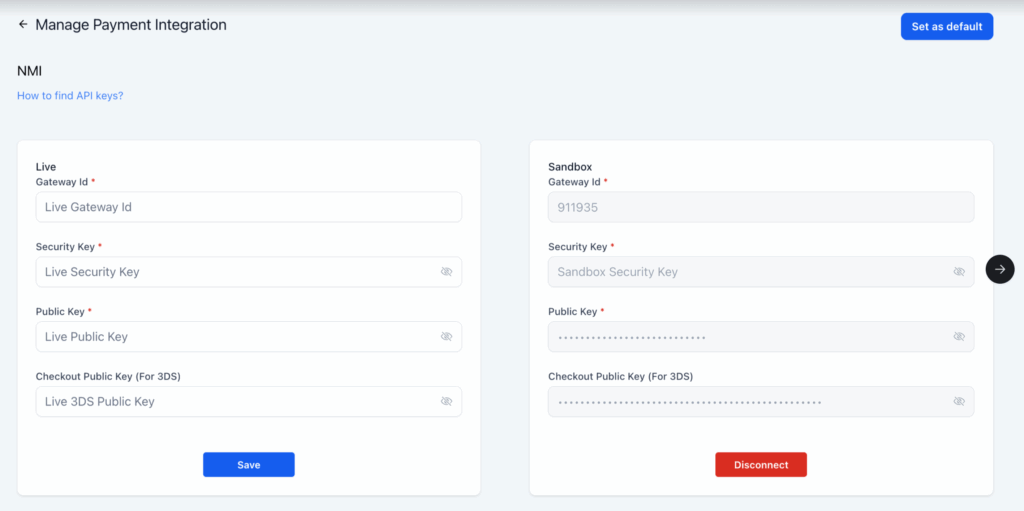
- NMI: Requires a one-time setup to enable 3DS.
How to Set Up for NMI
- Enroll in Payer Authentication 2.0 in your NMI account.
- Confirm the service status is Active.
- Generate a Checkout Public Key for 3DS in your NMI Merchant Portal.
- Add the key to your FG Funnels integration.
Once configured, customers will automatically see a 3DS pop-up when their card requires verification. This update helps reduce payment failures and ensures compliance in regions where 3DS is required.