


Welcome to your weekly roundup of updates for the week of October 3rd, 2025. This week’s updates bring cleaner listings, smarter scheduling, stronger security, and powerful new tools for analytics, and more. If you have any questions, feel free to reach out to us via live chat inside the app or at [email protected].
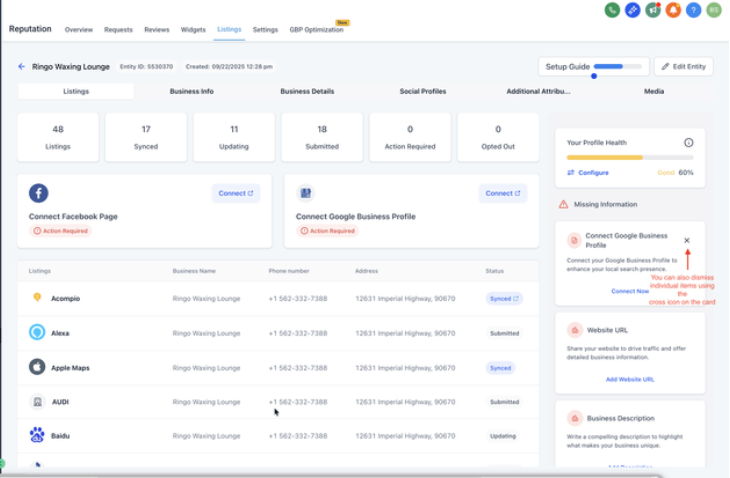
You can now dismiss missing info alerts on fields that don’t apply to a business (like TikTok or YouTube). This keeps profiles cleaner, lets you decide what matters, and ensures profile scores reflect reality. You can always re‑enable fields later if needed.
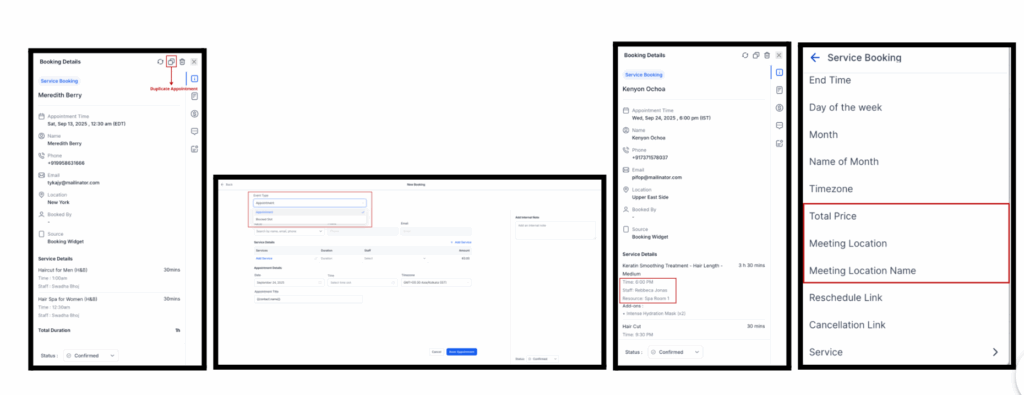
Appointments just got faster and easier. You can now duplicate bookings in one click, add blocked slots directly in the modal, and clearly see the booked resource. Two new custom values—Service Booking Price and Meeting Location Name—are also available for notifications.
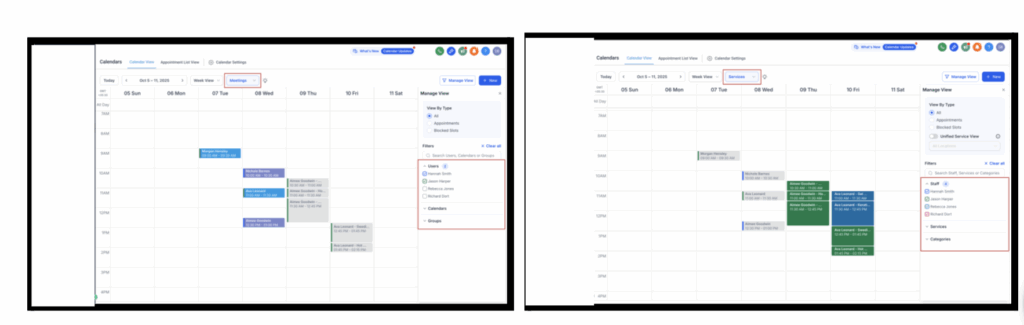
The calendar view has been redesigned with a clearer split between Meetings and Services, smarter dropdown navigation, contextual filters, and more visible space for events. The mini month view now sits under the main date for quicker access.
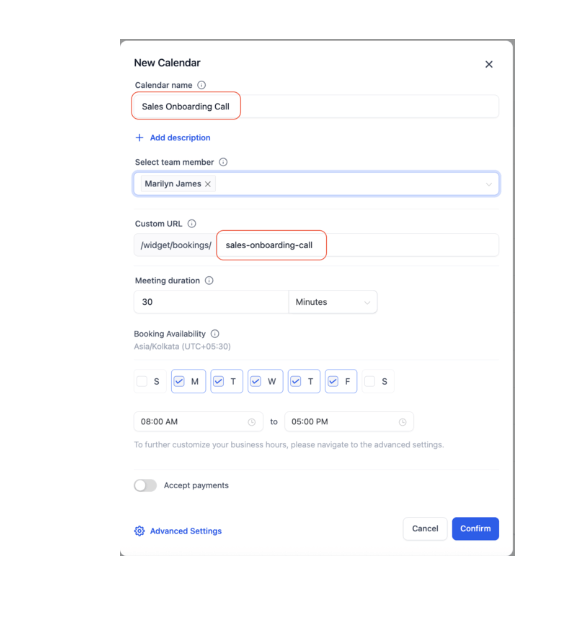
New calendars now get a unique slug automatically based on the calendar name. Slugs remain unique, and you can still edit them manually if needed.
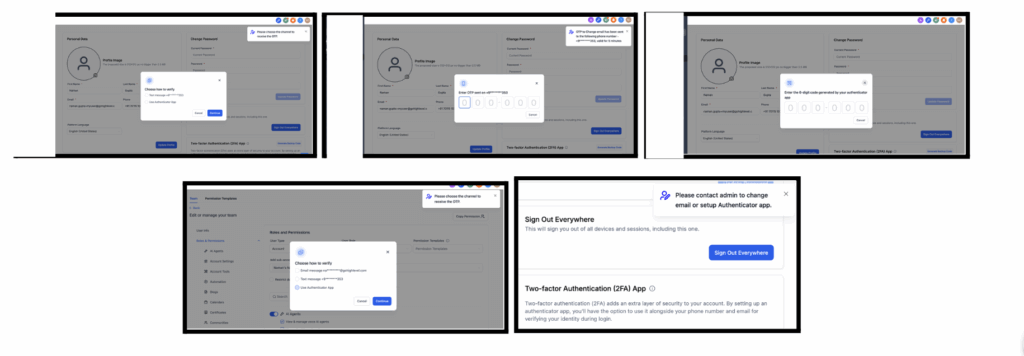
Updating user emails is now more secure and flexible. Users can verify changes via Email OTP, SMS OTP, or an Authenticator app. Admins changing another user’s email see all available verification methods, removing clunky workarounds and keeping accounts safer.
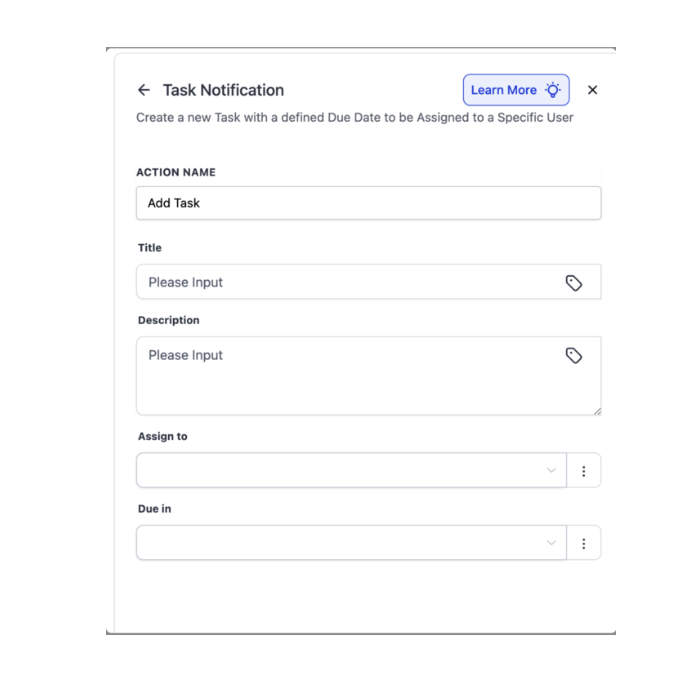
Workflows can now create tasks even when no contact record is present. This is perfect for internal to‑dos like ops checklists, billing follow‑ups, or content deadlines.
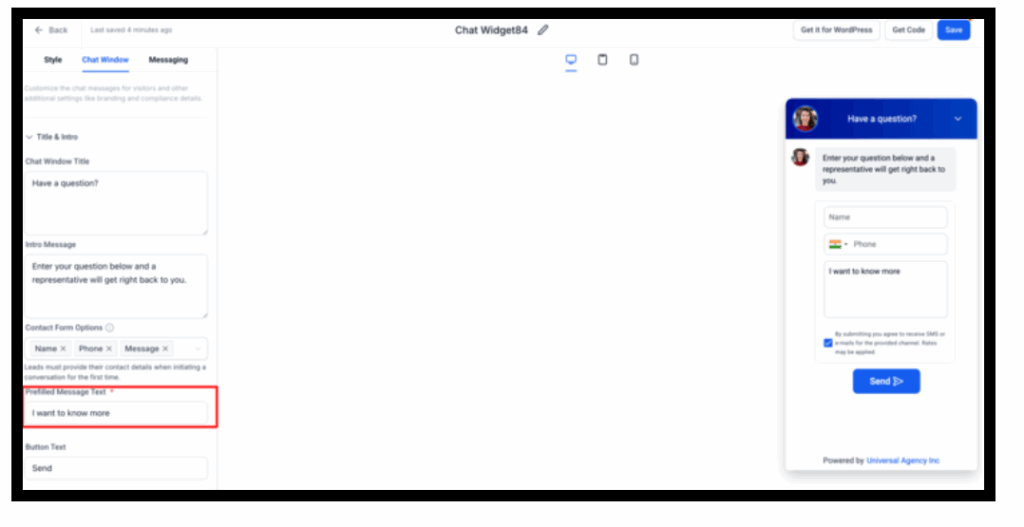
Chat widgets (WhatsApp, Email/SMS, All‑in‑One Chat, Voice AI) now include a customizable message field. Every conversation starts with context, details stay in the CRM, and visitors can still edit the pre‑filled message before sending.
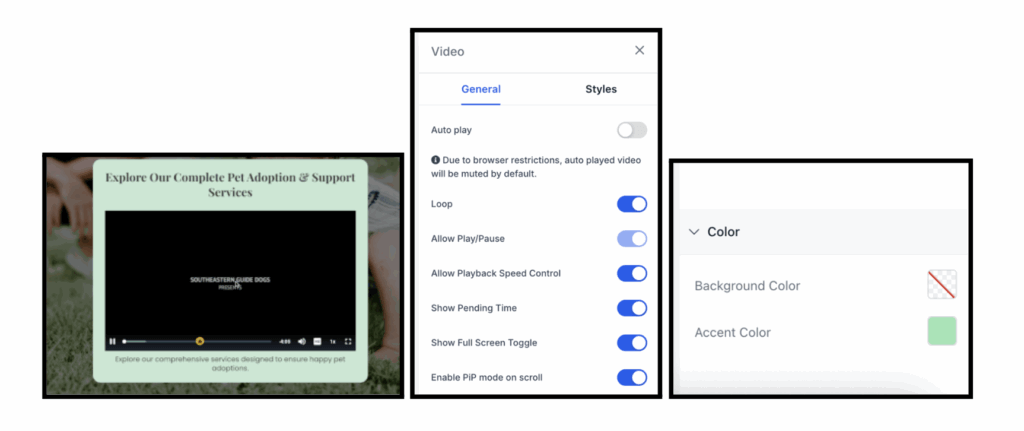
The video player now includes loop playback, mute‑by‑default, color customization, and a cleaner interface. It’s easier to deliver on‑brand, engaging video experiences.
Simple Enablement from Labs
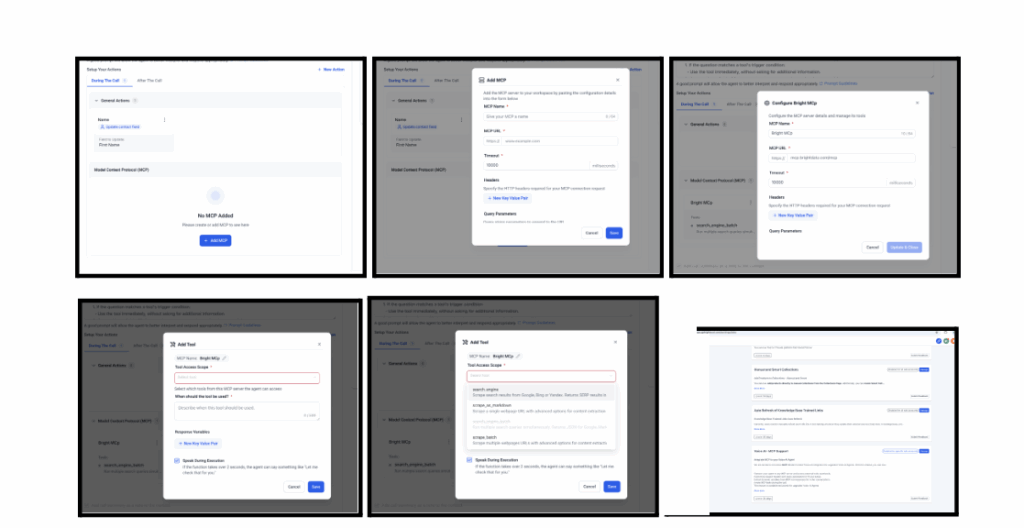
Activate MCP support for your Voice AI Agents directly from the Labs section in agency settings. No complicated setup—just toggle it on and start using MCP instantly.
MCP Server Integration
Connect your custom MCP server by entering its configuration details, including name, URL, headers, and optional query parameters.
Intuitive MCP Tool Management
Control exactly how your agents use MCP tools. Select which tools are available, set usage conditions, and define execution rules to enable smart, context-aware automation.
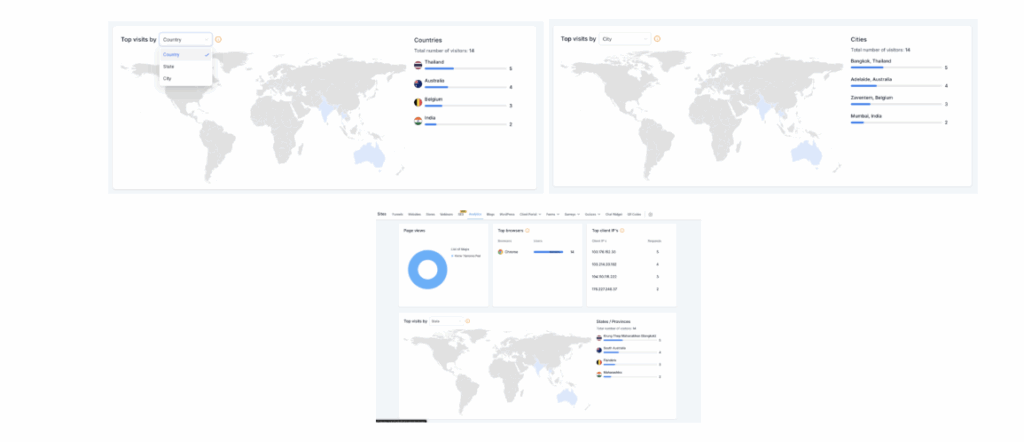
Analytics can now drill down by country, state, and city. Use ranked lists, heatmaps, and hover tooltips to understand where your traffic comes from and refine local campaigns.
A new dashboard shows daily breakdowns of Paid, Organic, Direct, Referral, and Other traffic sources. Hover to see exact counts or click into specific days for details.
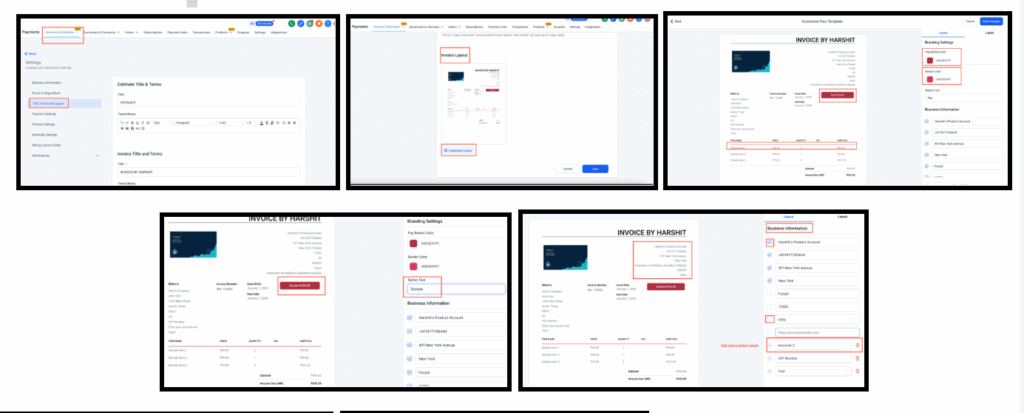
Invoices now support full customization of branding, sections, and labels. You can change button colors, show/hide business info, rename sections, and edit labels—all with live preview.
FGF Notifications








