Hey everyone! Welcome to the latest FG Funnels updates for July 31st, 2025! If you have any questions about these updates or FG Funnels, please reach out to [email protected] or live chat in the app and our team will be happy to assist you.
Dashboards
Pipeline-Specific Insights for Opportunity Widgets
You can now filter individual Opportunity widgets in your sub-account dashboard by pipeline. This update applies to the following widgets:
- Opportunity Status
- Opportunity Value
- Conversion Rate
- Lead Source Report
- Sales Efficiency
How it works: Use the new pipeline dropdown in each widget to view pipeline-specific data.
Why it matters: Gain more precise visibility into your sales processes, track performance by funnel or service line, and identify bottlenecks more effectively.

Prospecting
Prospecting Tool Updates
The Prospecting Widget just got a major upgrade with new design and functionality options:
- Customize submit button color, text color, and label
- Choose your font family and size
- Show/hide fields or mark them as required/optional
- Manually enter business details
- Create up to 8 unique widgets
- Explore designs in a new Preview Mode
- Backend improvements for smoother performance

Conversations AI
Custom Values Support in Form-Based Bot
Custom Values can now be inserted directly at the cursor’s position in bot questions. Features include:
- Smart placement of tokens
- Auto-validation for errors
- Character limit enforcement (200 characters)
Why it matters: This allows for more precise personalization in chatbot interactions and reduces formatting issues.

Upgraded Appointment Booking AI
The AI Workflow Action for appointment booking is now smarter and more reliable:
- Booking success rate improved to 98%
- Confidence score up to 97%
- Tone appropriateness at 94%
- Faster responses and 20% lower cost
- Fixes for day/date mismatches and slot errors
Documents & Contracts
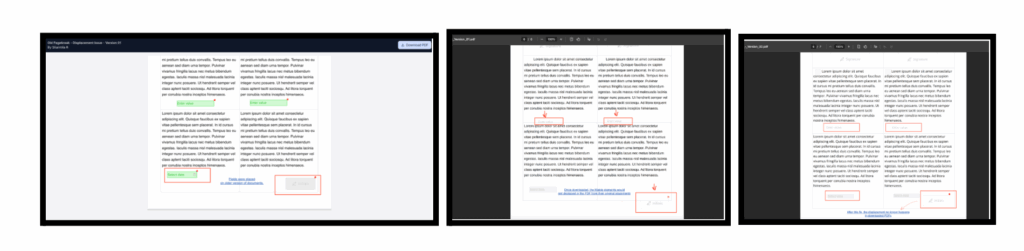
Fixed PDF Field Displacement
Form elements (signatures, checkboxes, etc.) now remain aligned across multi-page documents.
Note: Applies to documents created after May 27, 2025. Recreate older documents to apply the fix.
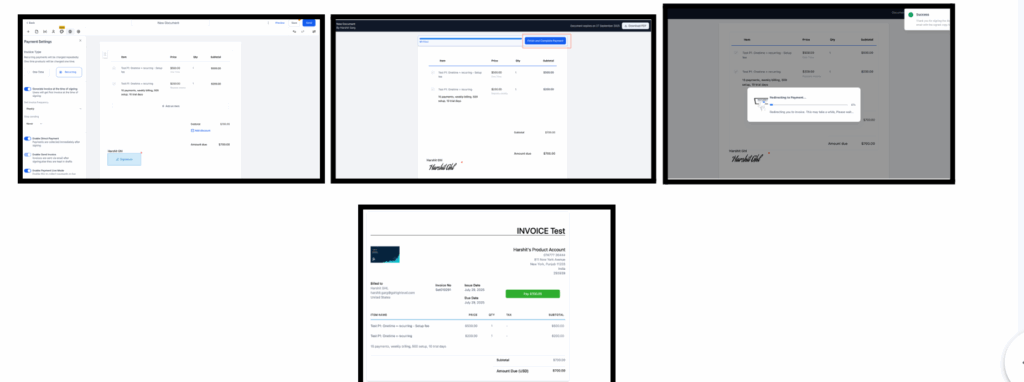
Faster Redirection from Document to Invoice
If your document includes recurring products, users now experience:
- 10–20 second redirect (down from 60–90 seconds)
- Progress bar during transition
Courses
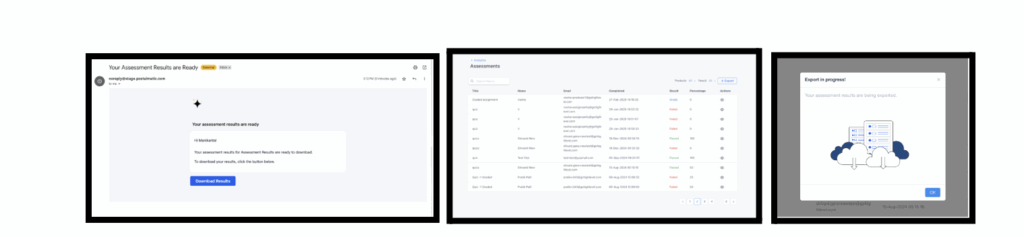
Export Assessment Results On-Demand
Admins can now export filtered assessment results as CSV files directly from the LMS.
Social Planner
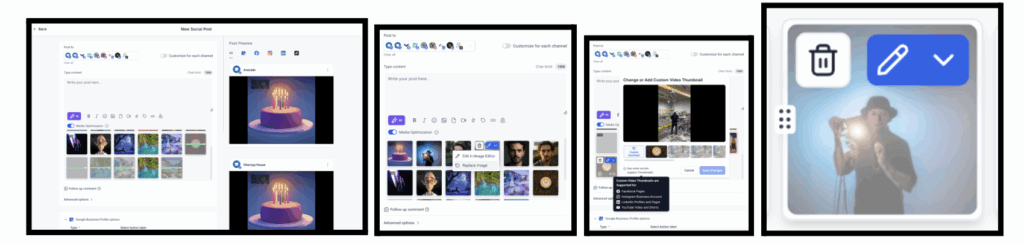
Thumbnail & Media Preview Enhancements
Recent updates include:
- Thumbnails now at the top of the editor drawer
- Enlarged preview modals
- Faster media loading
- Platform-specific thumbnail indicators
- Smarter media replacement without shifting post layout
How to Use:
- Navigate to Marketing → Social Planner
- Connect your accounts under the Integrations tab
- Create a post and choose the platform(s)
- Add media from the Media Library
- Click the pencil icon to edit a video’s thumbnail
- Preview which platforms support the thumbnail edit
- Publish your post when ready
Mobile Calls
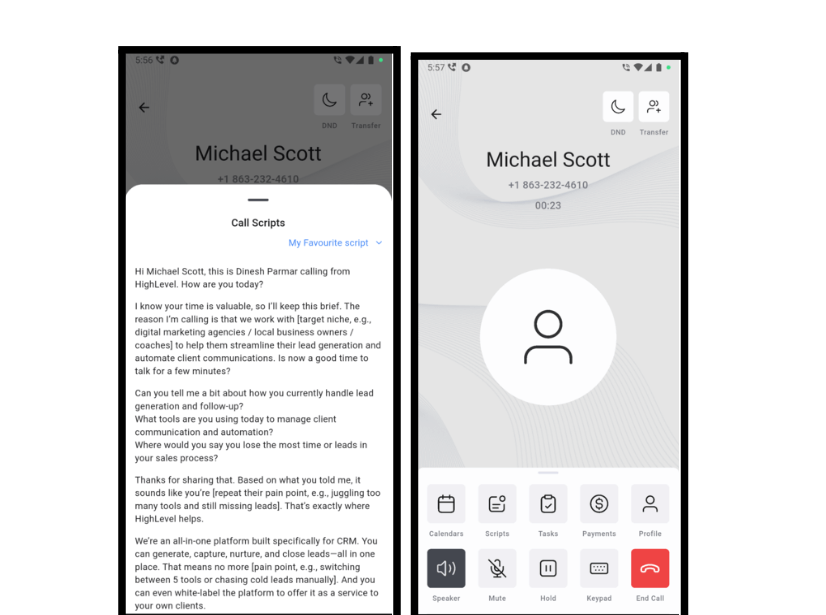
Call Scripts for Mobile
Agents can now access call scripts during live mobile calls. Admins set up scripts under Phone Numbers > Advanced Settings.
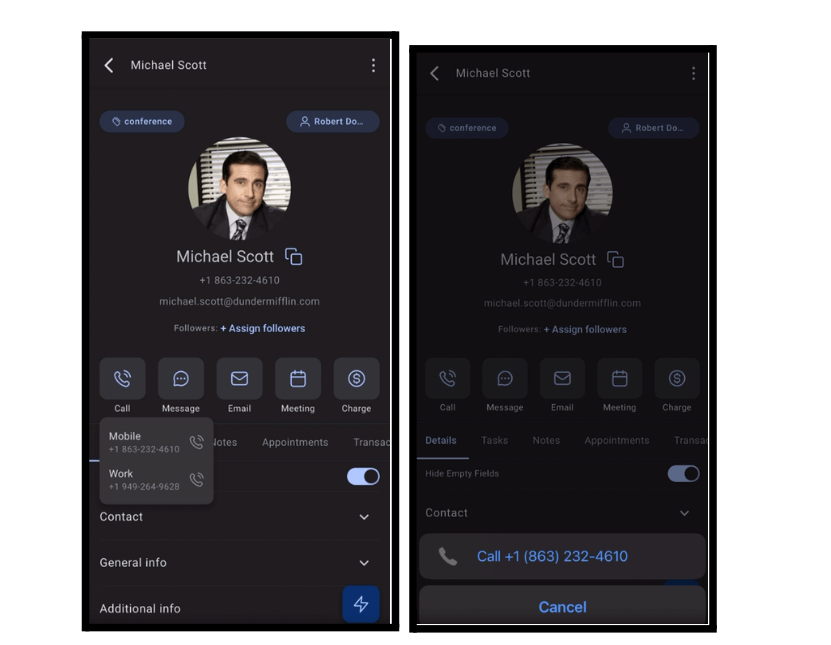
Call from SIM with No Setup
Make outbound calls from the app using your SIM number—no need to set up a business number. Tapping a call icon launches your phone’s dialer with the number pre-filled.
Mobile Payments
BBPOS WisePOS E and Stripe S700 Support
Mobile POS now supports Stripe’s internet-connected readers:
- Register readers in your mobile app
- Accept chip, tap, or swipe payments
- View transactions under POS > Transaction History
Invoices & Estimates
Channel Selection for Workflow Actions
New dropdown lets you choose how invoices and estimates are sent:
- Email & Text
- Email only
- Text only
How to Use:
- Open your workflow in the Automation Builder
- Add or edit a Send Invoice, Send Estimate, or Send Recurring Invoice action
- Scroll to the new Channel dropdown field
- Select the desired delivery channel
- Save the action and publish the workflow
WordPress
Country Server Selection
Choose your preferred server location when provisioning a new WordPress site. Options include:
- US (Ashburn, Phoenix, Dallas)
- UK (London)
- Germany (Frankfurt)
- Netherlands (Amsterdam)
- Australia (Sydney)
- Singapore (SG)
Credentials
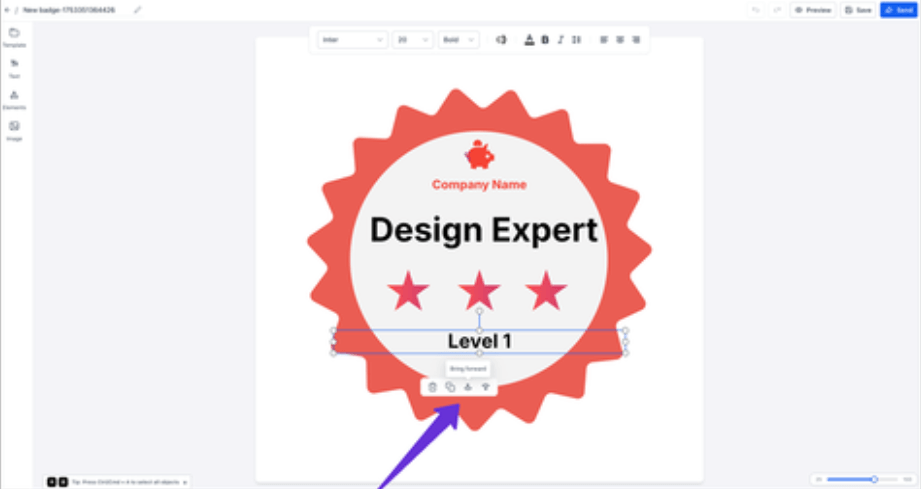
Badge Builder Enhancements
Design badges faster with:
- Ctrl + X/C/V shortcuts
- Arrow-key nudging for pixel-perfect movement
- One-click layer controls (bring forward/send back)
GoKollab
Kollab Studio is Here
A centralized dashboard now lets you manage all your courses and communities in one place.

Funnels & Websites (Labs)
Multiple Popups per Page
You can now add multiple popups to any page, each with its own trigger, design, and behavior.
Note: This feature is in Labs and must be manually enabled.