

Welcome to your weekly roundup of updates for the week of September 11th, 2025. This week’s updates bring a mix of brand‑new tools, thoughtful upgrades to existing features, and behind‑the‑scenes improvements to keep everything running more smoothly. If you have any questions, feel free to reach out to us via live chat inside the app or at [email protected].
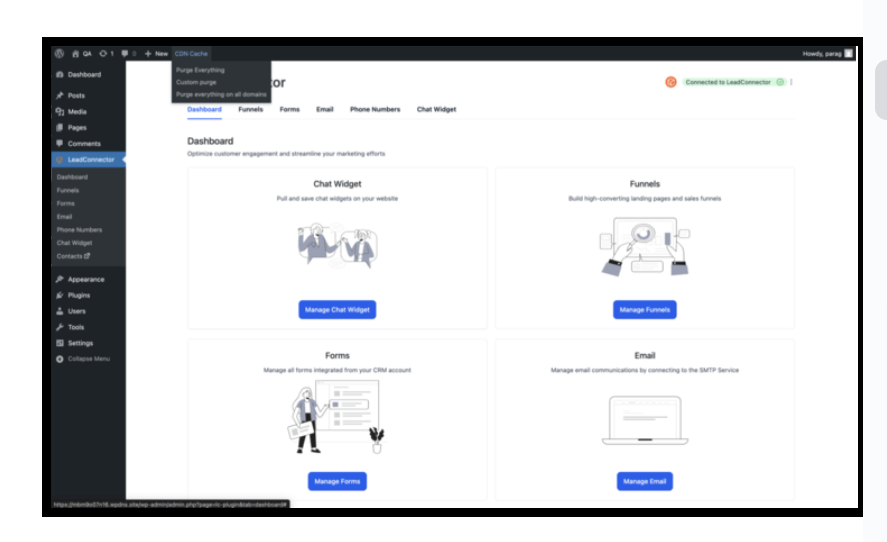
This update makes cache management simple and fast. Version 3.0.10.4 of the LeadConnector (LC) WordPress Plugin adds a global purge option so you can instantly clear cached content across every connected domain—not just the primary. If you manage multiple domains, this removes the guesswork and keeps your content in sync everywhere.
Here’s what changed in plain terms: there’s a new “Purge everything on all domains” control right inside your WP Admin. When you use it, the plugin clears caches across all associated domains automatically, and any new domains you add later are picked up for future purges too. Fewer clicks, fewer surprises, and far less time spent troubleshooting stale content.
Why it matters: your visitors get the latest version of your pages no matter which domain they hit, which reduces support headaches and keeps brand consistency tight.
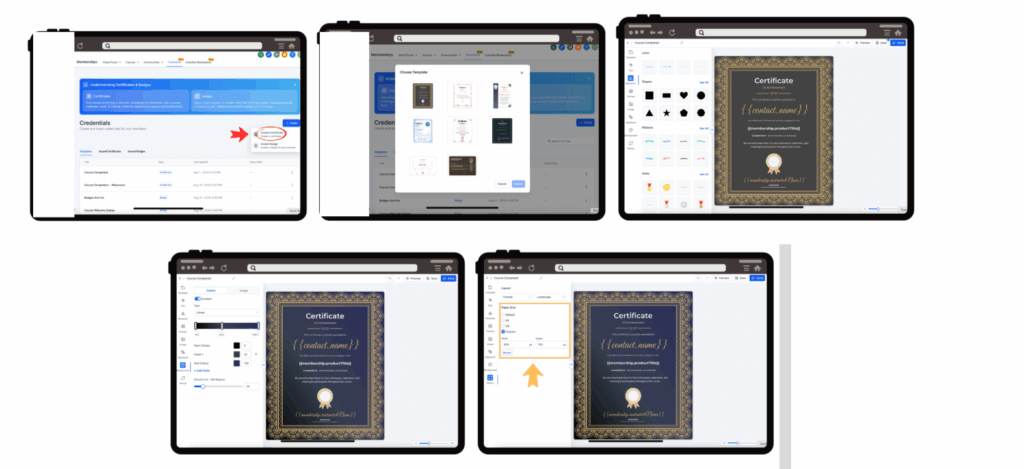
Creating certificates is now quick, modern, and fully in-platform. The new Certificate Builder gives you a responsive canvas with real-time previews and smooth drag‑and‑drop controls, so you can design professional, on‑brand credentials without jumping into third‑party tools.
You can pick from A4, US Letter, or custom sizes, and style with shapes, lines, icons, and graphics—no design degree required. Start from polished templates, add elegant frames and signature fields, and fine‑tune backgrounds with gradients or images (zoom, pan, crop included). It’s all powered by the same high‑performance engine behind our Badge Builder for a snappy experience.
Bottom line: faster build times, beautiful output, and a seamless way to deliver certificates your learners will be proud to receive.
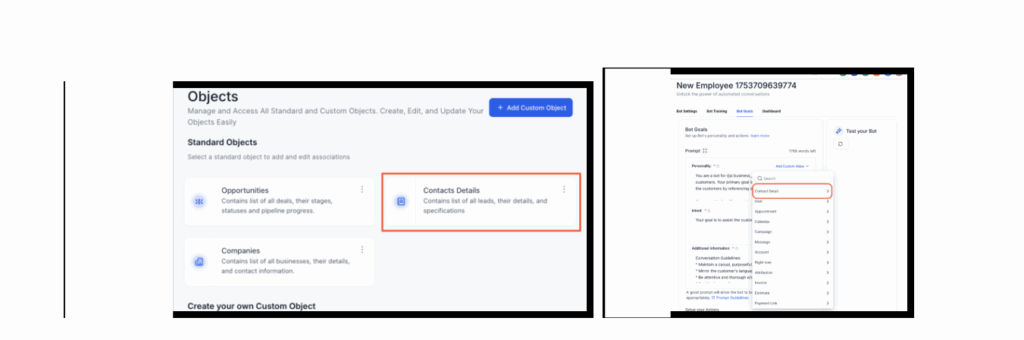
If you’ve customized CRM object names (for example, calling “Contacts” → “Clients”), Conversations AI now mirrors those terms automatically across the experience. That means what your team sees in the CRM is what shows up in AI‑powered conversations and labels—keeping language consistent and reducing confusion.
How It Works:
Why this helps: it respects your internal terminology, builds trust with users, and prevents mismatches between how your team talks and what the product shows.
Refunds processed directly in Stripe now sync back to FG Funnels automatically. That means the refund status you see in your FG Funnels dashboard reflects reality, which prevents mismatched records, duplicate attempts, and awkward errors when issuing refunds.
How It Works:
Why it matters: real‑time accuracy reduces support escalations and gives your team confidence when working with clients.
What’s next: we’re continuing to improve real‑time sync for other payment providers, with PayPal refund synchronization in progress.
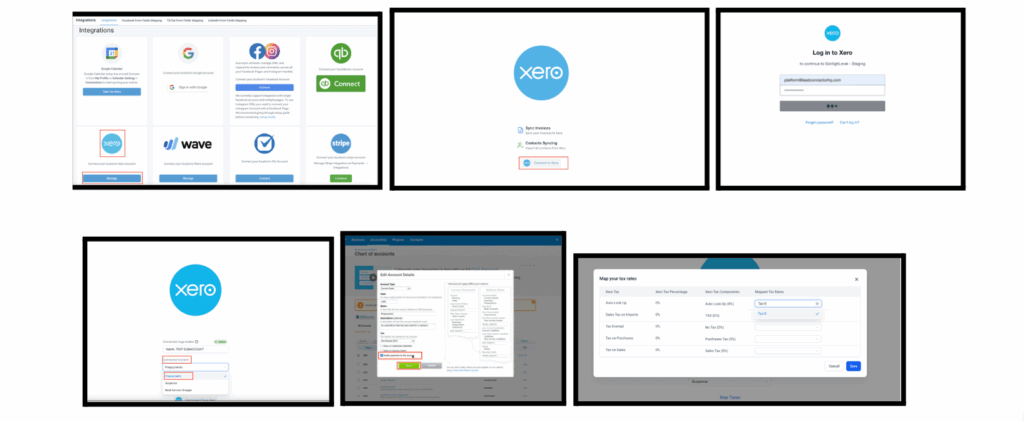
The long‑awaited Xero integration is live in FG Funnels. Keep accounting tidy by syncing contacts from Xero into FG Funnels and pushing invoices from FG Funnels into Xero—complete with invoice numbers, taxes, contacts, and payment status.
Under the hood, contact sync (Xero → FG Funnels) updates existing records by matching on email/phone, and uses the business name when a first/last name isn’t present. On the billing side, invoices created in FG Funnels appear in Xero in real time. You can also map tax rates and filter your chart of accounts to only show payment‑enabled options.
How It Works:
Why it matters: no more double entry, cleaner records, and faster reporting. Coming soon: selective contact group syncing from Xero → FG Funnels and receipt syncing from Xero → FG Funnels.
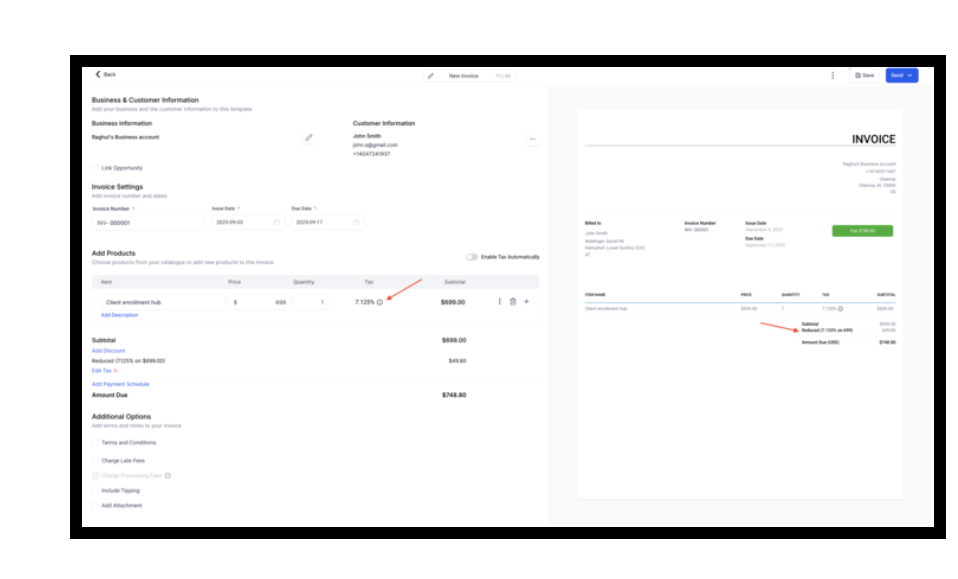
Invoices, estimates, transactions, subscriptions, and checkouts now support tax rates with up to four decimal places (e.g., 7.1250%). Final tax amounts still round to two decimals to follow currency standards, but the extra precision eliminates rounding slop when you’re dealing with fractional tax rates.
You’ll see these precise tax rates consistently in the UI and APIs, and everything aligns with external systems like QuickBooks Online, Stripe, and Shopify. Historical records remain unchanged; new records use the new precision, and signed/pending documents keep their original formatting. Next up: 4‑decimal tax precision for Mobile POS Invoices.
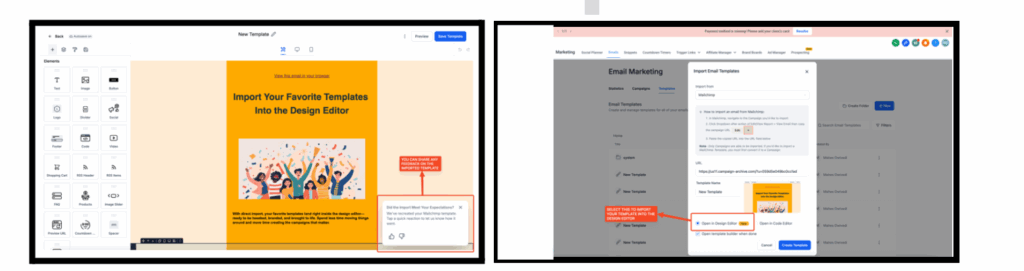
Bring your Mailchimp HTML templates right into FG Funnels’ drag‑and‑drop Design Editor. Instead of being limited to a code view, you can upload, open in the visual editor, and keep building with recognizable content blocks.
How It Works:
Why it matters: easier migrations, brand consistency, and a smoother path off your old ESP.
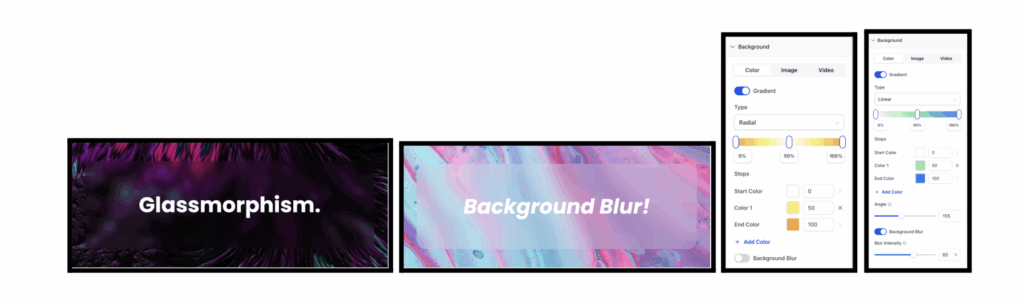
Your backgrounds just got an upgrade. The Page Builder now supports multi‑color gradients (up to 10 colors) with Linear, Radial, and Angular styles, plus a controllable blur effect for depth. The background settings area is cleaner too—color, image, and video live in their own tabs so you can switch modes without hunting for options.
How It Works:
Why it matters: more creative control with zero code, perfect for modern hero sections and high‑impact CTAs.
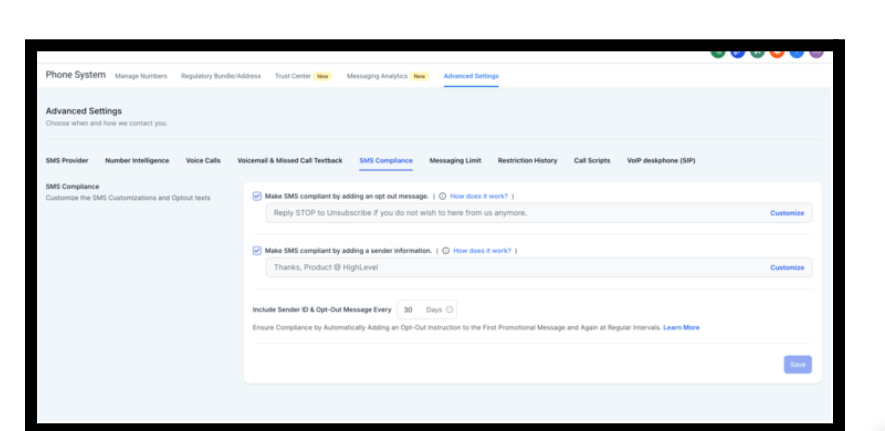
To help you stay compliant with TCPA, CTIA, GDPR, and CCPA, FG Funnels can now insert opt‑out language and sender identification at regular intervals in ongoing SMS/MMS conversations. You choose the frequency (1–60 days; defaults to 30), and the system does the rest.
How It Works:
Why it matters: better deliverability, lower risk, and fewer manual steps. Next on the roadmap: quiet hours enforcement and cold outreach limits.
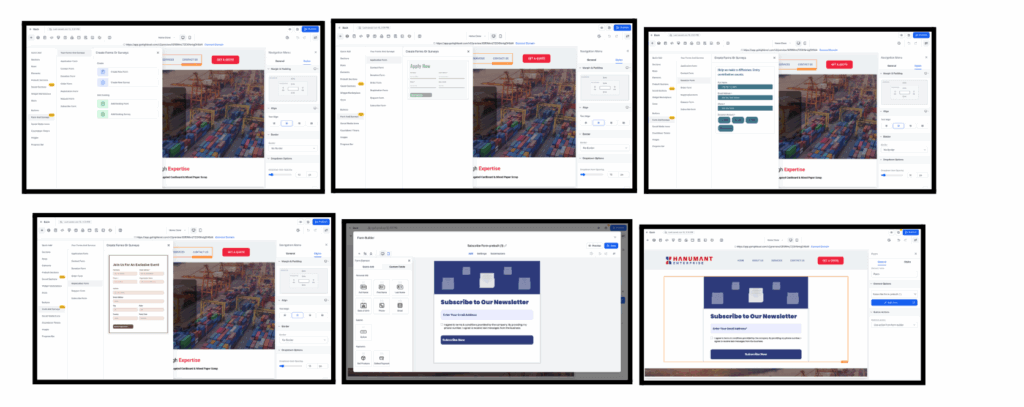
You can now create, add, and manage Forms & Surveys directly inside the Page Builder. There’s a dedicated panel for forms and surveys, prebuilt templates by category (Application, Contact, Donation, Order, Registration, Request, Subscribe), and one‑click drag‑and‑drop to place and edit a form right on the canvas. Everything you create or add is listed for easy reuse.
How It Works:
Why it matters: fewer tab switches and a faster path from idea to live form.
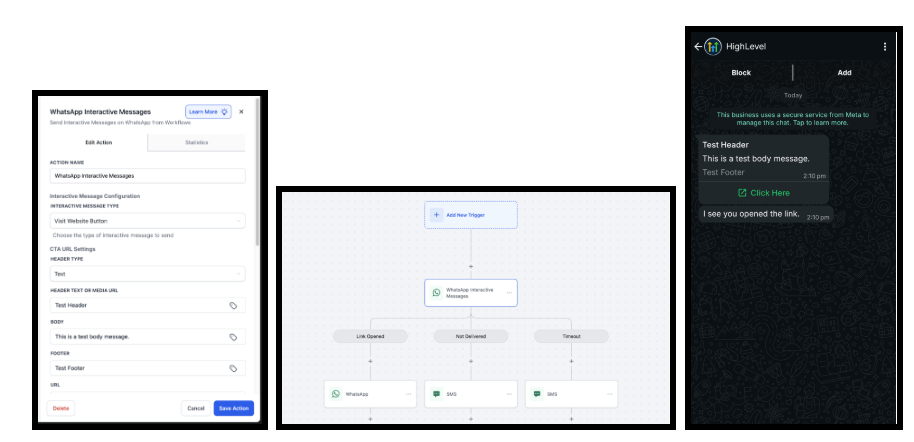
WhatsApp messages now support interactive CTA buttons inside automated workflows. You can branch flows based on what recipients do—open links, fail delivery, or time out—and design those paths with clear, drag‑and‑drop conditions in the Workflow Builder. It’s a direct, guided way to move customers to action.
The pricing model follows WhatsApp’s rules: CTA interactive messages are billed as business‑initiated conversations; responses inside the 24‑hour window don’t add extra costs, and the standard 24‑hour session logic still applies. Current limitation: only supported CTA types (buttons and links) are available at this time.
FGF Notifications








