

Welcome to your weekly roundup of FG Funnels updates through the week of June 11th, 2026.
From Ask AI now running multiple conversations in parallel to a brand new Conversation AI Copilot, Spintax in the Email Builder, SMS reporting widgets, and a revamped Billing Dashboard — this week’s updates bring some seriously powerful tools to your stack. We’re also rolling out upgrades to Voice AI, Workflows, Communities, Payments, Social Planner, and more — all designed to save you time and give your clients a better experience.
If you have any questions about these updates, email us at [email protected] or reach out through live chat inside the app — we’re always happy to help.
You can now create a fully configured Conversation AI agent directly from Ask AI by describing what you want in plain language. The wizard reads your business profile, brand voice, and past conversations to synthesize the agent’s personality, tone, and instructions — then creates and deploys the agent across the channels you mention, all in one step.
The location’s default Knowledge Base is attached automatically so the agent can answer from existing FAQs from day one. No configuration screens, no per-channel setup.
Sample prompt: “Build a Conversation AI agent from my past 100 conversations within the last 30 days. Enable it on all channels including SMS, Live Chat, etc. Turn it on in suggestive mode.”
Open Ask AI → type your prompt → mention the channels and mode you want.
The Workflow AI Builder can now answer performance questions — not just build and edit. Ask how a workflow is doing and get entries over any period, a status breakdown, completion rate, goal conversions, and where contacts drop off. Pull delivery and engagement data for any email or SMS step. See branch percentages for If/Else splits. Check whether a specific contact is active, completed, or failed.
You can also search every workflow in your account by name, status, tags, triggers, actions, or who last edited it — all from the same window.
The assistant only reads — it never modifies workflows when answering. No setup needed, just open the AI Assistant in any workflow and ask.

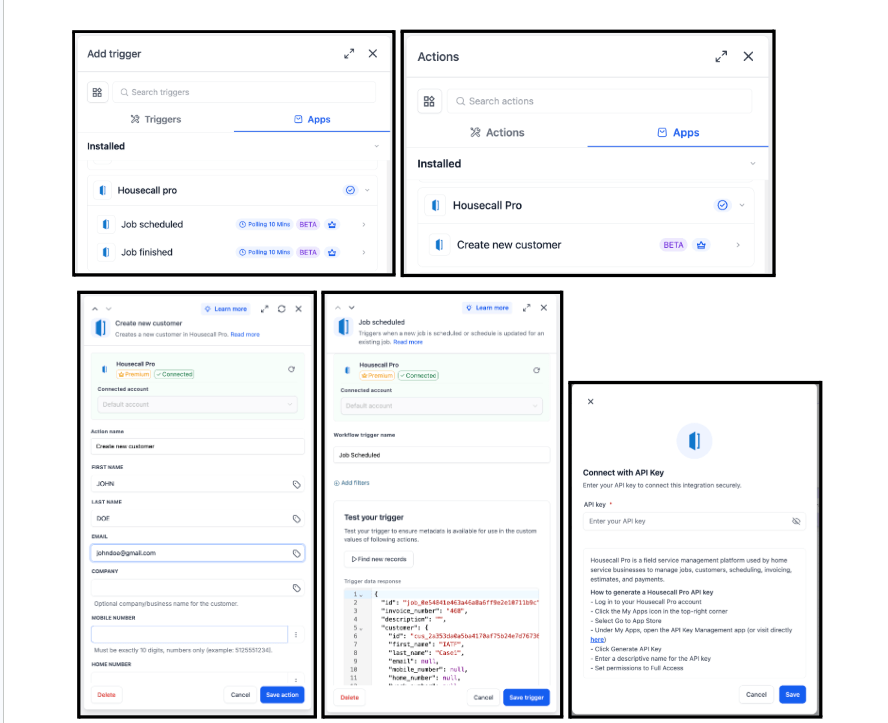
Housecall Pro is now natively integrated into FG Funnels Workflows with two triggers and one action. Triggers fire when a job is scheduled or rescheduled and when a job is marked complete. The action creates a new customer record in Housecall Pro from workflow inputs.
Common use cases include sending booking confirmations and syncing CRM contacts when a job is scheduled, notifying customers and crew on reschedules, and sending review requests with receipt delivery when a job is completed.
Connect via Workflow Builder → add a Housecall Pro trigger or action → Connect your account.
The Goal Event action now supports Task Created and Task Completed as goal types. Route contacts to a goal branch when a task tied to that contact is marked complete — no extra workflow steps needed. Filter by task name or assignee.

Two improvements to message filters in workflows. A new Has Attachments filter (yes/no) lets you route messages based on whether files are included. A new Message Body filter combines the older Contains Phrase and Exact Match Phrase filters into one place, with additional conditions: does not contain, is empty, and is not empty. Existing workflows using the older filters continue to work unchanged.

You can now create multiple variations of words, phrases, or entire sentences in a single email template. When the email sends, FG Funnels automatically selects one variation at random for each recipient.
Format: {SPIN|Hey|Hello|Hi} there! — the recipient sees one of the three options.
Spintax works in subject lines, preview text, and the email body, and supports nested custom values within variations. Great for reducing content uniformity in cold outreach campaigns and improving deliverability without maintaining multiple A/B versions.

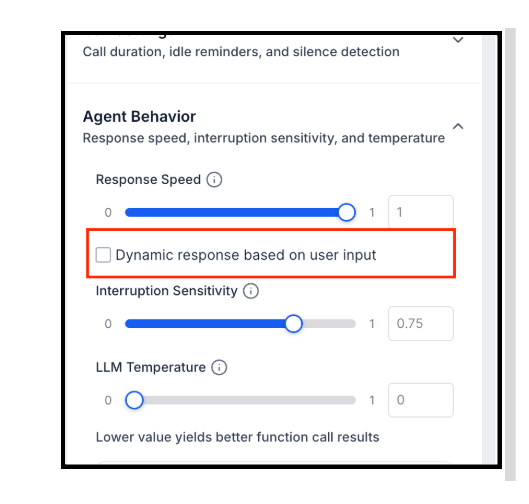
Voice AI agents can now automatically adjust how quickly they respond based on each caller’s speech rate and turn-taking behavior. Fast talkers get snappier responses; slower speakers get more patience. The result is a more natural, human-like conversation flow.
Off by default — enable it in any agent’s Agent Behavior settings. Available for agents on the new builder only.
Conversations AI now handles voice messages significantly better. The speech recognition engine has been upgraded for better accuracy with natural speech, accents, and noisy audio — and language support has expanded to include Arabic, Bengali, Hebrew, Kannada, Marathi, Tamil, Telugu, Urdu, Tagalog, Persian, and several more, alongside existing major languages.
This enhancement is automatically enabled for all users who have Respond to Audio turned on in Bot Settings. No configuration required.
As mentioned in the Ask AI section above — you can now build a fully configured Conversation AI agent from a single plain-language prompt inside Ask AI. The agent is created, configured, and deployed in one step using your existing business profile, brand voice, and conversation history.
Five new SMS widgets are now available in Dashboards and Custom Reports, bringing full reporting parity with the existing Email module. Track SMS delivery health, inbound volume, outbound volume by source, activity by sender, and SMS trends over time — all with AND/OR filter logic for status, direction, source, sender, and workflow.
The five widgets:
Go to Dashboards → Edit dashboard → Add widget → scroll to the SMS section.

A new Accounting Sync dashboard gives you full visibility into every invoice, transaction, and contact sync across your connected accounting platforms. See exactly how many records synced and which ones failed, read the failure reason for any errored record, and retry the sync with one click — no support ticket needed.
Navigate to Payments → Invoices & Estimates → Accounting Sync.
Note: Transaction sync for Wave is not yet supported — invoices and contacts only. Bulk retry is not yet available.


You can now add custom alt text to every image uploaded in Social Planner — including individual images in multi-image and carousel posts. Alt text is stored per image, easily editable before publishing, and automatically sent to platforms that support it. An indicator shows on images that already have alt text configured.
Upload an image in Social Planner → hover over it → click Alt Text.


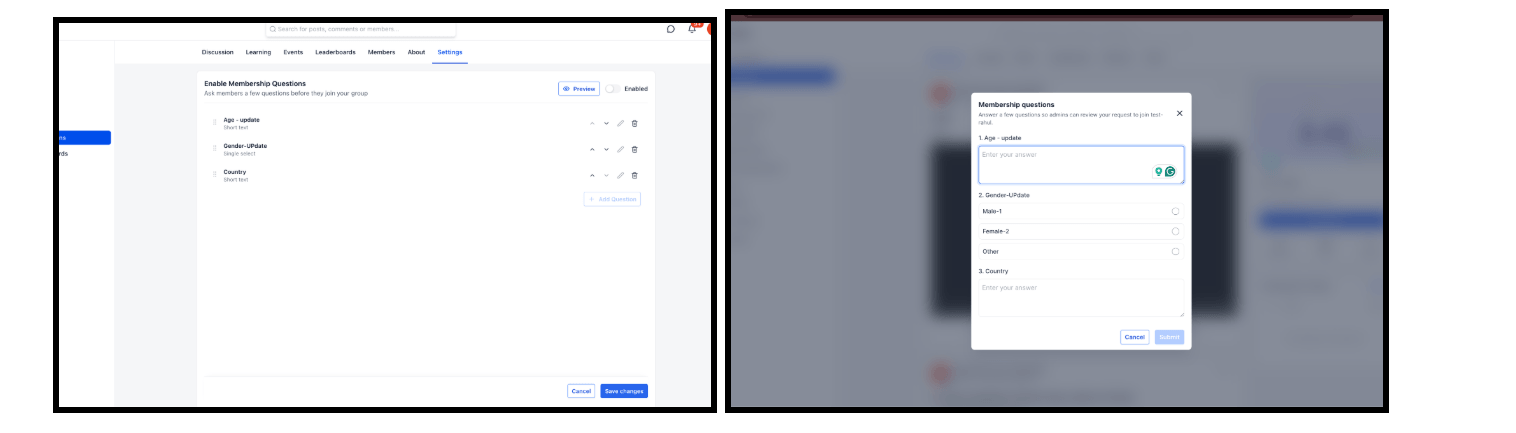
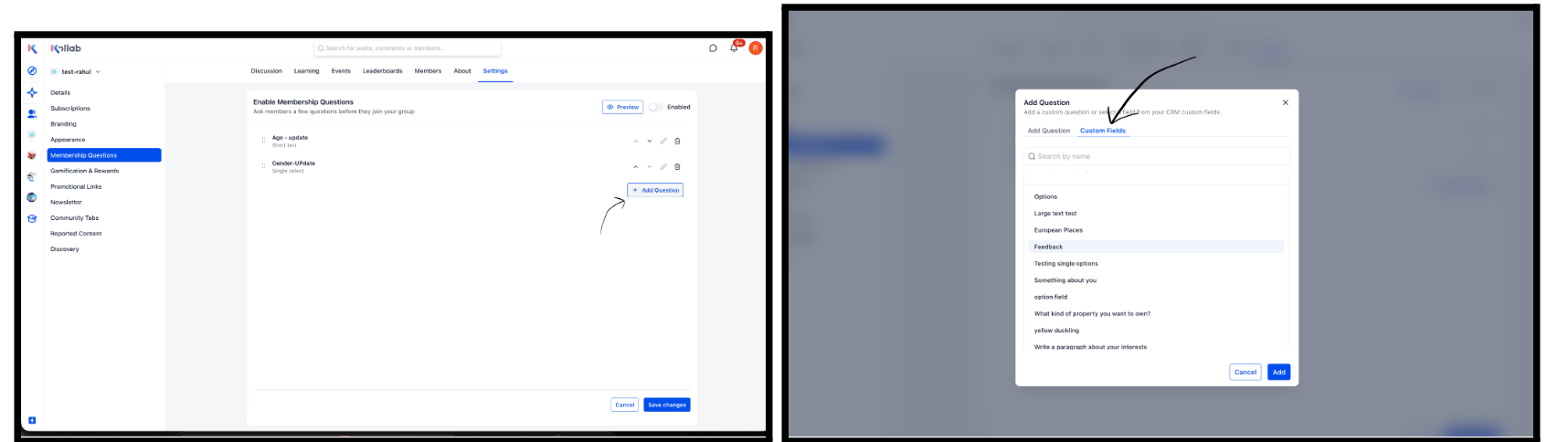
Community membership questions can now be linked directly to CRM custom fields. When a user joins a community and answers the membership questions, their responses sync automatically to the corresponding contact record — ready to use in your existing workflows and automations immediately.
How to set it up:
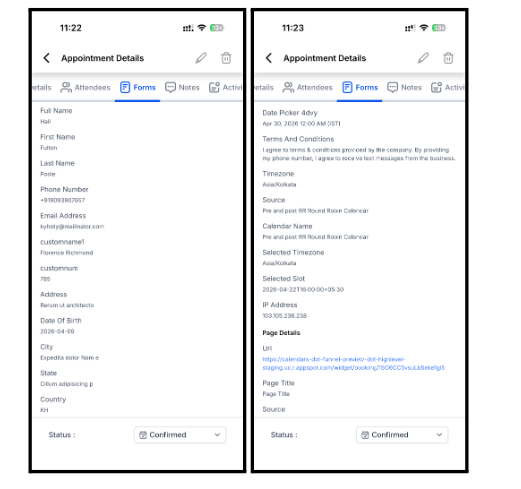
Custom booking form responses are now visible in the mobile app. Open any appointment that was booked with a custom form, tap the Forms tab, and see every submitted answer — the same details you already get on the web. No setup required.
Calendars → open an appointment → Forms tab.
Store owners can now use product-related custom values on Product Detail Pages to dynamically display product-specific information inside text elements. Show product name, description, type, label, ratings, price, SKU, stock status, subscription details, and shipping dimensions. Variant-based values like price, SKU, and stock update automatically when customers switch variants.
In Store Builder → go to a Product Detail Page → select a supported text element → open the Custom Values picker → choose the Product section.
Note: Product custom values only work on Product Detail Pages and Custom Product Detail Pages. Unsupported or missing values render as blank.


You can now generate a QR code for any funnel step without leaving the Funnel Builder. A QR Code icon appears next to the Funnel URL at the top of the builder — click it to instantly create, download (PNG, SVG, or PDF), or customize a QR code for the current step. QR codes automatically link to the correct funnel step with no manual setup.

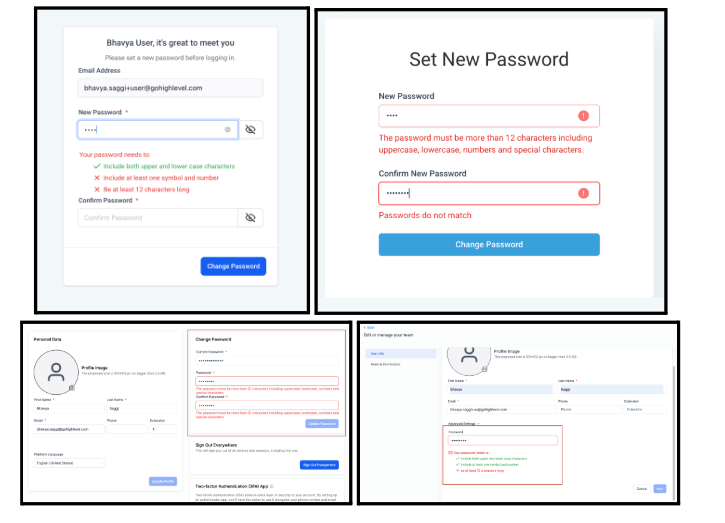
Password complexity requirements are now enforced across all platform entry points — signup, password reset, profile update, and user editing. Passwords must now be at least 12 characters and include at least one uppercase letter, lowercase letter, number, and special character.
This applies to all new users and any existing users who change their password. A notification banner for existing non-compliant passwords is coming in the next phase.
A2P 10DLC campaign registration through the self-serve (Manual) flow now requires a Privacy Policy URL and a Terms & Conditions URL. Both fields are mandatory for carrier approval. If you can’t provide your own links, use the prebuilt chat widget flow, which handles these automatically.
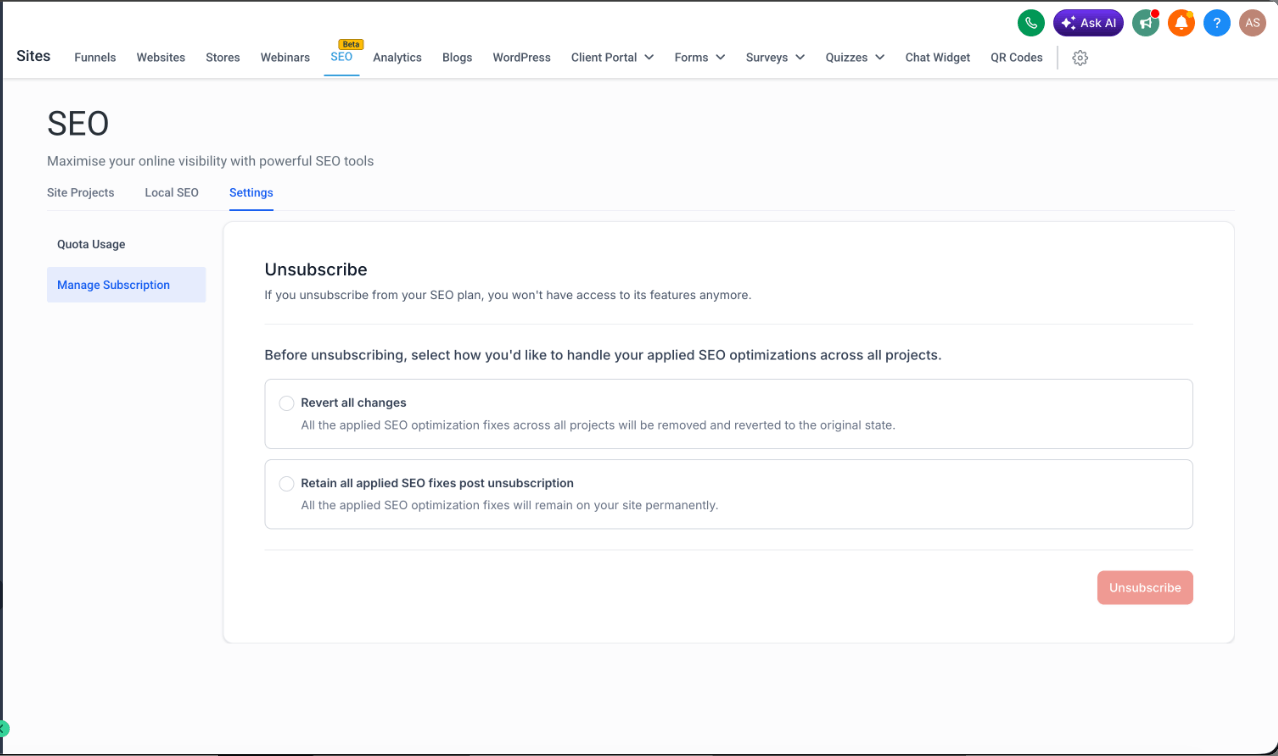
The SEO Settings → Quota Usage tab now shows exactly when each tool’s quota will refresh, displayed in your profile timezone. Fixed quotas that don’t refresh are clearly labeled separately. No more guessing when your quota resets or hitting unexpected blocks mid-workflow.
FGF Notifications








