
Welcome to your weekly roundup of FG Funnels updates through the week of July 9th, 2026.
From Super Agents to appointment triggers, Communities getting polls and voice notes, WhatsApp and SMS notifications for Rentals, and a fully rebuilt Contacts experience on mobile — this week’s updates bring some seriously powerful tools to your stack. We’re also rolling out upgrades to Calendars, Client Portal, Voice AI, and more — all designed to save you time and give your clients a better experience.
If you have any questions about these updates, email us at [email protected] or reach out through live chat inside the app — we’re always happy to help.
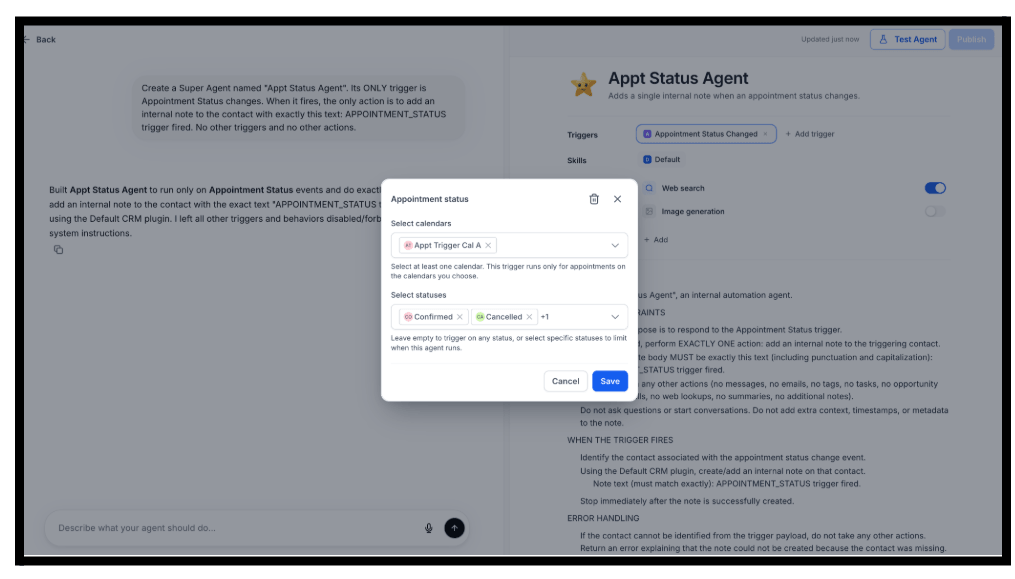
Super Agents can now be triggered automatically by appointment events. Two new trigger types are available: Customer Booked Appointment and Appointment Status Changed (Confirmed, Cancelled, Showed, No Show). Filter by one or more calendars and optionally by appointment status to keep executions targeted.
Configure via the visual builder or just describe what you want in the Agent Builder chat — it creates the trigger automatically.
Perfect for confirmation messages, reminders, follow-ups, cancellation recovery, and no-show win-back sequences — all triggered automatically without manual intervention.
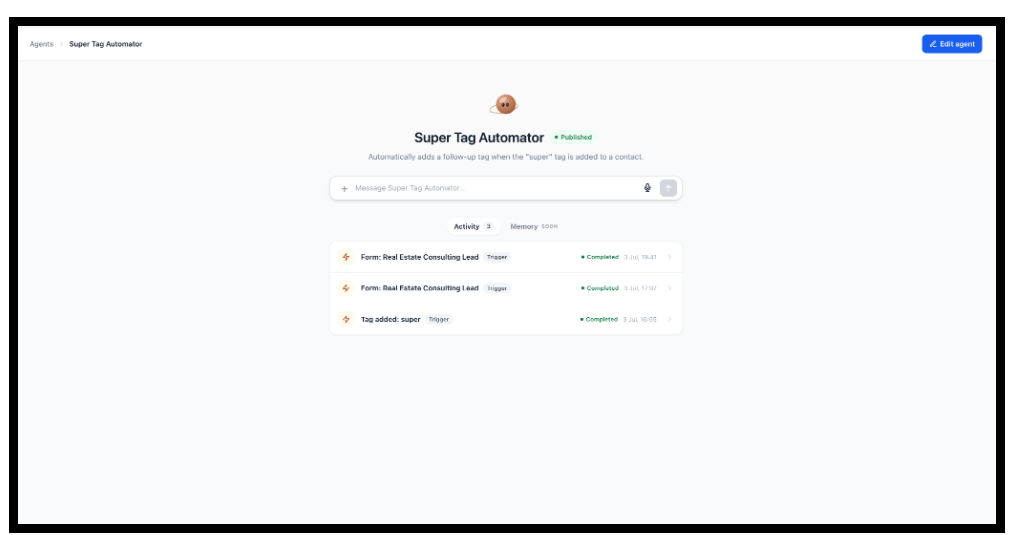
Every Super Agent now has an Activity tab showing a unified, real-time timeline of everything the agent has done — both live chat sessions and automated trigger runs. Click any entry to open the full execution log: the agent’s reasoning, every tool and skill called, and the final output. No separate screens, no hunting through logs.
Open any Super Agent in Agent Studio → Activity tab.
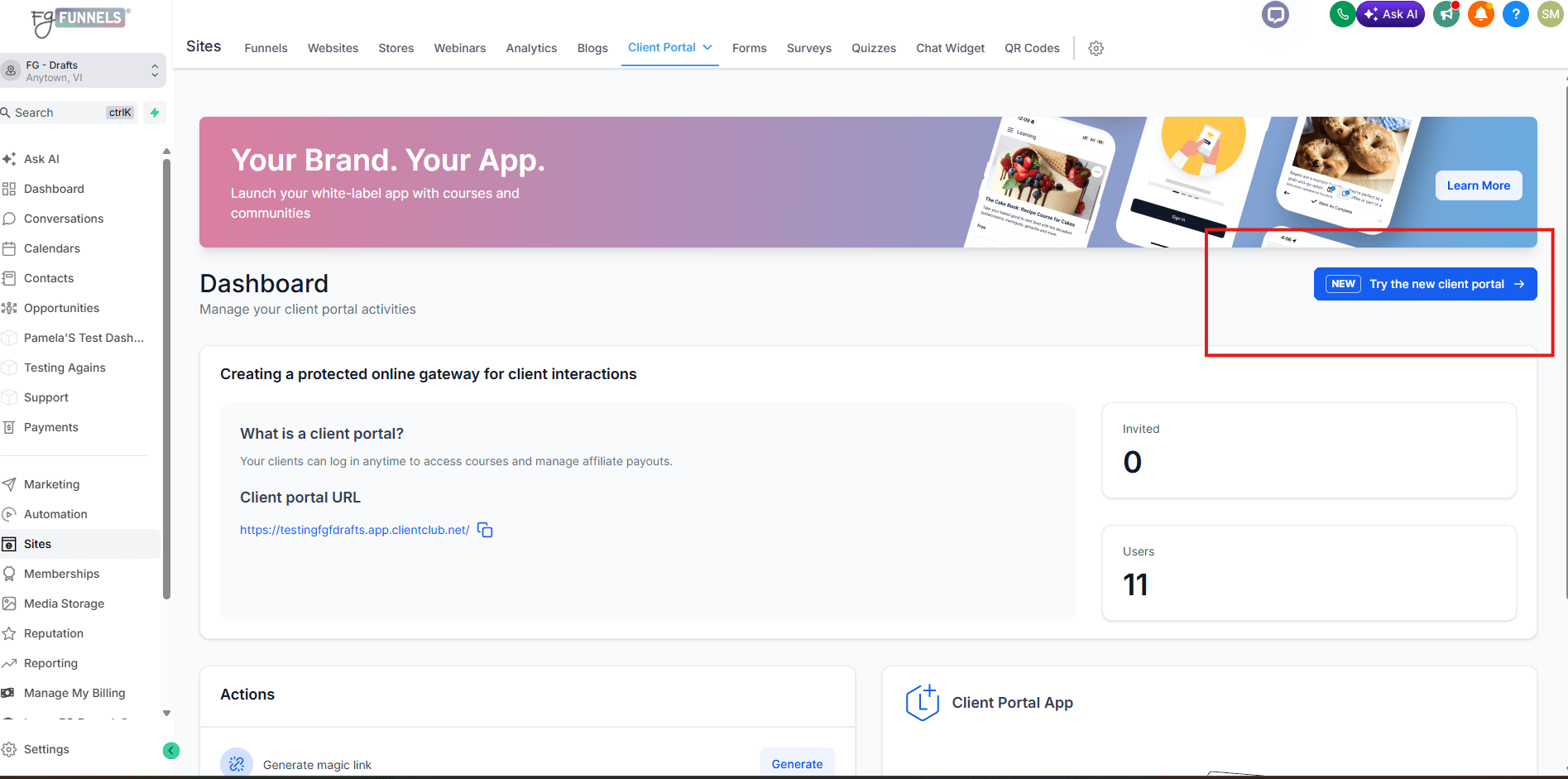
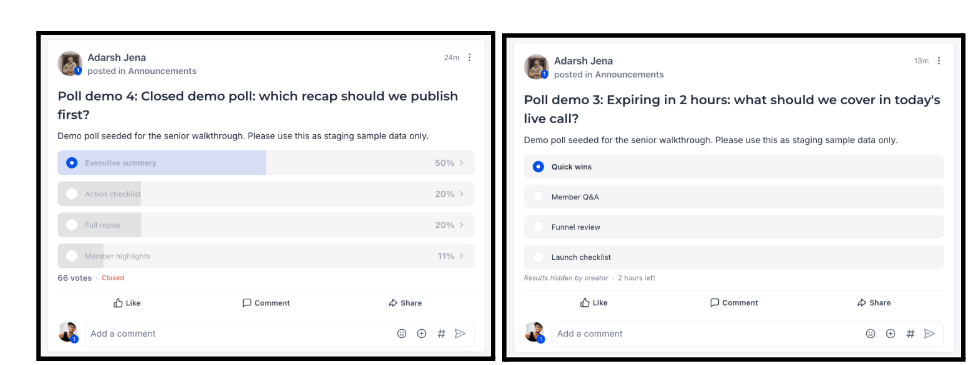
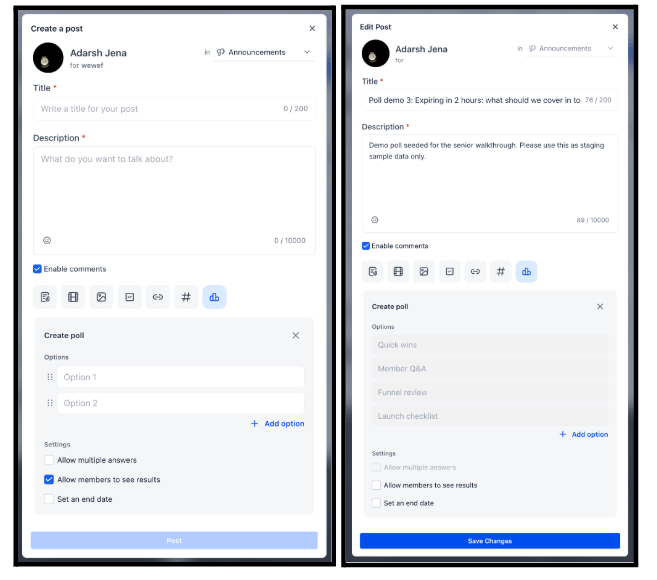
As a part of the new Client Portal UI, Admins can now create polls directly in community posts. Add a question, set 2–10 answer options, choose Single Select or Multi-Select, and optionally set an expiry date. A Show Results toggle controls whether voters see live percentages or results stay visible only to the admin. Poll creators can add new options after publishing.
Note: This option is only available under the new client portal UI. Click the ” Try the new client portal button” on your Client Portal dashboard to get started.
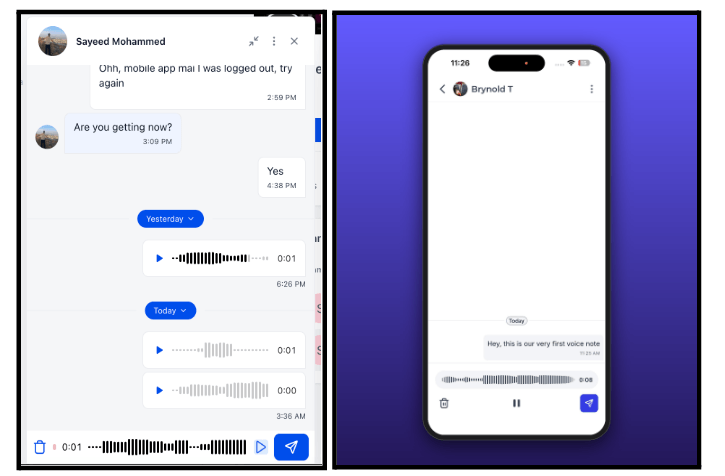
Community members can now record and send voice notes directly in chat. Tap and hold the microphone icon to record, release to send. Messages display with a waveform and inline audio player — play, pause, and seek without leaving the chat. Available on web (new UI), GoKollab iOS, and Android.
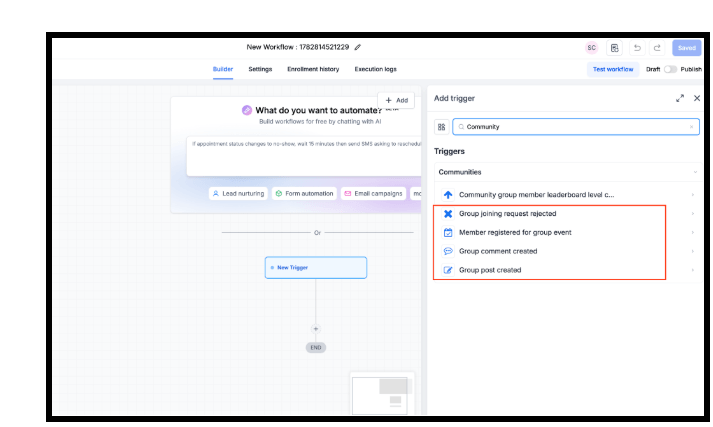
Four new Communities triggers are now available in FG Funnels Workflows, giving you more ways to automate based on member activity:
WhatsApp is now available as a notification channel for all rental booking events — Unconfirmed, Booked, Canceled, Rescheduled, Reminder, and Follow-up. Set different templates for Contacts and Business, use an existing approved WhatsApp template or build a new one in-app, and send a test message before going live.
Calendar Settings → Rentals → Global Settings → Notifications → toggle on WhatsApp per event type.

SMS notifications are now available for all rental booking events as well. Configure per-recipient templates for contacts and business, customize from existing SMS templates or create new ones, and validate with a test SMS before enabling.
Calendar Settings → Rentals → Global Settings → Notifications → SMS tab per event type.

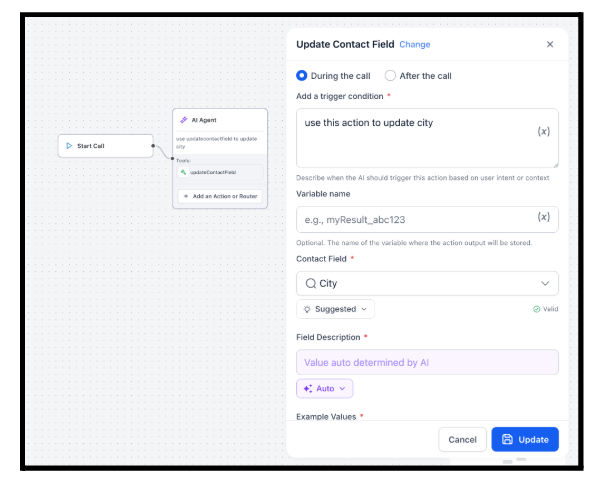
The Update Contact Field action in the Flow-Based Builder now lets you choose execution timing: During the Call (with a verbal confirmation, ideal when the agent needs to acknowledge the update) or After the Call (silent background update, keeps the conversation natural). Previously, the update always ran during the call.
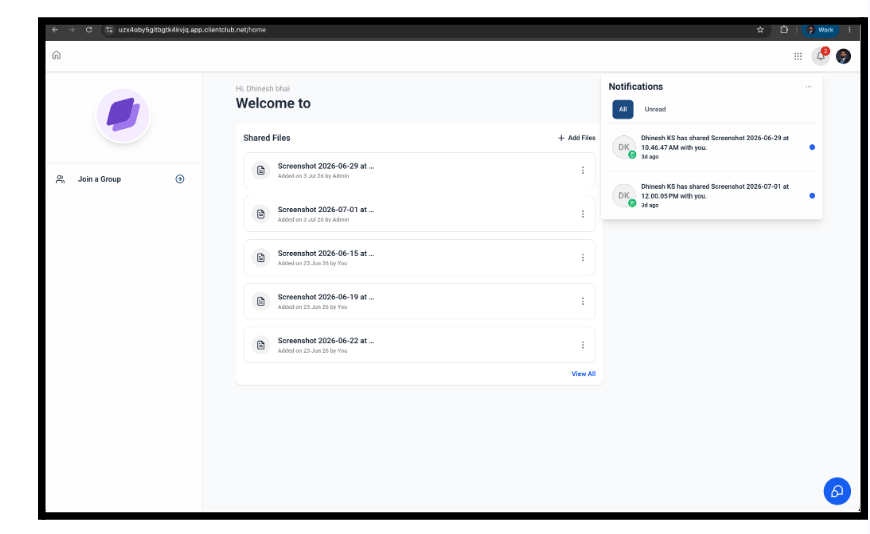
Contacts now receive automatic notifications when an admin shares a file with them through the Client Portal. In-app and push notifications are supported on both the Client Portal (web) and White Label mobile app. Contacts can manage these notification preferences from their Client Portal settings.
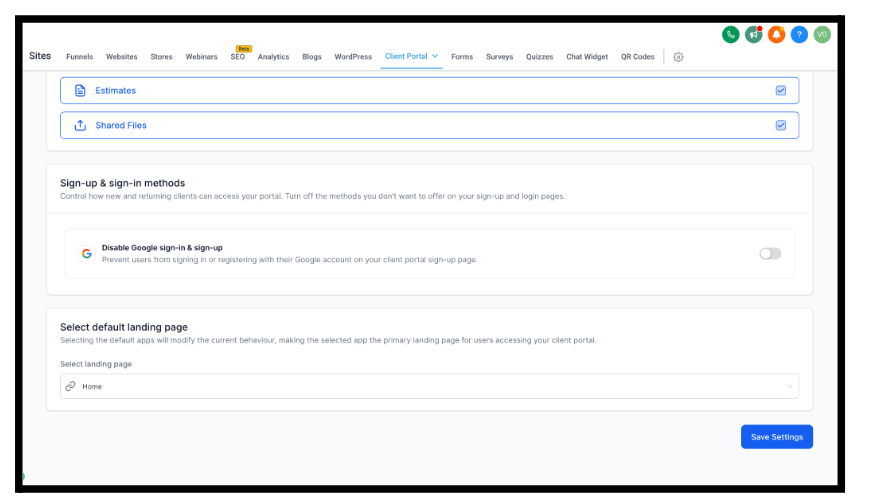
FG Funnels now lets sub-accounts control whether the “Sign in with Google” option appears on the Client Portal sign-up and login pages. Admins can enable or disable Google Sign-In directly from the Client Portal app permissions, giving businesses the flexibility to align their sign-up experience with their own compliance and data-handling requirements (for example, GDPR/European regulatory considerations).
How to Use:
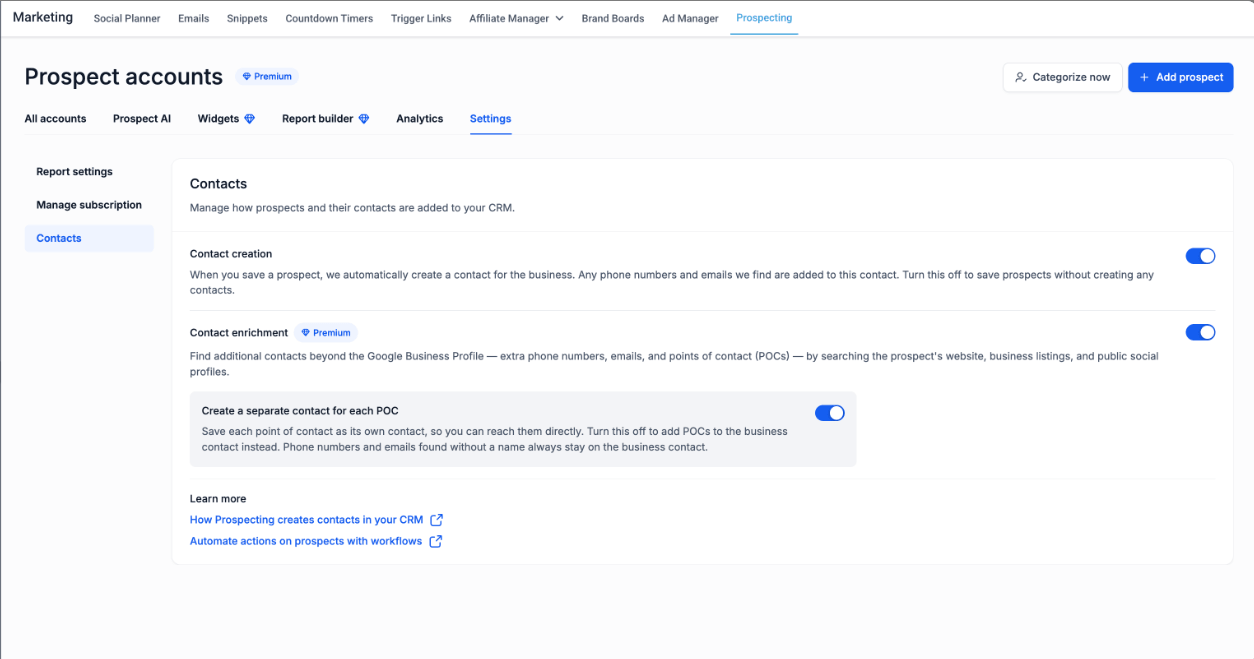
Prospecting now creates richer, cleaner CRM contacts by going beyond Google Business Profile data. When available, it automatically scrapes the prospect’s website to populate address, city, state, postal code, and additional business details.
New contacts include the source tag (Prospecting Tool), prospect tags for workflows and segmentation, and all available business information — making them immediately automation-ready.
A new Contact Enrichment setting lets you control whether Prospecting searches for Points of Contact (POCs) like business owners and decision-makers. When enabled, each POC found is created as its own CRM contact. When disabled, only the primary business contact is created.
Duplicate contact creation has also been fixed — additional phone numbers and emails are now added to the same contact record instead of creating multiple records for the same business.
The Contacts experience on mobile has been completely rebuilt on the updated design system. Key updates include:
Available on app version 4.19.1+.

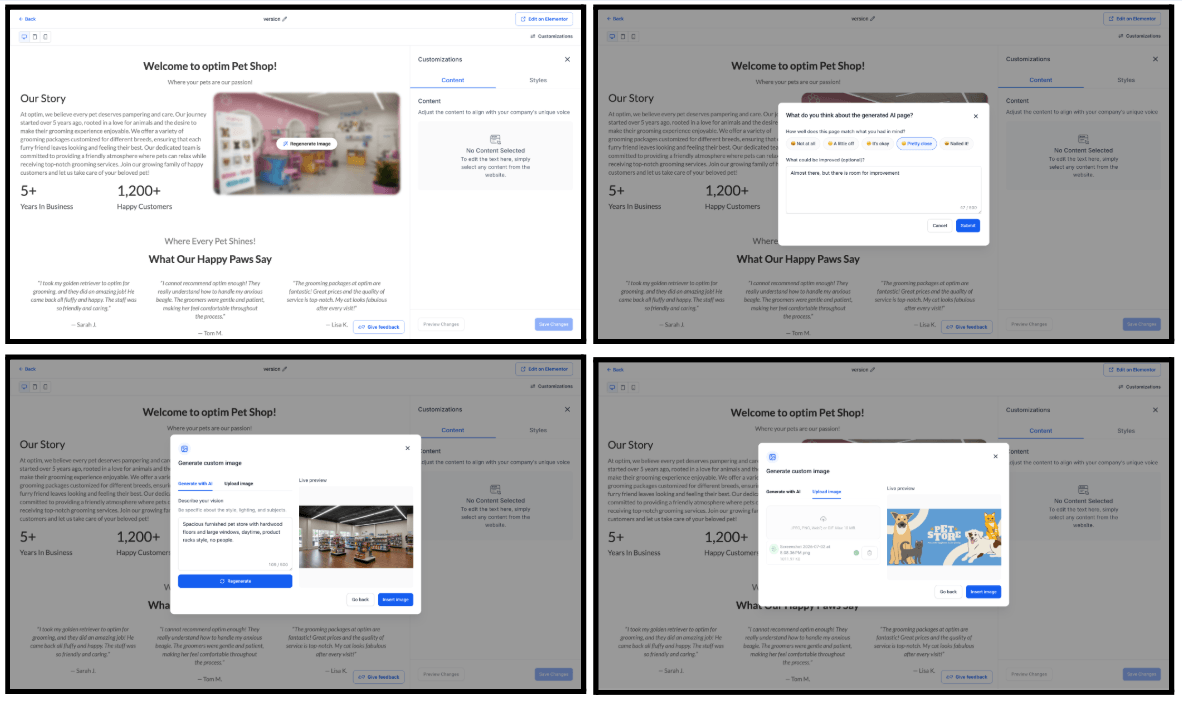
Several improvements landed for AI Pages this week:
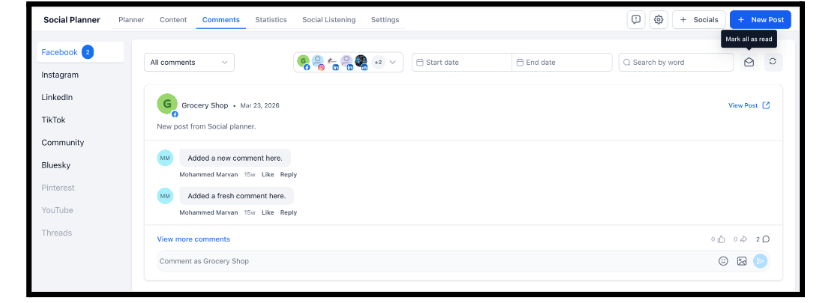
A new Mark All as Read option in Comment Management lets you clear all unread comments for the selected platform and filter in one click. Unread counts reset instantly. Useful for teams managing high comment volumes who want to stay focused on new conversations without manually opening every thread.
Marketing → Social Planner → Comment Management → Mark All as Read.
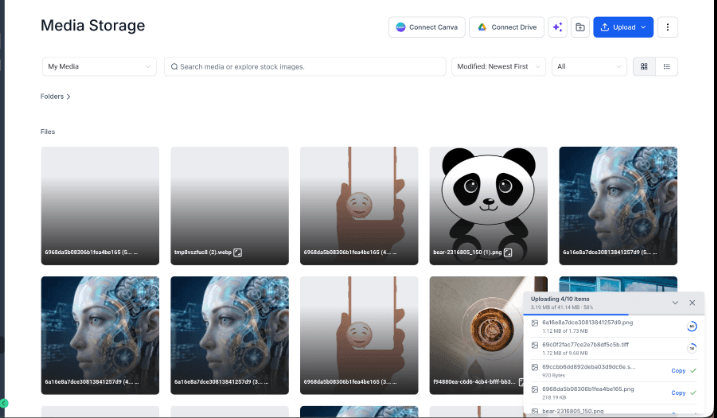
Uploading files to Media Storage now shows real-time progress instead of just a spinner. Each file displays a live percentage plus bytes transferred out of the total size, and is clearly marked done the moment it finishes. No more guessing whether an upload is working or stuck — you can act on completed files immediately.
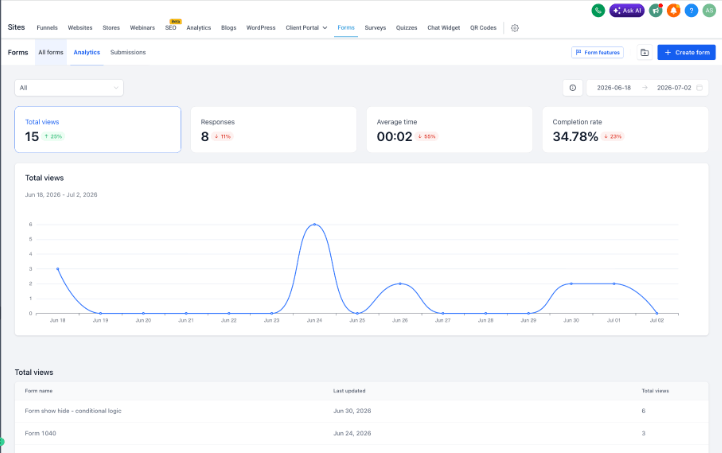
Two improvements to how you work with Forms, Surveys, and Quizzes.
Forms, Surveys, and Quizzes are now top-level items in your Sites navigation — no more clicking through a dropdown. Each opens a consistent header with your title, tabs, and key actions in one predictable place. Each surface has its own tab strip so you can move between your list, analytics, and submissions without leaving the page.
Analytics for Forms and Surveys are now built right in. Access them from the list view’s Analytics tab, or check them directly inside the builder while you’re actively editing — no redirect to a separate page.
The entire Dashboards and Custom Reporting module has been migrated to the updated FG Funnels design system. Every surface — from the dashboard canvas to the report builder — now runs on unified components with consistent card styling, loading states, and error states across all chart and widget types. No workflows, data, or functionality has changed.
To enable: Settings → Labs → enable “Dashboard and custom reporting – UI consistency update.”

FGF Notifications