


Welcome to your weekly roundup of FG Funnels updates through the week of June 4th, 2026.
From a brand new AI Data Extract action in Workflows to smarter Voice AI call handling, Reviews AI now covering Facebook, and studio-quality upgrades to screen sharing in Meetings — this week’s updates bring some seriously powerful tools to your stack. We’re also rolling out upgrades to Social Planner, Communities, Reputation Management, AI Studio, and more — all designed to save you time and give your clients a better experience.
If you have any questions about these updates, email us at [email protected] or reach out through live chat inside the app — we’re always happy to help.
One of the most-requested workflow capabilities is finally here. The new AI Data Extract action takes any unstructured text — emails, SMS messages, webhook payloads, AI outputs — and pulls out clean, structured variables you can use in downstream steps. No code, no workarounds, no external tools.
Pick your input source using the custom value picker, optionally add context to improve extraction accuracy, and choose from pre-built templates or define your own custom fields. Every extracted field becomes a workflow variable immediately available to subsequent actions.
How to use it:


You can now test any external-app action step live inside the Workflow Builder before publishing. Click Test Action on any integration step to run a real API call against the connected app, inspect exactly what was sent and what came back, and have the response schema automatically populate output fields for downstream mapping.
No more enrolling a test contact and watching execution logs just to confirm your mapping is right.
Klaviyo is now natively integrated into FG Funnels Workflows with 4 triggers and 17 actions. Triggers cover new events, new profiles, and profile membership changes in lists and segments. Actions span the full profile lifecycle — create, update, subscribe, unsubscribe — plus list and segment management, tag management, lookups, and one-click campaign sending.
Common use cases include syncing new Klaviyo signups into the CRM, triggering internal alerts when a profile enters a VIP segment, and capturing form opt-ins with proper consent channels in Klaviyo.
All 4 triggers and 17 actions are premium and consume premium action credits. Connect via Workflow Builder or Settings → Integrations → Klaviyo.


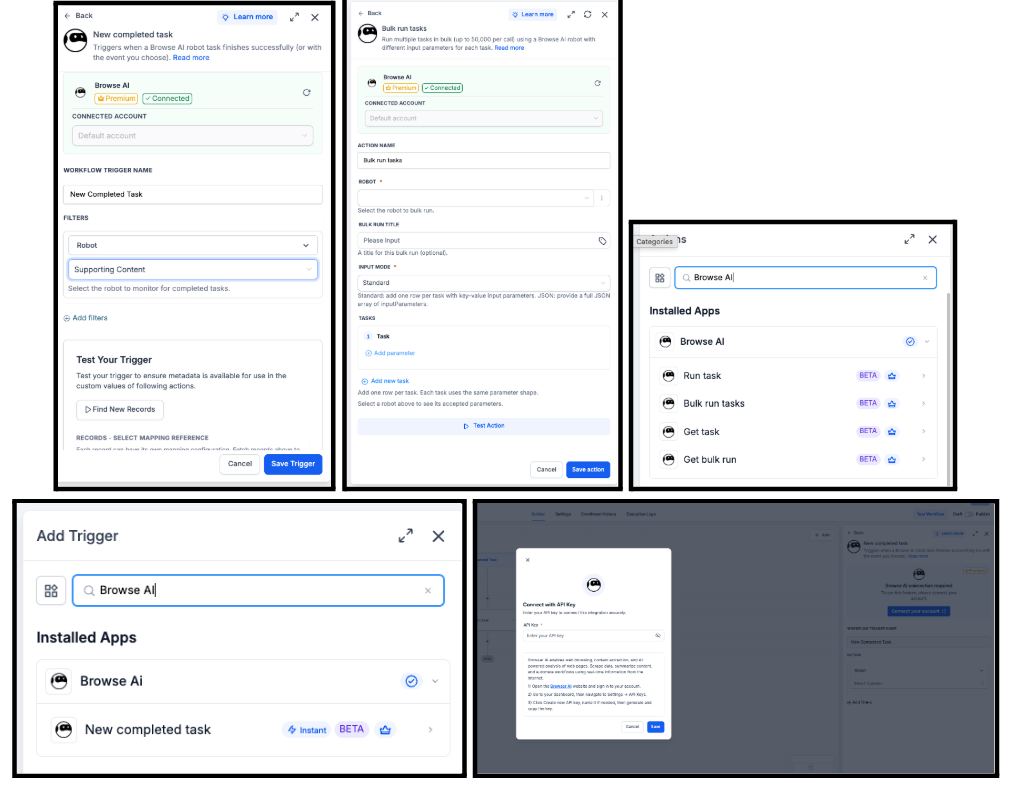
Browse AI is now integrated into Workflows with 1 trigger and 4 actions — New Completed Task, Run Task, Bulk Run Tasks, Get Task, and Get Bulk Run. Browse AI’s pre-built and user-trained web scrapers become first-class inputs and outputs in your automations.
Use cases include competitor monitoring with instant alerts, on-demand URL scraping from form submissions, bulk lead enrichment from CSV uploads, and feeding scraped reviews into an AI summarizer.
Connect via Workflow Builder → add a Browse AI action → Connect your account, or via Settings → Integrations → Browse AI.
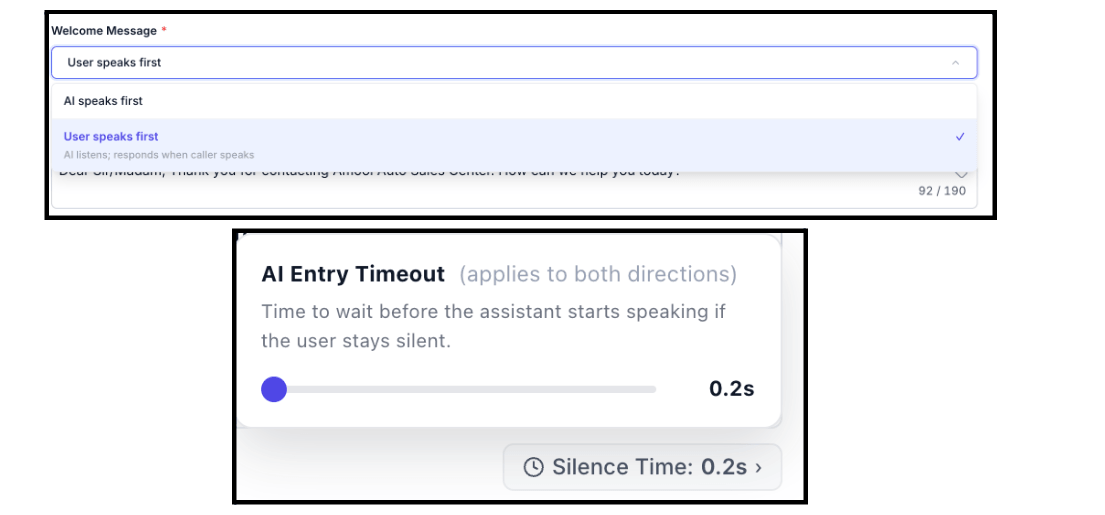
Voice AI agents can now wait for the caller to speak before responding — creating a more natural call opening that mirrors how a human receptionist takes a call. A configurable silence threshold lets you control how long the agent waits before falling back to the saved welcome message.
Compliance is built in: switching to User Speaks First triggers an in-product acknowledgement for outbound calls, and the agent’s first generated response always opens with the saved greeting verbatim — preserving disclosure timing even when the caller speaks first.
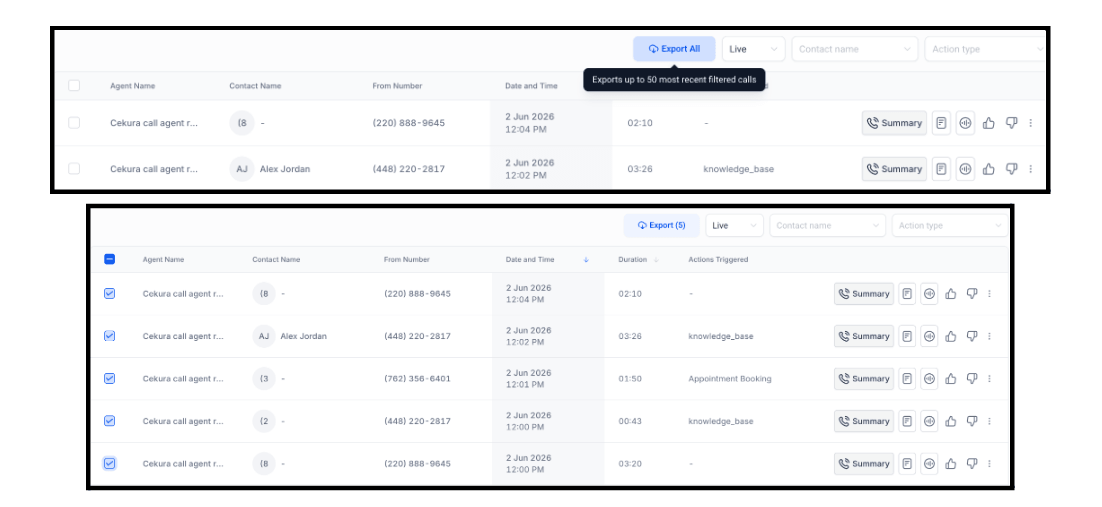
Voice AI call logs can now be exported as a CSV directly from the Agent Call Logs dashboard. Export all filtered results (up to 50 most recent) or select specific rows and export only those. The CSV includes call ID, contact name, agent name, direction, call type, status, from number, date, duration, executed actions, workflow name, summary, and transcript.
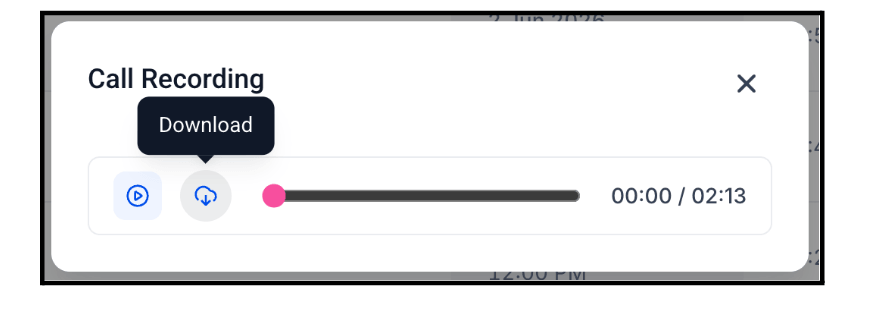
Individual call recordings can also be downloaded directly from the call log table — no more navigating to a separate screen.
Navigate to Voice AI → Dashboard → Agent Call Logs.
The Call Transfer action now supports an optional extension or menu keys field. Enter digits, *, #, or pause characters (w/W) and the agent automatically sends those keys after transferring — so callers land directly at the right department or desk without having to re-navigate a phone menu.
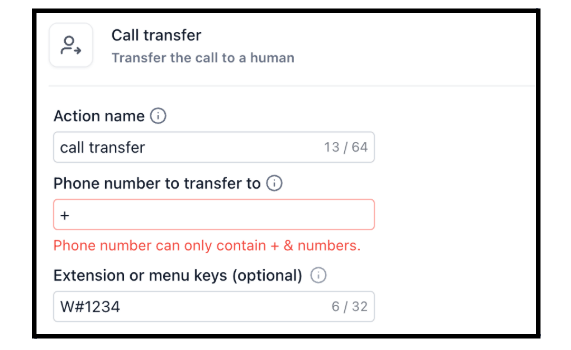
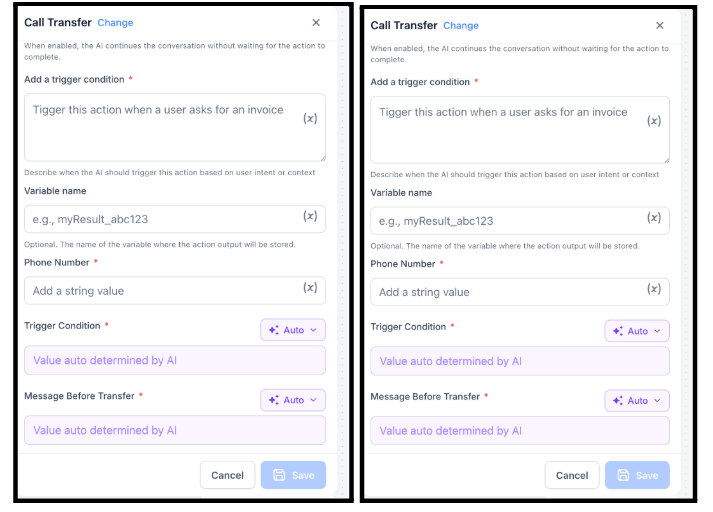
Two new native actions are now available in the Flow-Based Voice AI Builder.
Call Transfer — transfer active voice calls to any phone number, configure when the transfer happens, customize what the agent says before handing off, and pass extension or IVR digits automatically.
Update Contact Field — extract information from the conversation and save it directly to the contact record in real time. Works with both standard and custom contact fields — great for capturing company name, budget, preferences, and more without manual data entry.
Call Transfer is supported for live voice calls only. Not available for web calls.
Reviews AI has expanded beyond Google to include Facebook review replies. You can now generate AI-assisted reply suggestions for Facebook reviews and configure AI Agents to auto-respond to selected Facebook pages — with control over which pages, review types, rating conditions, tone, and language the agent uses.
Both suggestive mode (AI drafts a reply for you to review) and auto-response mode are supported.
Go to Reputation → Settings → Reviews AI to get started.


You can now create and publish native LinkedIn polls directly from the Social Planner composer — no need to leave FG Funnels. Add your question (up to 140 characters), 2–4 answer options, and a voting duration of 1, 3, 7, or 14 days. A live preview shows the poll card as you build it.
Polls work across all LinkedIn publishing flows — instant, scheduled, recurring, category queue, and CSV bulk upload.
Note: polls cannot be combined with media or a PDF. In multi-platform compose, a LinkedIn poll doesn’t block media on other platforms.
How to use it:
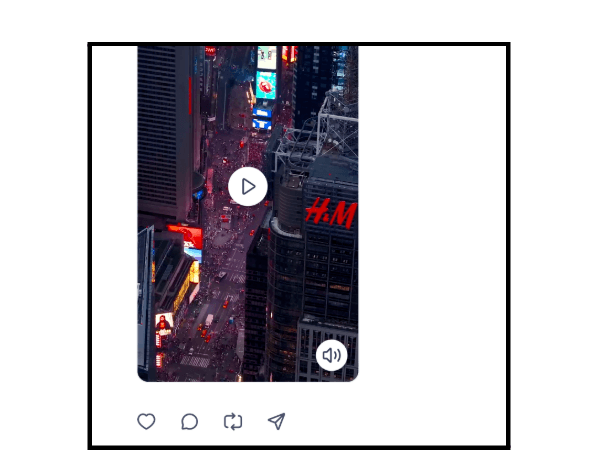
Video previews inside Social Planner now include play/pause controls, mute/unmute, and original audio playback. Previously, video previews were often muted with limited controls — making it harder to review content before publishing. Approvers and clients can now hear and see video content exactly as it will appear when published.
Admins and owners can now control who can access and manage AI Studio within their account. Two new permission levels have been introduced: View AI Studio (read-only) and View & Manage AI Studio (full read and write access). All AI Studio UI components and APIs are now protected based on assigned permissions.

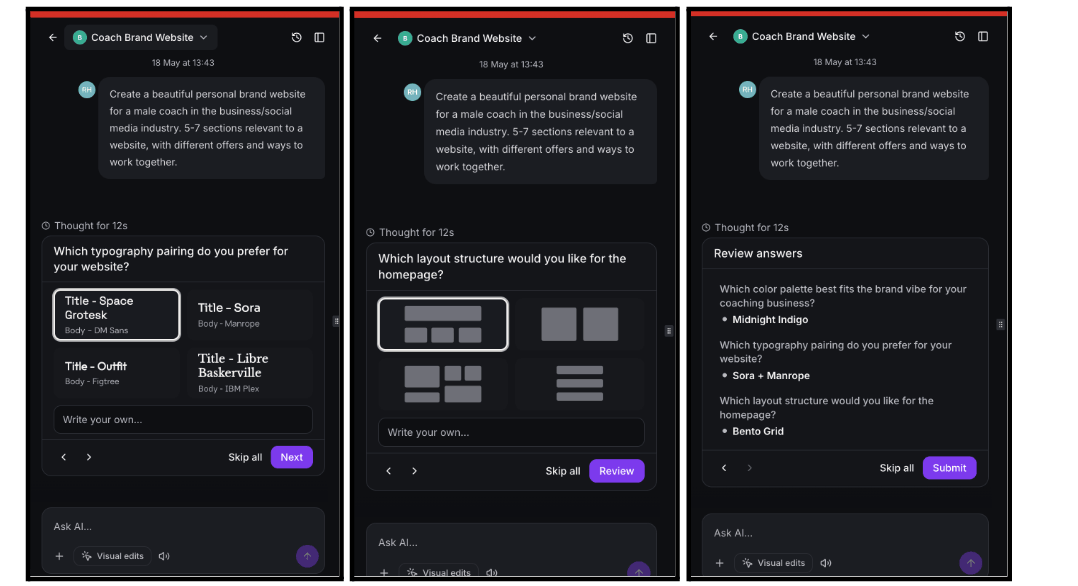
AI Studio now helps you choose the look and feel of a page before it starts building — whenever more design direction is needed. Instead of trying to describe colors, fonts, and layouts in text, you’ll be asked simple visual questions in chat: pick a color palette, typography style, and layout direction from curated options with visual previews.
You can review your selections before submitting, write a custom answer if none of the options fit, or skip the questions and let AI Studio choose sensible defaults automatically. No setup required — the questions appear automatically when useful.
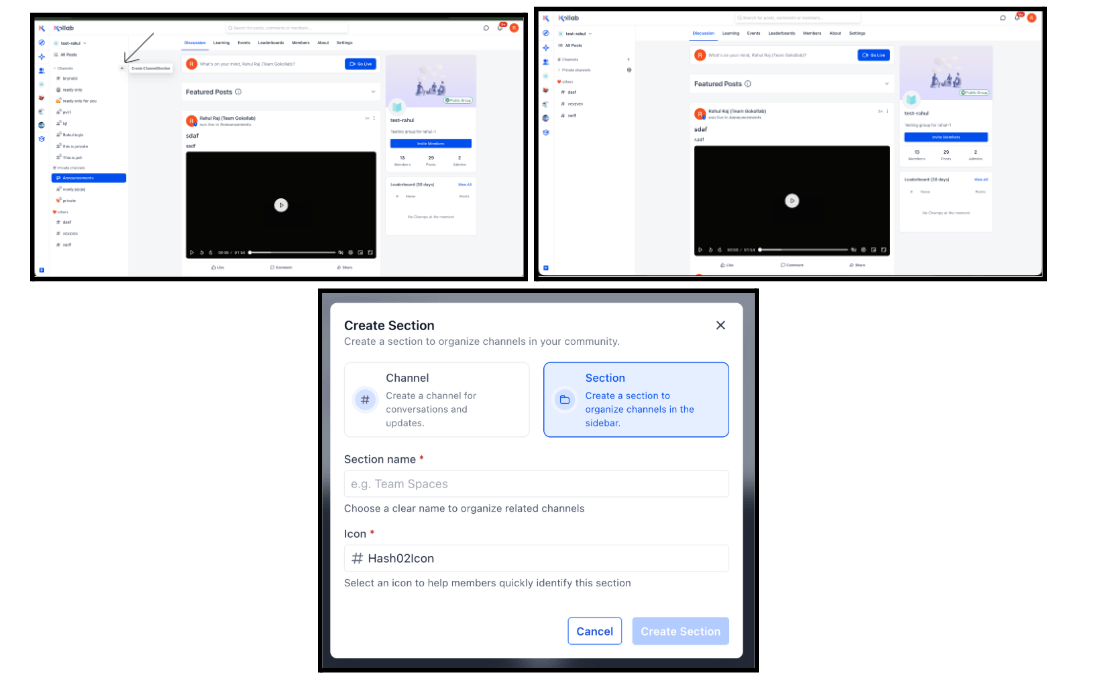
Community channels can now be organized into folders (called Sections). Group admins can create named sections with icons and drag channels into them — giving members a clean, structured sidebar instead of an endless flat list of channels.
How to create a folder:
Live now in the New UI (Gokollab Beta). Mobile support coming soon.
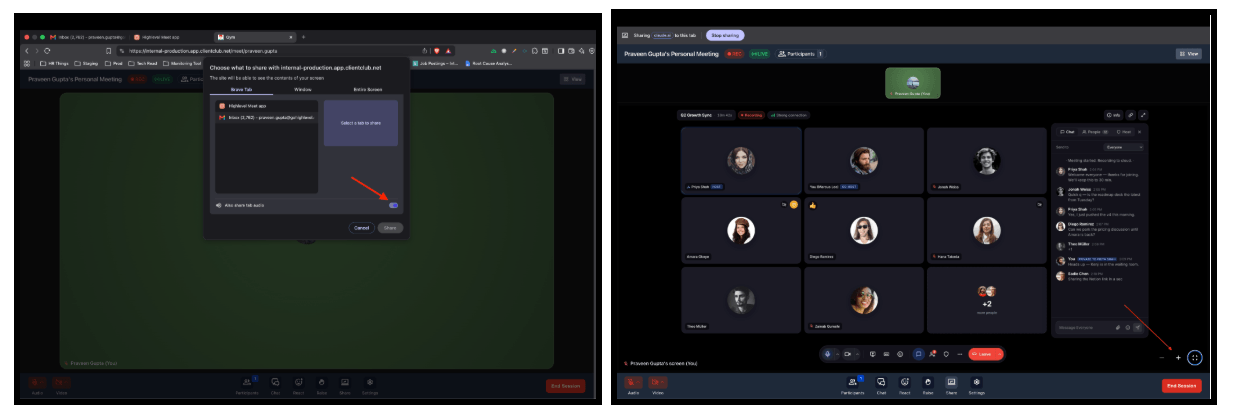
Screen sharing in Meeting Rooms just got a significant upgrade. Participants can now expand shared screens into full-screen mode, zoom in and out without affecting the presenter’s view, and share system audio alongside the screen — so videos, walkthroughs, and multimedia content come through with sound.
Shared screen quality has also been upgraded to support up to 1080p resolution at 30 FPS — sharper visuals and smoother motion for presentations, demos, and training sessions.
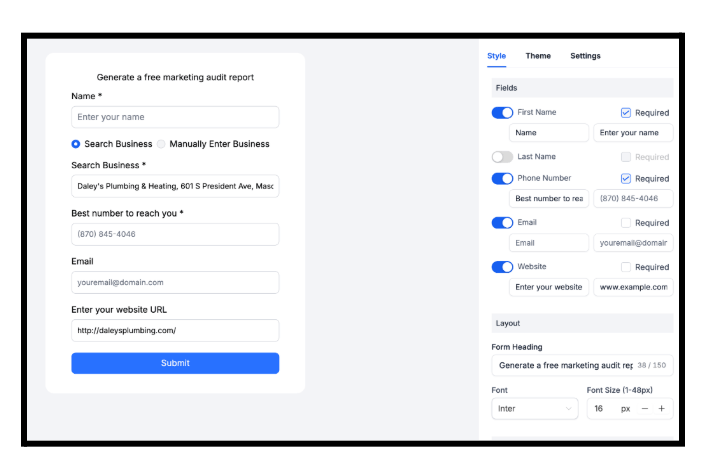
The Marketing Audit Report lead capture widget now lets you customize input field labels and placeholder text, and mark fields as optional or mandatory. Match the widget copy to your brand voice, use more conversion-focused language, or adapt labels for different industries and campaigns.
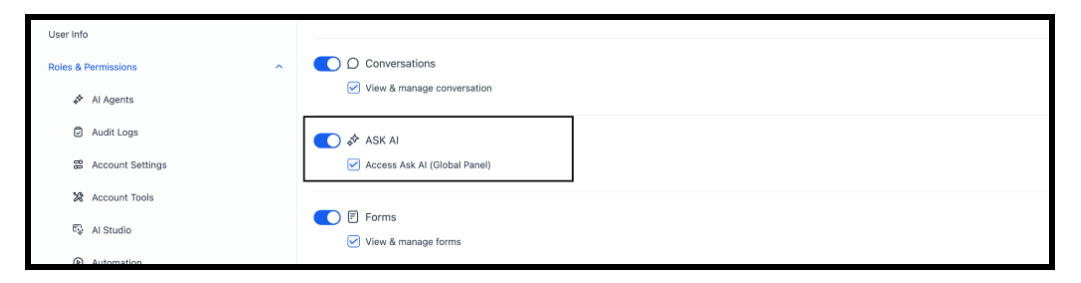
Ask AI now has dedicated user-level permissions. Admins can control who can access Ask AI within their account via a new View Ask AI permission. Permission checks have been added across all key Ask AI entry points — the sidebar, dashboard option, Social Planner post creation, and the top-right toggle.
Formatted notes, emails, and tasks now look and behave the same whether you edit them on web or on your phone. Line spacing, block quotes, blank lines, mixed formatting, and email snippets all stay intact when you switch between devices — no more reformatting after a quick mobile edit.
Available in Contact Notes, Conversations (Emails), Tasks, Appointment Notes, Invoice Terms, and any other rich text field. Update to app version v4.14 or later on iOS or Android.
If you have Australian local numbers, action is required before July 1, 2026. Australia’s updated KYC rules require every AU local number to be linked to a verified business bundle. You can now create and link an Australian Regulatory Compliance Bundle directly inside FG Funnels.
The Phone Numbers page now flags exactly how many AU local numbers need a bundle, with a live countdown to the deadline. Create one bundle per sub-account and link it to all your AU local numbers.
How to set it up:
The Media Library now accepts a significantly wider range of file types, including RAW photo formats (CR2, NEF, ARW, DNG, HEIF, BMP, PSD), design files (INDD, CDR, Keynote, ODP), motion and audio project files (AEP, PRPROJ, FLP), CAD and 3D files (DWG, DXF, OBJ, FBX, STL), data files (SQLITE, SQL, ICS), additional video formats (FLV, MKV, MTS), audio formats (AAC, FLAC), fonts (EOT), and archives (7z).
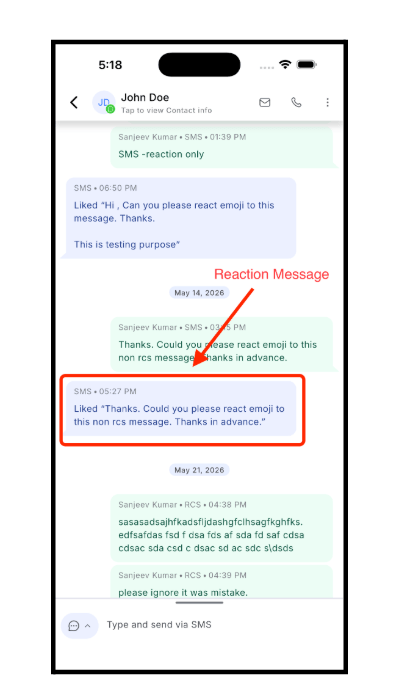
When a contact reacts to an SMS or RCS message, the reaction now displays directly on the corresponding message in the mobile app. Previously, reactions weren’t shown at all — making it difficult to track engagement and context in conversations. Update to app version v4.15 or later on iOS or Android.
FGF Notifications








