


Welcome to your weekly roundup of updates for the week of September 25th, 2025. If you have any questions, feel free to reach out to us via live chat inside the app or at [email protected].
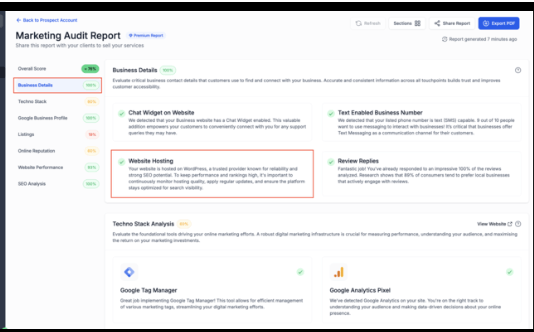
Marketing Audit Reports now detect multiple hosting providers, not just WordPress. You can show WordPress, LeadConnector, Webflow, Squarespace, Wix, and Framer. Prospects now see clearer insights on how hosting affects SEO, speed, uptime, and reliability.
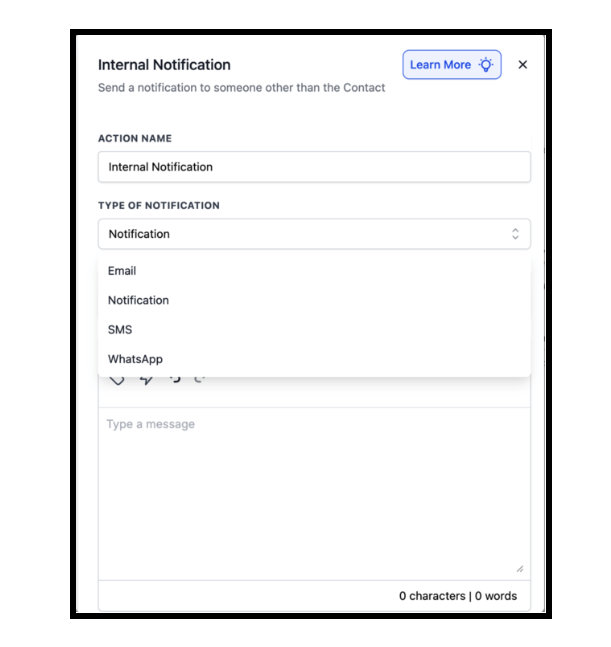
Internal notifications (in-app, email, or SMS) can now be sent even if a workflow doesn’t involve a contact record. This is especially useful for automations triggered by webhooks or Marketplace apps. We’ve also improved recipient logic so notifications reach the right people even when “Assigned User” isn’t available.
Calendly can now be connected to multiple accounts by the same user, just like Google Calendar or Outlook. Each sub-account supports one Calendly connection per user. This makes life easier for admins and users managing multiple locations.
The six-month migration from Vue 2 to Vue 3 is done! Expect faster load times, smoother builds, improved Marketplace security, and better long-term performance across the platform.
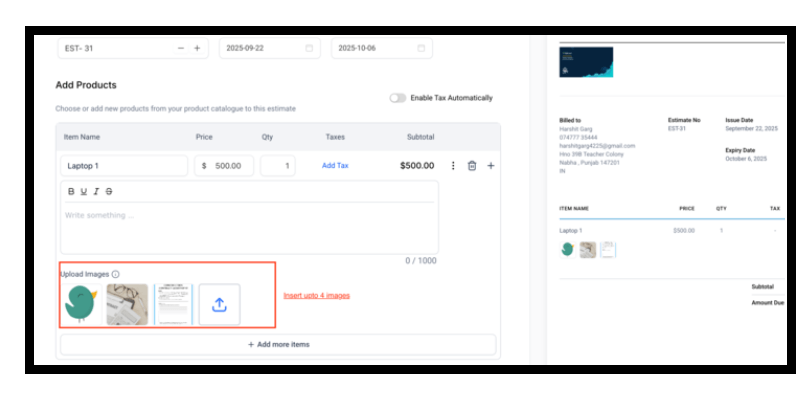
You can now attach up to four photos per line item on an estimate. Clients will see thumbnails and can click to open a gallery, giving them a clearer view of products, services, or options.
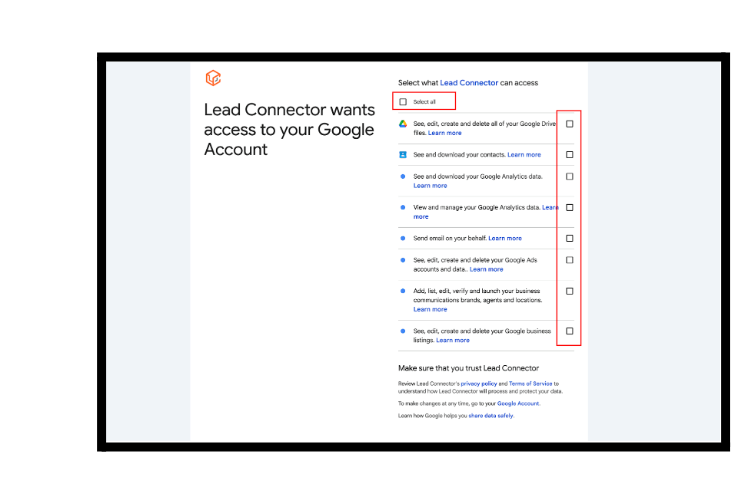
If users don’t grant all required Google permissions, features like Google Business Profile may fail silently. You’ll now see a warning listing missing scopes, the affected features, and a one-click fix to reconnect.
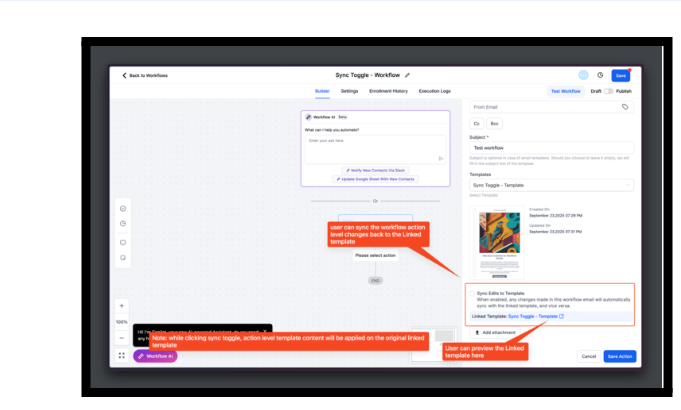
You can now choose whether workflow emails stay synced with their templates or work independently. Clear confirmations make it easy to know what’s linked.
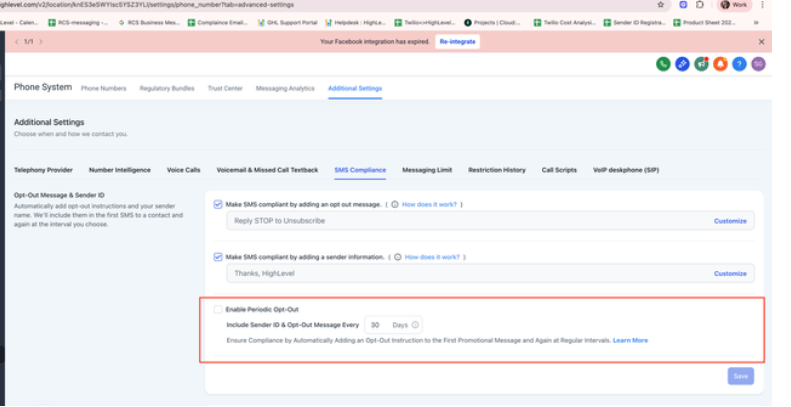
Agencies can now control whether periodic opt-out and sender info messages are inserted automatically. New accounts default to ON; existing accounts default to OFF. Detection has also been improved to reduce false positives.
When a call placed from the web dialer isn’t answered, a tooltip will now suggest Voice Integrity registration. This helps keep numbers off spam lists and improves answer rates.
You can now successfully take notes during active web dialer calls. Notes will save correctly to the contact record.
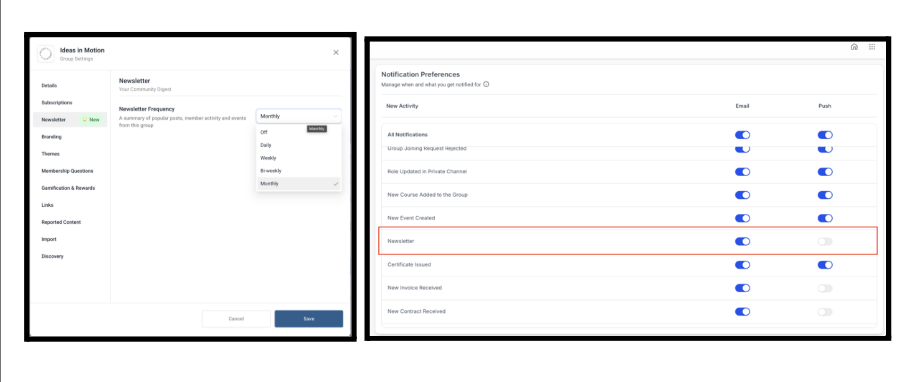
Communities can now send automated newsletters that spotlight top posts, active threads, followed creators, and upcoming events. Members receive these digests directly in their inbox, helping keep engagement strong.
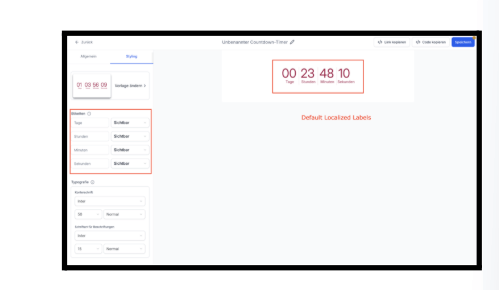
Countdown timers now support fully customizable labels. You can also set default labels based on your native language for a more localized experience.
You can now rename WordPress sites directly in the hosting dashboard without affecting SEO. The Delete Site modal also displays site name, WordPress ID, and server location so you can confirm you’re deleting the correct one.
Webhooks now retry only on HTTP 429 errors. Retries happen every 10 minutes with jitter, up to six attempts total. This makes webhook delivery more predictable and avoids server overloads.
A new safeguard helps accounts comply with Texas SB 140 by automatically blocking automation SMS/MMS sent to or from Texas numbers. One-to-one messages and essential notifications (like OTP or 2FA) are still allowed.
FGF Notifications








