Hey everyone! Welcome to the latest FG Funnels updates for July 10th, 2025! This week is packed with upgrades that make building, selling, and automating in FG Funnels even smoother. Let’s walk through what’s new — from e-commerce enhancements to smarter AI, sleeker buttons, better emails, and much more.
If you have any questions about these updates or FG Funnels, please reach out to [email protected] or live chat in the app and our team will be happy to assist you.
Ecommerce
Store Setup Wizard
We’ve launched a brand-new Store Setup Wizard to guide you step-by-step through launching your ecommerce store in FG Funnels. Whether it’s your first store or just a fresh start, this wizard helps ensure nothing is missed.
Here’s what it walks you through:
- Create & Customize Store
- Set up a Payment Provider
- Add a Domain
- Add Products
- Set up Shipping (marked complete after configuring at least one rate)
- Place a Test Order
How to Use It:
- Go to Sites > Stores
- New users (or users with no store set up) will see a welcome modal — click “Start Onboarding”
- Complete each step with the guidance and links provided
- Your progress is tracked — you can skip and return anytime
- Once everything is complete, you’ll get a “Setup Completed” prompt
Important Notes:
- Shipping isn’t marked complete until at least one shipping rate is set
- Once a step is completed, it stays checked (even if undone later)
- Setup steps can be done in any order
- The “Setup Completed” message disappears after 3 days

Voice AI
Translations + Post-Call Workflow Enhancements
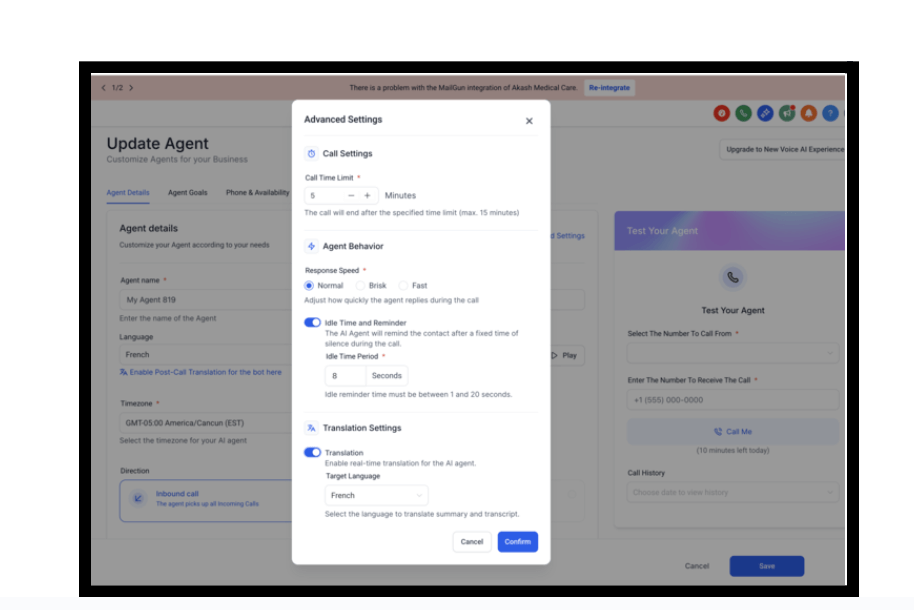
The Voice-Agent translation features got a serious upgrade:
- Post-Call Notifications now include translated summaries and transcripts
- These are also automatically saved to Notes
- Workflows now receive both translated summaries and transcripts
- The settings menu is now more clearly organized
Voice AI Permissions: Greater Control
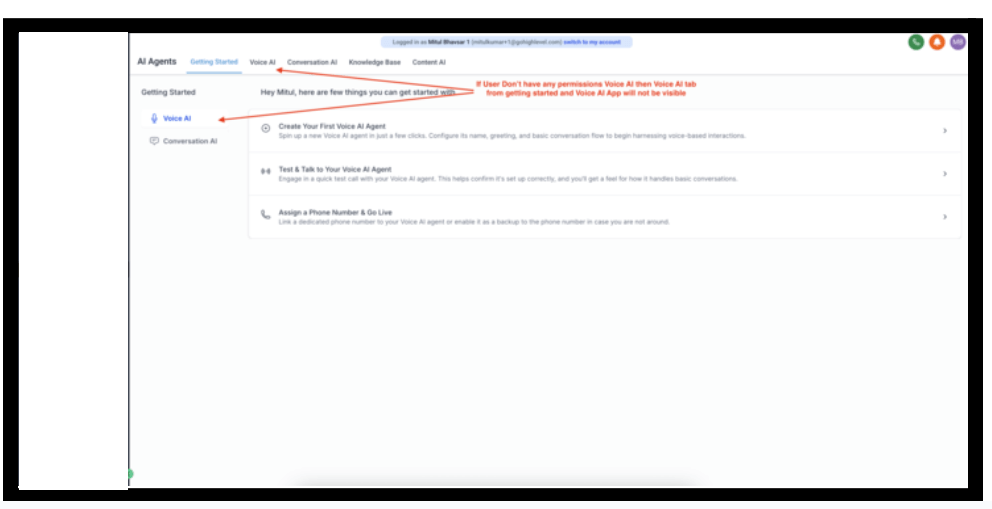
We’ve introduced permission-based access to Voice AI to ensure that only authorized users can access and configure Voice AI features.
Highlights:
- Voice AI options in menus and sidebars are hidden unless permissions are granted
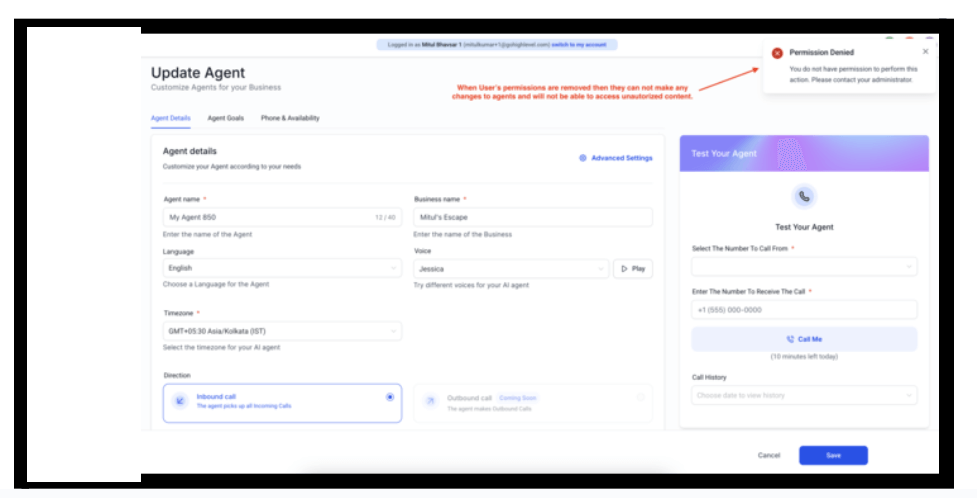
- If a user’s permissions are revoked mid-session, the system blocks further changes with a “Permission Denied” message
- Agent Goals are view-only without the Manage Agent Goals permission
This keeps your setup secure, clean, and scalable.
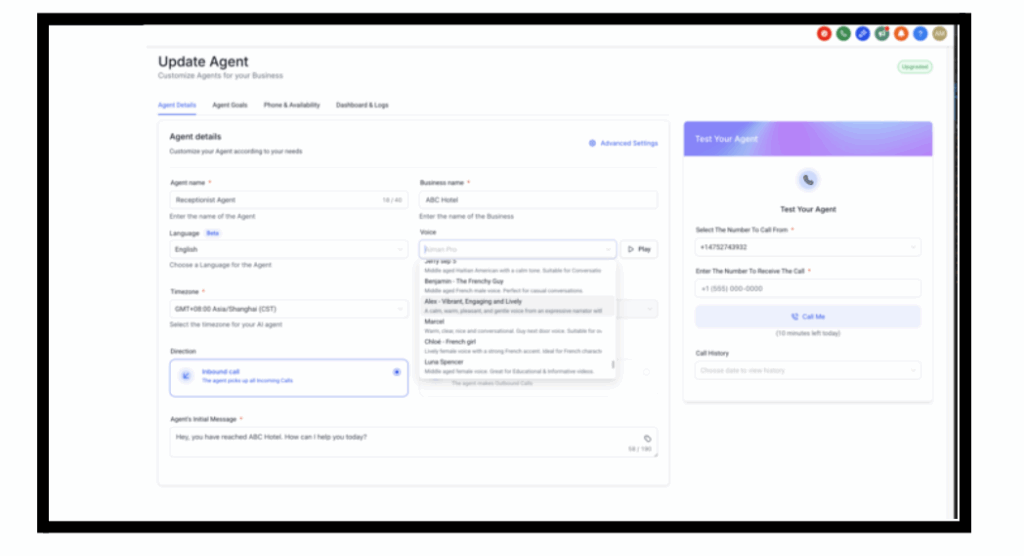
150+ New English Voices
Voice AI now includes over 200 total English voices, with 150+ newly added. Choose from U.S., U.K., Australian, Irish, Spanish, and Indian accents.
How to Use It:
- Enable the Upgraded Voice AI Experience in Labs
- Click Upgrade to access the full voice library
Email System
Consistent Reply Domains
Email replies now stay in the same thread — even if your sending domain changes. Replies will use the original domain that started the thread, or fall back to a default if needed. This change means:
- No more broken email threads
- Cleaner, more professional communication
Phone System
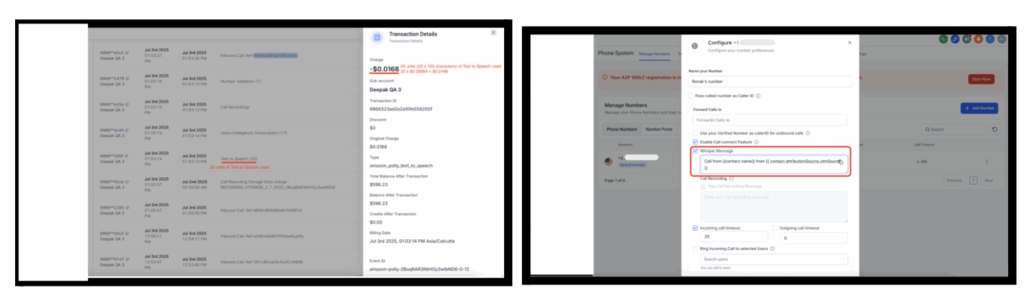
Clearer Voice Prompts
Whisper and call recording messages now use improved Text-to-Speech for easier understanding.
Deskphone Call Transfers: Now Free
Previously $0.10 per transfer — now call transfers via deskphones are free. Standard call charges still apply.
Forms
Button Styling Overhaul
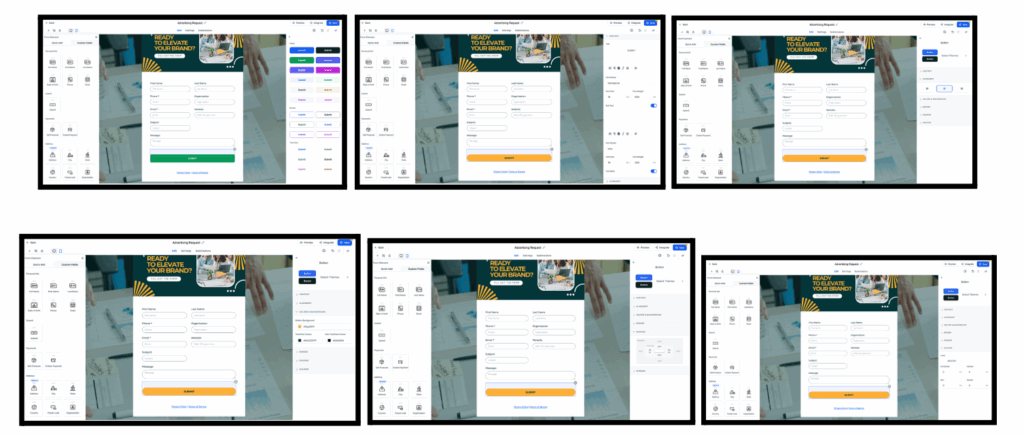
We’ve refreshed the button editing panel to make it more powerful and easy to use.
What’s New:
- Clean, reorganized side panel for styling
- Button Themes Gallery with preview options
- Grouped style settings for fonts, colors, padding, shadows, etc.
- Full-width toggle and corner radius controls
How to Use It:
- Select a button in your form
- Use the new right-side panel to edit style
- Click Select Themes to explore pre-designed styles
- Customize as needed
Email Builder
More Accurate Previews & Snapshot Logic
- Previews now display the full contact address, not just part of it
- Snapshots now retain visibility conditions for email elements when moving from one location to another
Seamless Domain Onboarding
You can now add and manage existing sending domains directly in FG Funnels — even if they’re connected to another provider. This makes migration and deliverability easier.
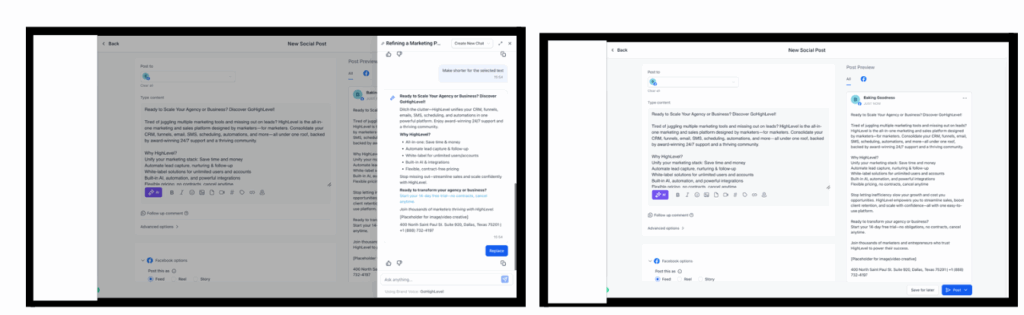
Ask AI
Conversational Editing for Content
You can now edit text by chatting with Ask AI. Rewrite, simplify, expand, or polish — all from a smart, conversational editor.
How to Use It:
- Click “Edit with Ask AI” under the AI ✨ button
- Preview changes and apply only when you’re ready
- No extra credits are used
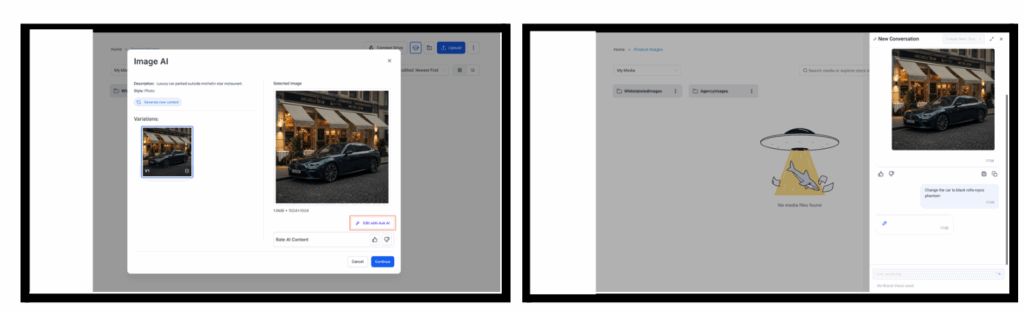
Smarter Visuals: Image Generation & Editing
Ask AI now supports:
- Image generation from natural language prompts
- Image editing (add greenery, change background, etc.)
- Save images to your Media Library
This tool is session-aware — you can always return to continue editing.
Conversational AI
Upgraded Transcripts + Language Matching
- Improved transcript processing = better bot responses
- Bots now reply in the contact’s preferred language
Round-Robin Calendar Support
Conversations AI Bots can now book appointments using Round-Robin logic:
- If an owner is assigned, the bot books with that owner
- If not, it rotates among calendar users automatically

Workflows
Sidebar Optimization
Scrolling and searching through triggers and actions is now lightning fast — even with 1000+ options — thanks to virtualization and debouncing techniques.
Sites
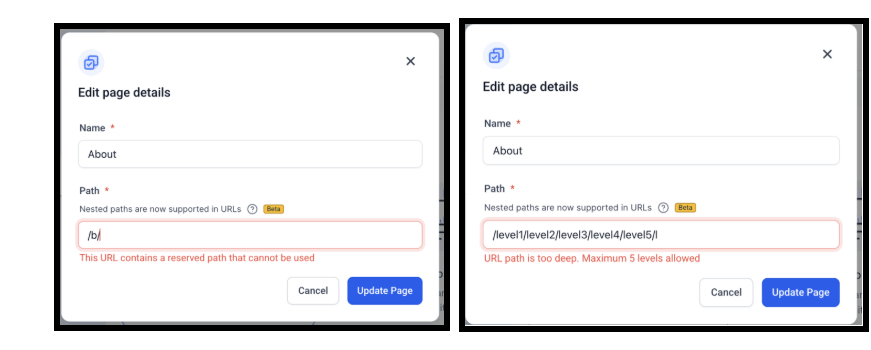
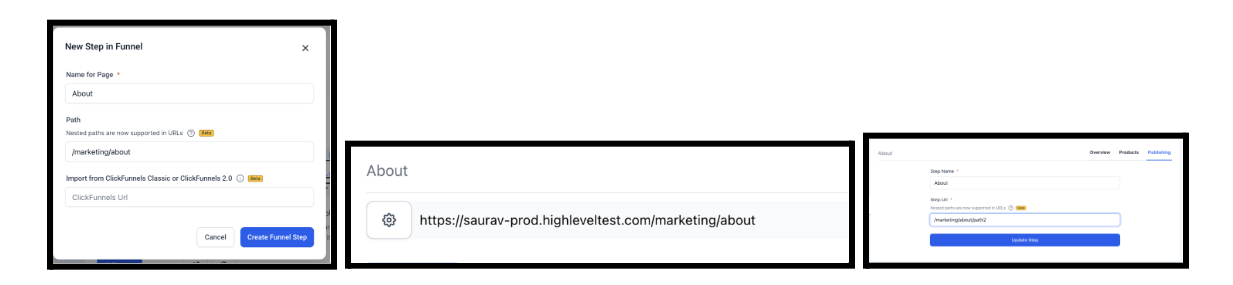
Nested URLs (Multipath URLs)
You can now create clean, hierarchical URLs like:
- /about/team
- /products/category/item
Benefits:
- Better SEO
- Easier navigation
- More accurate sitemap indexing
Available in Beta for Funnels, Websites, Ecommerce, and Webinars.
How to Use It:
- Edit any step/page and enter a nested URL path
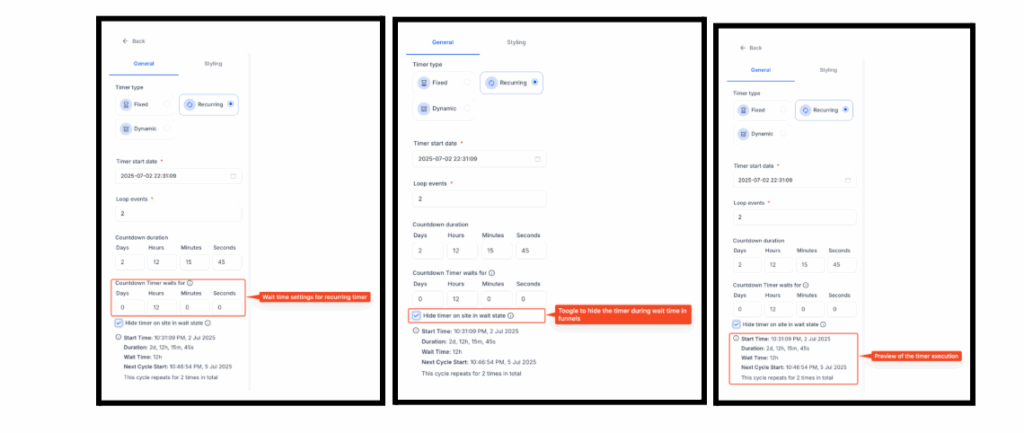
Countdown Timer
Wait Time Between Recurring Timers
New setting lets you define wait time between recurring cycles. Great for weekly sales or promos.
How to Use It:
- Go to Marketing → Countdown Timer
- Set your Recurring Timer and custom wait duration
- Optionally enable “Hide Timer in Wait State” for funnels.
- Save and use in Funnels and Emails.
Coupons
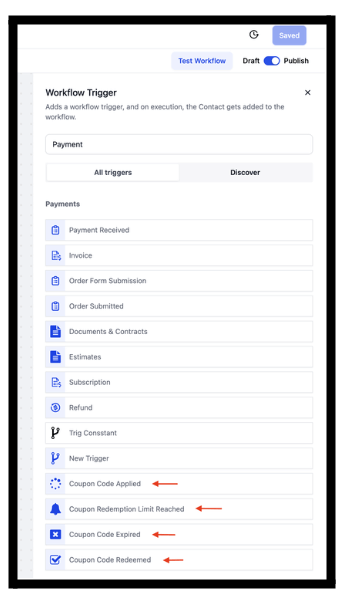
Workflow Triggers for Coupon Activity
Now you can trigger automations for:
- Coupon Applied
- Coupon Redeemed
- Redemption Limit Reached
- Coupon Expired
Coming soon: Generate coupons via workflow actions.
Where to Find It:
Automation → Workflows → Add New Trigger
Forms, Surveys & Quizzes
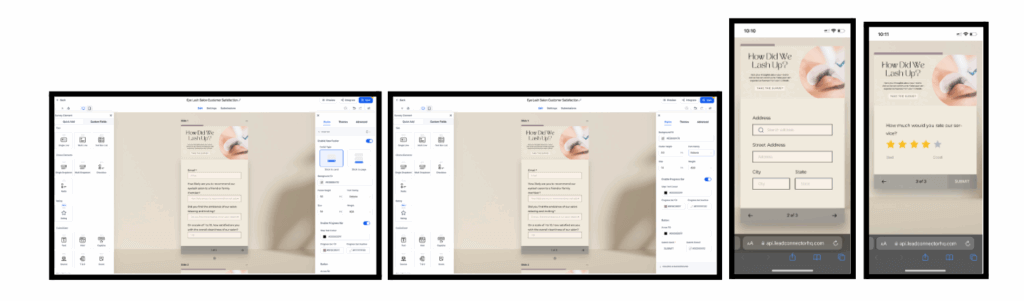
Mobile Progress Bars
Survey takers on mobile now see a clean progress bar.
How to Enable:
- Go to Styles > Footer
- Turn on Enable Progress Bar and customize colors/styles
Modern Order Bumps
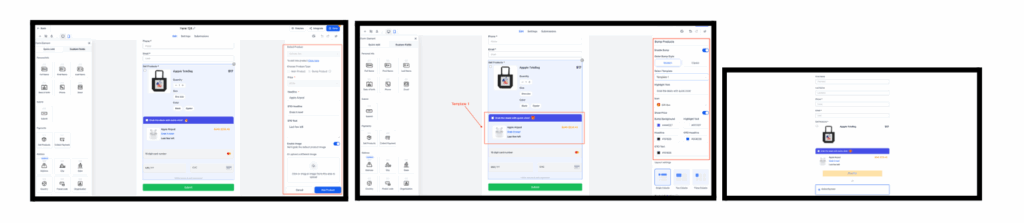
Order bumps are now supported in forms and surveys — not just funnel forms. Choose from Classic or Modern layouts and customize everything from icons to pricing.
How to Use It:
- Add Sell Product to your form
- Enable Bump Products
- Choose layout and style
Note: One recurring product allowed per form (main OR bump).
Reputation Management
AI-Powered Review Summaries
You can now get smart summaries of customer reviews — highlighting sentiment, key themes, and top phrases.
How to Use It:
- Go to Reputation → Reviews
- Use filters and time ranges to dive deeper

New Features in Labs
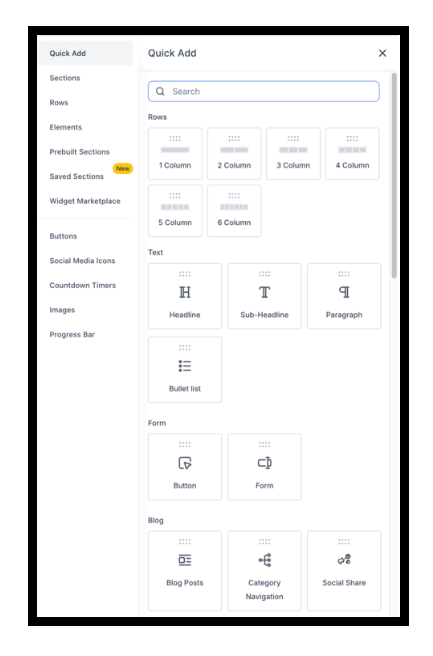
Enhanced Drag & Drop Builder
Now you can drop elements onto the canvas without worrying about layout — FG Funnels will structure it for you.
Improvements include:
- Auto-wrap logic
- Inline column controls
- Visual drop zone previews
Nested Containers
You can now nest layout containers for advanced multi-column designs. Adjust spacing, alignment, and structure with ease.
Great for pricing grids, opt-in layouts, and more responsive design flexibility.