

Welcome to your weekly roundup of FG Funnels updates through the week of June 30th, 2026.
From Super Agents that build AI agents from a single conversation to WhatsApp Calling going generally available, a major Branded App V2 update, and Python support in Workflows — this week’s updates bring some seriously powerful tools to your stack. We’re also rolling out upgrades to Calendars, Courses, Payments, Client Portal, Conversations, and more — all designed to save you time and give your clients a better experience.
If you have any questions about these updates, email us at [email protected] or reach out through live chat inside the app — we’re always happy to help.
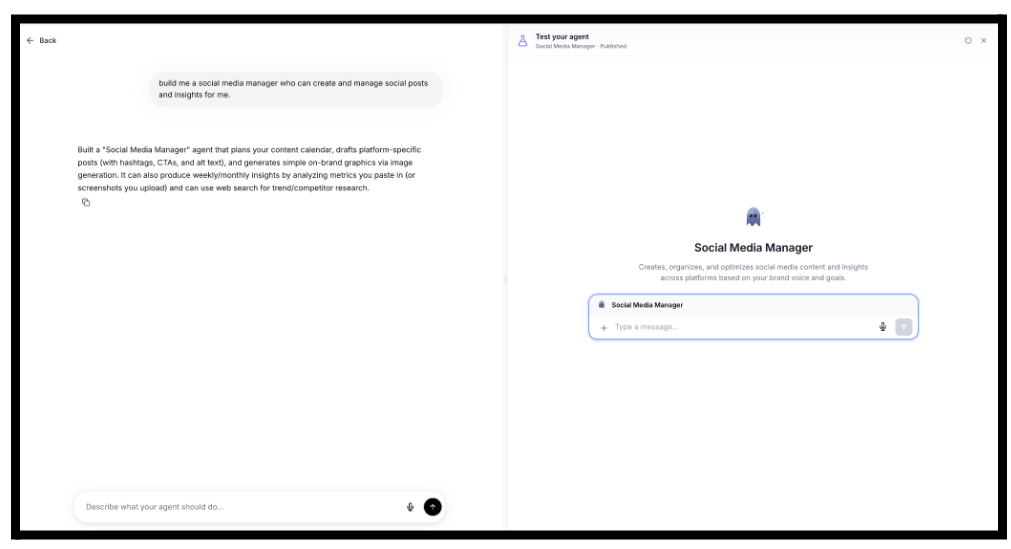
Super Agents is the fastest way to build AI agents inside FG Funnels. No flowcharts, no complex configuration — just describe what you want your agent to do in plain language and Super Agents builds a fully functional AI agent in minutes.
Each Super Agent can answer questions using your Knowledge Base, perform CRM actions and automations, and run automatically when events occur — like a tag change, form submission, or chat interaction. Need to refine the agent? Just tell the builder what to change via chat and it updates within seconds.
Ready-to-build use cases include:
Built-in testing lets you validate the agent’s behavior before publishing.
Available in Labs — enable from Labs to get started, then find Super Agents under Agent Studio.
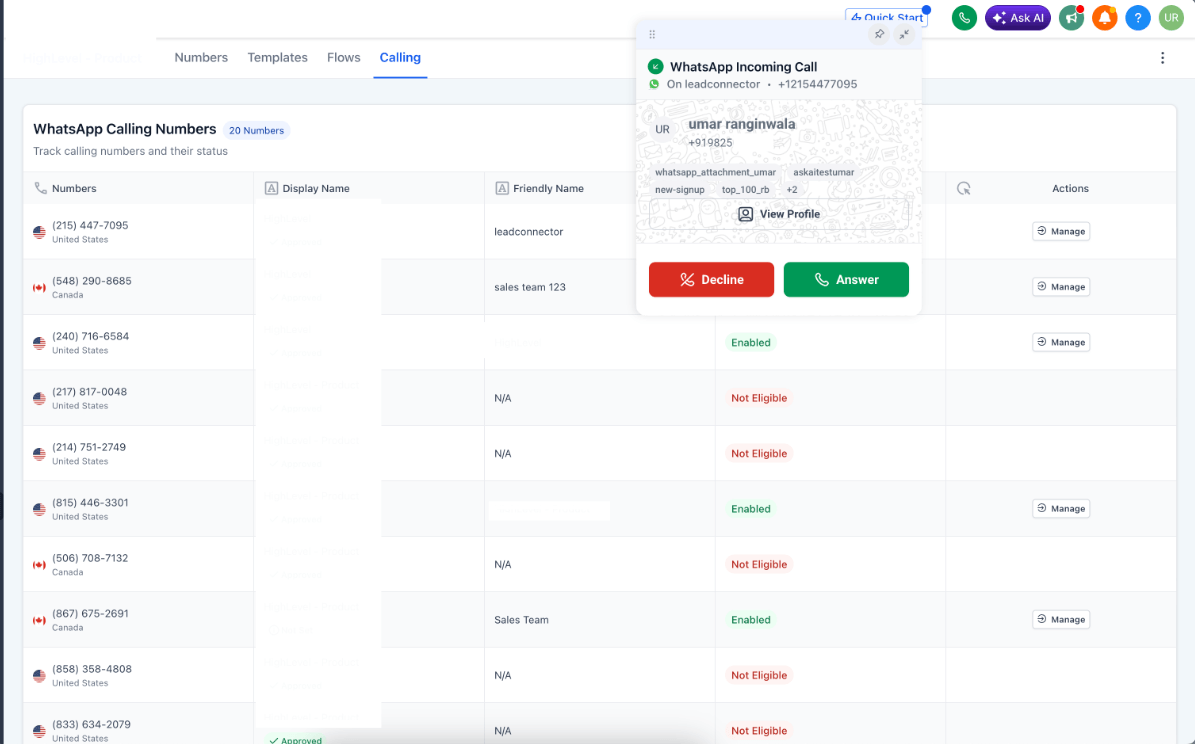
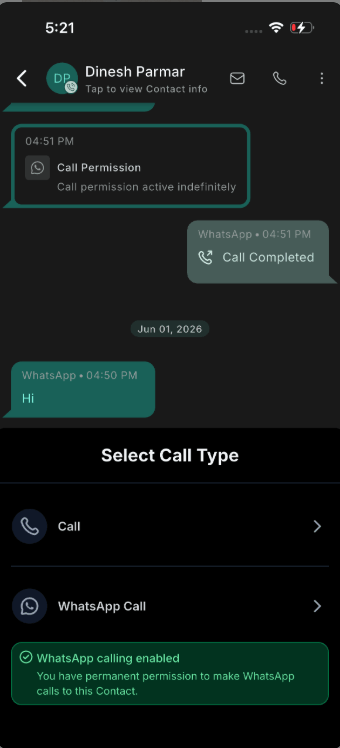
WhatsApp voice calling is now generally available on both web and mobile. Make and receive calls inside the same WhatsApp conversation — no external dialer, no number sharing, no app switching.
New controls include business calling hours (with a temporarily unavailable mode for breaks and holidays) and the ability to assign up to 6 users to receive inbound calls, or route to the contact’s assigned user automatically.
On mobile, inbound calls work across multiple sub-accounts with zero per-sub-account configuration. Every call is logged alongside your other calls in the conversation thread.
Prerequisites per sub-account: phone number in connected state, WABA messaging limit at 2,000 tier or higher, phone number not on coexistence.
Web: Settings → WhatsApp → Calling. Mobile: update to v4.18+ and tap the call button in any WhatsApp conversation.
Note: Business-initiated (outbound) calling is not available for numbers registered in USA, Canada, Turkey, Egypt, Vietnam, or Nigeria (Meta restriction). Those locations still receive inbound calls and call buttons.
Rentals is officially out of beta and available to all FG Funnels users. Built for businesses that manage bookable inventory — equipment, vehicles, spaces, vacation properties, event setups, and more — Rentals handles the full booking lifecycle in one place.
Key capabilities include:
Rentals will be enabled by default for all newly created locations. Existing locations need to be enabled manually. Reach out to support at [email protected] or via live chat inside of the app if you are interested in turning this feature on.
Once enabled:


The Branded App has been completely rebuilt with a refreshed UI, faster performance, and major new capabilities for your members.
What’s new:
No action required. Your Branded App updates automatically over the next few weeks. You’ll receive an email once the update is complete.
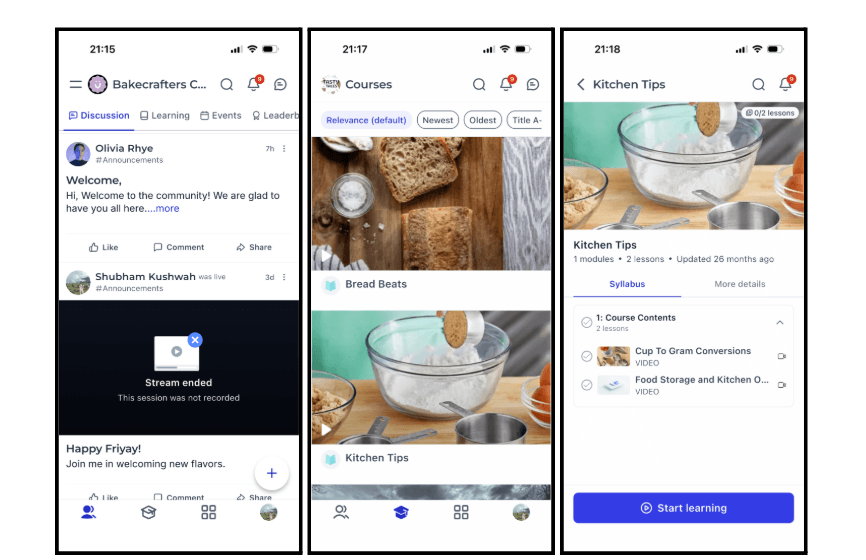
You can now write and execute Python code in the Custom Code workflow action, alongside the existing JavaScript runtime. Switch languages from the Language dropdown, use the Snippets menu for ready-made boilerplate (HTTP requests, date/time, Pandas, NumPy, CSV, Base64, crypto, URL handling, and more), and test your code before saving.
Supported libraries include requests, numpy, pandas, json, math, datetime, re, csv, base64, hashlib, hmac, urllib.parse, and more. Python runs in an isolated sandbox with a 60-second timeout.
Python is currently in Beta.

Ask AI on mobile now renders ten interactive response types natively — charts, data tables, code blocks, approval flows, question wizards, and more. Answers stream in real time with a live thinking indicator. Your full conversation history is searchable so you can pick up any session the moment you open the app.

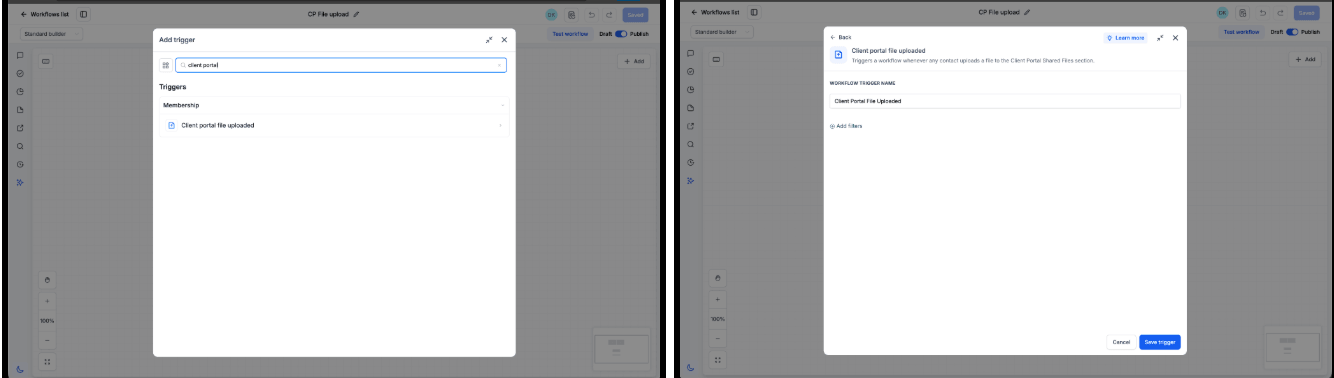
A new workflow trigger — Client Portal File Uploaded — fires automatically whenever a contact uploads a document through the Client Portal Shared Documents experience. Use it to eliminate manual document monitoring, automate review and compliance workflows, and keep onboarding moving without manual intervention.
How to use it:
Uploaded files are accessible under Contacts → Documents → Received → Client Portal.
SLAs are now actionable inside workflows. You can build automations that fire when a conversation’s SLA becomes Due Soon, Overdue, or is manually dismissed. Use these triggers to send notifications, reassign contacts, or escalate — automatically, without anyone having to watch the SLA timer.
An Avoid Repeated Triggers option prevents the workflow from firing more than once per conversation within a 24-hour window, even if multiple messages cause additional SLA events.
A new permission setting also lets admins control whether all users or admins only can manually dismiss an SLA. Every dismissal is logged in the conversation with the user’s name and the SLA status at time of dismissal.
Build SLA workflows: Automation → Workflows → Conversation SLA trigger. Configure dismiss permissions: Conversations Settings → Who can manually dismiss SLA.

You can now customize the label on your Payment Link’s checkout button. Go beyond “Pay,” “Book,” or “Donate” — use any text up to 50 characters that fits your offer. “Claim Your Spot,” “Subscribe Now,” “Get Instant Access,” “Register Today” — whatever matches what your customer is actually doing. The button text updates live in the checkout preview before you publish.
Payment Links builder → Advanced Options → Call to action for payment link button.

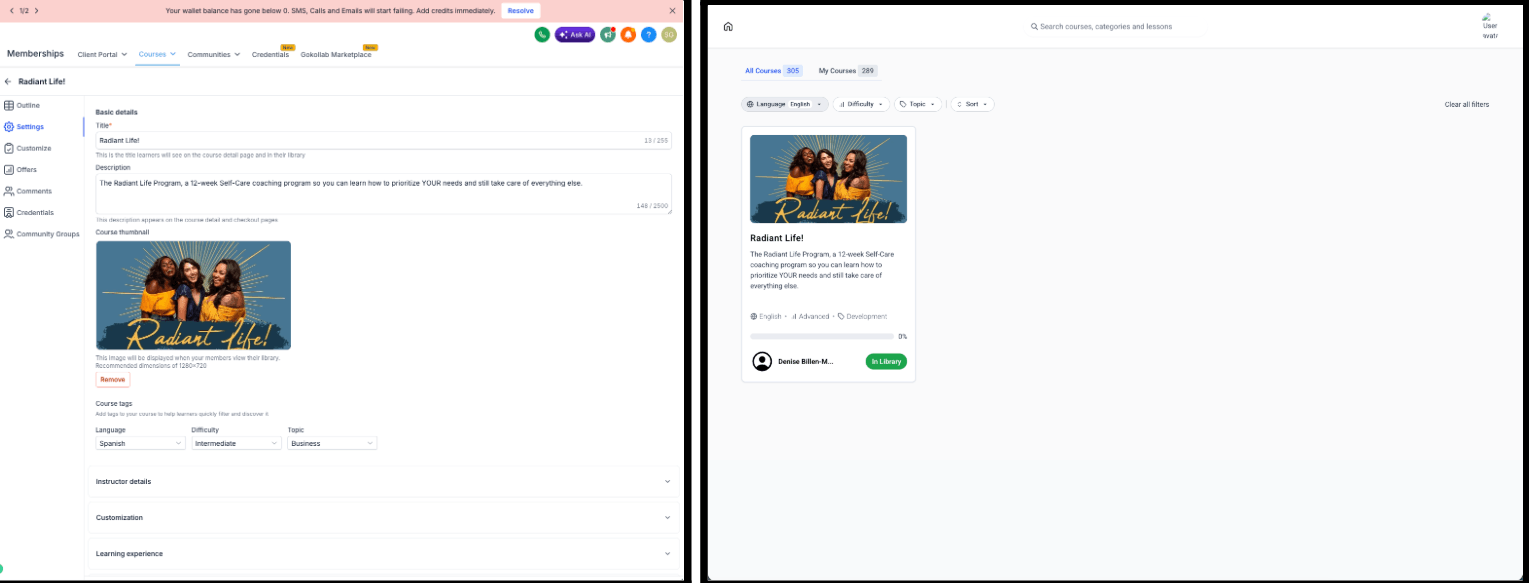
Course creators can now tag courses with Language, Difficulty, and Topic from Course Details. Tags appear on course cards and learners can filter the course library by these tags — making it easier to find content that matches their skill level, language, and interests. Works across All Courses and My Courses library views.
Memberships → Courses → Settings → Course tags.
Certificates and Badges can now be downloaded in PDF, PNG, or JPG format. PDF for professional printing, PNG for images with transparency, and JPG for email, websites, and social media sharing. The same download options are available for both Certificates and Badges.

Review sentiment is now powered by an LLM engine, replacing the legacy provider for noticeably more accurate scoring. Historical reviews have been backfilled with the improved scoring so sentiment trends and dashboards reflect real data across past reviews — not just new ones.
AI reply generation is now significantly faster through an asynchronous flow — no more multi-second hangs or timeouts.
Also fixed this week: reviews without a written comment now derive sentiment from star rating instead of defaulting to Neutral; review-request emails now correctly render brand board colors; drip campaigns no longer retry or re-bill for deleted reviews; and sending a review request no longer creates duplicate contacts.
You can now choose to receive inbound calls only during your working hours. Turn on “Only ring during working hours” in your profile, pick your availability schedule, and calls that arrive outside those hours skip you automatically and go to the number’s existing backup. Off by default — nothing changes until you turn it on.

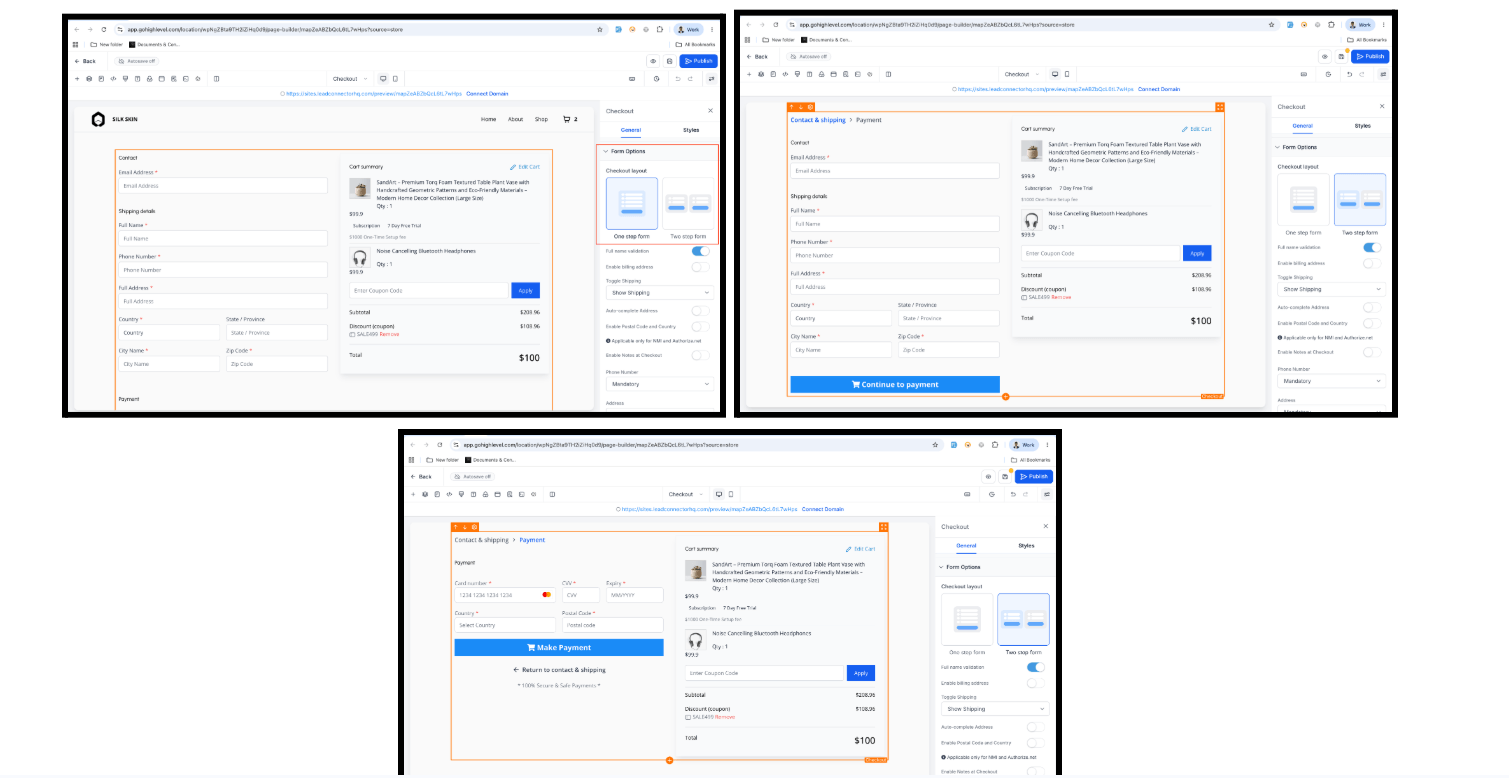
Store owners can now choose between One-Step and Two-Step Checkout from the Checkout element settings. With Two-Step Checkout, customers enter contact details and shipping in Step 1, then billing, payment, and order review in Step 2 — capturing customer information earlier in the flow.
One-Step Checkout remains the default. Existing checkout pages are unaffected.
Store Builder → Checkout Page → Checkout element → Form Options → Checkout Type.
FGF Notifications








